Six of the seven tools people compare against StreamLadder have native iOS and Android apps: Eklipse, StreamLadder itself, OpusClip, Medal, Cross Clip and Vizard. Klap has no native app at all. Powder, which still shows up on most alternatives lists, has shut down.
That still doesn’t answer the real question. Every one of those apps will let you tap something and get a vertical clip out the other end. The question that decides whether a tool is usable on a phone is narrower: does it need the source video on your device before it can start?
On a phone, that one requirement is the whole workflow. A 4-hour Twitch VOD isn’t sitting in your camera roll. Getting it there means finding a downloader, burning storage, then pushing the file back up over mobile data. Most “mobile” clip tools quietly assume you already solved that on a desktop.
Key Takeaways
– Six of the seven common StreamLadder alternatives have native iOS and Android apps. Klap is browser only. Powder has shut down and should be ignored on any list that still includes it.
– The real split is upload-first versus connect-first. OpusClip, Vizard and StreamLadder’s own app need the file or a URL from you. Eklipse and Medal process on their side, so the phone only opens the finished clip.
– Cross Clip is the exception among upload-first tools: it accepts a pasted Twitch or Kick clip URL, so you never download the source.
– Captioning and trimming survive on every app that exists. Multi-layer editing, montages and anything timeline-shaped is where phones start pushing you back to a browser.
– Publishing straight to TikTok, Reels and Shorts works from Eklipse, StreamLadder and Cross Clip without leaving the app.
What “works on mobile” actually means
Clipping a stream is five steps, and tools fail at different ones. Before comparing apps, it helps to name them:
- Get the source in. Upload a file, paste a URL, or connect an account the tool reads from.
- Find the moment. AI picks the clip boundaries, or you scrub for them yourself.
- Make it vertical and captioned. Reframe to 9:16, generate captions, adjust the styling.
- Export. Save to the camera roll at a usable resolution, without a watermark you did not agree to.
- Publish. Post or schedule to TikTok, Reels and Shorts.
Almost every app on this list handles steps 3 and 4. Step 1 is where the phone-only workflow lives or dies, and it is the step no comparison page bothers to check.
Mobile capability, tool by tool
| Tool | iOS | Android | Source in | Editing on phone | Publish from app |
|---|---|---|---|---|---|
| Eklipse | Yes | Yes | Connect Twitch, Kick, YouTube or Facebook. No upload. | Trim, captions, vertical reframe | Yes |
| StreamLadder | Yes (iOS 17.4+) | Yes | Syncs with your streamladder.com account and projects | Captions, stickers, sound effects, montages | Yes |
| OpusClip | Yes (iOS 16+) | Yes | Upload a long video from the device | Preview, caption styling, templates | Save to camera roll |
| Medal | Yes | Yes (two apps) | Records phone gameplay, or syncs PC clips | Trim only | Share to social |
| Cross Clip | Yes | Yes | Paste a Twitch or Kick clip URL, or upload | Trim, frame selection, layouts | Yes |
| Vizard | Yes (iOS 15+) | Yes | Upload a long video | Generation on app; deeper edits push to web | Save and share |
| Klap | No | No | Browser only | Browser only | Browser only |
| Powder | Shut down | Shut down | n/a | n/a | n/a |
Eklipse
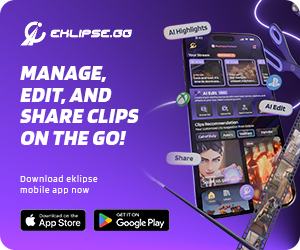
You never upload the VOD yourself. You connect a Twitch, Kick, YouTube or Facebook account once, and Eklipse’s AI highlight detection reads the stream on its own side while you are still live. By the time you open the phone, the clips already exist.
That is the difference that matters for a phone. From the app you trim the in and out points when the AI guessed wide, edit the auto-generated captions, and reframe to 9:16 for TikTok, Shorts or Reels. Export lands in your camera roll without a watermark, and you can post straight out or queue it on the calendar. Full capability list is on the Eklipse mobile app page, with the iOS and Android builds both live.
The trade is that it only works on streams from a connected platform. If your footage is a local file, there’s nothing for it to read.
StreamLadder
StreamLadder’s own app is newer than its web tool and requires iOS 17.4 or later, which quietly rules out older iPhones. Your account, clips and projects sync with streamladder.com, so you can start a project on desktop and finish it on the phone.
The in-app editor covers captions, stickers and sound effects. The Content Publisher posts or schedules to TikTok, Reels and Shorts. The rest of the toolkit travels too: Montage Maker, stream schedule graphics, and emote creation from clip frames.
Reviewers are consistent about the same two things. The phone app is fiddly compared to the browser version, and the montage builder is thin unless you add your own edits on top. Worth reading alongside the fuller Eklipse vs StreamLadder breakdown if you are deciding between the two directly.
OpusClip
Genuinely mobile on both stores, and clearly built for it. Upload a long video, the AI generates clips, then you preview, style the captions, apply a template and save to the camera roll. Interface runs in eight languages.
Upload is the catch. The long video has to be on your phone first, which for a stream VOD means solving the download problem before you open the app at all. For a podcast or a video you already shot on the phone, that is a non-issue and OpusClip is a strong pick. For a Twitch archive it is a wall. Same underlying trade covered in the Eklipse vs OpusClip comparison.
Medal
Medal ships two Android apps and one on iOS, and it is the odd one out here because it is a clip network rather than a stream editor. The recorder app captures gameplay from the phone itself. The social app browses, trims and shares clips, including ones your PC client captured.
The iOS listing sits at a 4.8 rating across roughly 20,000 reviews, which is the strongest store rating of anything on this list. Free, with optional premium.
What it doesn’t do is turn a long VOD into a captioned vertical short. There’s no auto-clipping of a stream archive, no caption generation. If your goal is a clip library you can flick through and share from anywhere, Medal is excellent. If your goal is publishable short-form, it isn’t the tool.
Cross Clip
The most underrated option for phone-only work. Cross Clip, from the Streamlabs team, takes a pasted Twitch or Kick clip URL instead of demanding a file. That single design choice removes the download and re-upload leg that makes every other upload-first tool painful on mobile.
Once imported you get trimming, frame selection for the highlight area, and layout editing with resizable video layers. The core is free; a $4.99 per month tier removes the watermark, unlocks 1080p at 60fps and larger uploads.
The limit is scope. Cross Clip works on clips, not on a 6-hour VOD. Nothing finds the moment for you, so you’ll still need to know which clip you want before you start.
Vizard
iOS 15 or later plus Android, and it markets itself as mobile-first: point it at a podcast, vlog, talking-head video or interview and it pulls highlight clips with auto captions.
Users report that the mobile app is narrower than the marketing implies, with meaningful edits to a generated clip still landing on the web version. Treat the app as a generation front end rather than an editor, and check that against your own workflow before committing. It is also tuned for speech-driven content, not gameplay, so the moment detection is looking for different signals than a gaming clipper.
Klap
No native app on either store. Searching “Klap” in the App Store or Play Store returns a learning app, a music-events platform and a photo-contest app, none of them this product. Klap is klap.app in a mobile browser, which works but gives you no camera-roll integration and no share sheet.
Powder
Powder has shut down. The desktop client stopped working, subscriptions were cancelled, and the service no longer accepts users. Any alternatives roundup still listing it, including ones that rank well, is out of date.
The two workflows, and which one you need
Strip out the feature grids and there are only two shapes here.
Connect-first (Eklipse, Medal): the service holds your footage and the phone is a viewer with editing controls. You never move a large file. This is the only shape that works when your source is a multi-hour stream and your only device is a phone.
Upload-first (OpusClip, Vizard, StreamLadder’s app, and Cross Clip in file mode): you supply the video. Fine when the video was shot on the phone or is short. Painful when it lives on Twitch.
Cross Clip’s URL paste is a hybrid, and it’s why it punches above its weight for mobile. It’s upload-first in architecture but connect-first in feel, as long as what you want is already a clip.
So the honest answer to “which StreamLadder alternative works on my phone” depends on where your footage is:
- Footage lives on Twitch, Kick or YouTube as a long stream: Eklipse. Nothing else removes the download step for full VODs.
- Footage is already a Twitch or Kick clip: Cross Clip. Paste the link, trim, post.
- Footage is a podcast or talking-head video on your phone: OpusClip or Vizard.
- You want a browsable clip library across PC and phone: Medal.
- You already pay for StreamLadder on desktop: its own app, since project sync is the main thing you are buying.
FAQ
Does StreamLadder have a mobile app?
Yes, on both iOS and Android. The iOS build needs iOS 17.4 or later. Clips and projects sync with your streamladder.com account, and you can caption, add stickers and publish from the phone.
Can I clip a Twitch VOD entirely from my phone?
Only with a tool that reads the VOD from your connected account rather than asking you to upload it. Eklipse does this. Upload-first tools require you to get the file onto the device first, which is the step that breaks phone-only workflows.
Which mobile clipping app is free?
Cross Clip’s core features and Medal are free, with paid tiers for watermark removal and higher export quality. OpusClip and Vizard run on monthly credits. Klap has no free ongoing tier and no app.
Is there a StreamLadder alternative for Android specifically?
Every tool here with an app publishes on Google Play except Klap. Package names are com.eklip.se for Eklipse, com.streamladder. StreamLadder, pro.opus.clip, tv.medal.recorder, com.crossclip and ai.vizard.android.
Does Powder still work?
No. The service has shut down.
What to do next
Most of these tools are the same product with a different logo once you get past the landing page. The one thing that separates them on a phone is whether they make you carry the video yourself.
If your footage is sitting in a Twitch, Kick or YouTube archive and you want it clipped without ever opening a laptop, connect the account and let the clips be waiting when you pick up your phone. Create your Eklipse account and connect a channel, then check the app after your next session.
🎮 Play. Clip. Share.
You don’t need to be a streamer to create amazing gaming clips.
Let Eklipse AI auto-detect your best moments and turn them into epic highlights!
Limited free clips available. Don't miss out!