
The best free Roblox screen recorder is OBS Studio: zero cost, no watermark, no FPS cap, and it works for both recording and live streaming. If you’d rather skip reviewing footage yourself, Medal.tv (free, local) and Eklipse (free, cloud-based for streamers) add AI that finds your best moments automatically.
Which one is right for you depends on how you actually play: recording full sessions, minimizing setup, keeping performance impact near zero, or skipping manual review entirely with automatic clips. This guide covers every recording option and where automatic clipping fits in, so you can match the tool to your setup.
TL;DR
- Best free recorder (no restrictions): OBS Studio, no watermark, any resolution, no clip length limit
- Best for simplicity: Medal.tv, install, play, it clips automatically
- Best for streamers wanting auto-clips: Eklipse, processes your Twitch/Kick Roblox VOD into 9:16 clips post-stream
- Built-in option (Windows): Xbox Game Bar (Win+G), instant replay, no install, lower quality
- Avoid: free recorders with 10-minute limits or mandatory watermarks
Recording vs. automatic clipping
| If you want… | Recommended option |
|---|---|
| Free, full-control recording | OBS Studio |
| Simple built-in recording | Xbox Game Bar |
| Low-overhead recording with NVIDIA GPU | ShadowPlay |
| Low-overhead recording with AMD GPU | AMD ReLive |
| Automatically create clips from your stream | Eklipse |
A recorder captures everything and leaves you to find the good parts. A clipping tool, Eklipse, or Medal for offline sessions, watches the footage and hands you the highlights. If you’re not sure which category you need: do you want a file of your full session, or the 15 seconds worth posting? That’s the split this guide covers.
Best screen recorders for Roblox
OBS Studio: best overall free recorder
Free. No watermark. No time limit. No catch.
OBS Studio is the most capable free screen recorder available. It captures Roblox at any resolution and frame rate with zero mandatory watermark, supports both local recording and live streaming, and runs on Windows, macOS, and Linux.
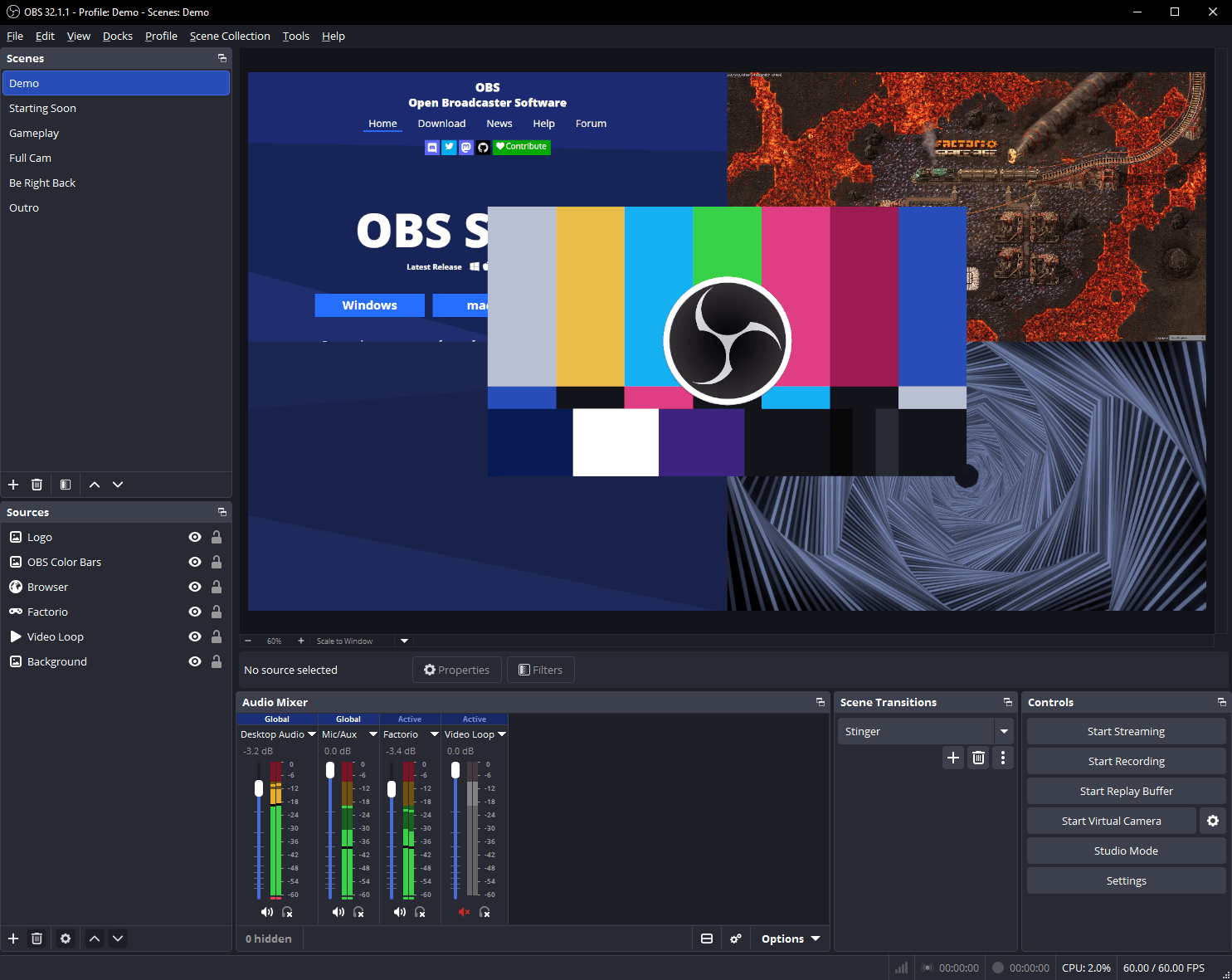
How to record Roblox with OBS:
1. Download from obsproject.com
2. Add a Game Capture source, select Roblox
3. Set output: 1920×1080, 60fps, NVENC H.264 (NVIDIA) or AMF (AMD)
4. Press Start Recording
Game Capture beats Display Capture here: it hooks directly into the Roblox process, so there’s lower CPU overhead, no lag from capturing a secondary monitor, and Roblox renders in full quality.
| Setting | Value |
|---|---|
| Encoder | NVENC H.264 (NVIDIA) or x264 (CPU) |
| Rate control | CRF (recording), CRF 18–23 |
| Resolution | 1920×1080 |
| FPS | 60 |
| Format | MP4 (easier to edit) or MKV (safer if OBS crashes) |
Trade-off: OBS has no automatic clip detection. You record everything and manually find the good moments afterward, or use the replay buffer (records the last N seconds on hotkey) to save specific moments as you play.
Best for: Roblox players who want full control, no restrictions, and plan to edit clips manually or pair OBS with a separate clipping tool.
Xbox Game Bar: built-in Windows option
Free. Built into Windows 10/11. Zero install required.
Press Win+G while Roblox is running to open Xbox Game Bar. It includes screen recording, instant replay (saves the last 30–120 seconds via Win+Alt+G), and screenshots (Win+Alt+PrtScn).
Pros: already on your PC, zero setup, hotkey accessible during gameplay.
Cons: lower quality than OBS, no AI detection, 16:9 only, limited bitrate control, doesn’t work in all Roblox modes.
Best for: casual Roblox players who need to record on Roblox once and don’t want to install software, including school or work PCs where you can’t install anything.
NVIDIA ShadowPlay (NVIDIA App)
Free with NVIDIA GPU. Hardware-accelerated. Minimal performance impact.
If you have an NVIDIA GPU (GTX 1060 or newer), ShadowPlay is worth using. NVENC hardware encoding keeps CPU overhead near-zero (2–4%). Instant Replay saves the last 5–30 minutes on hotkey (Alt+F10), with no time limit and no watermark.
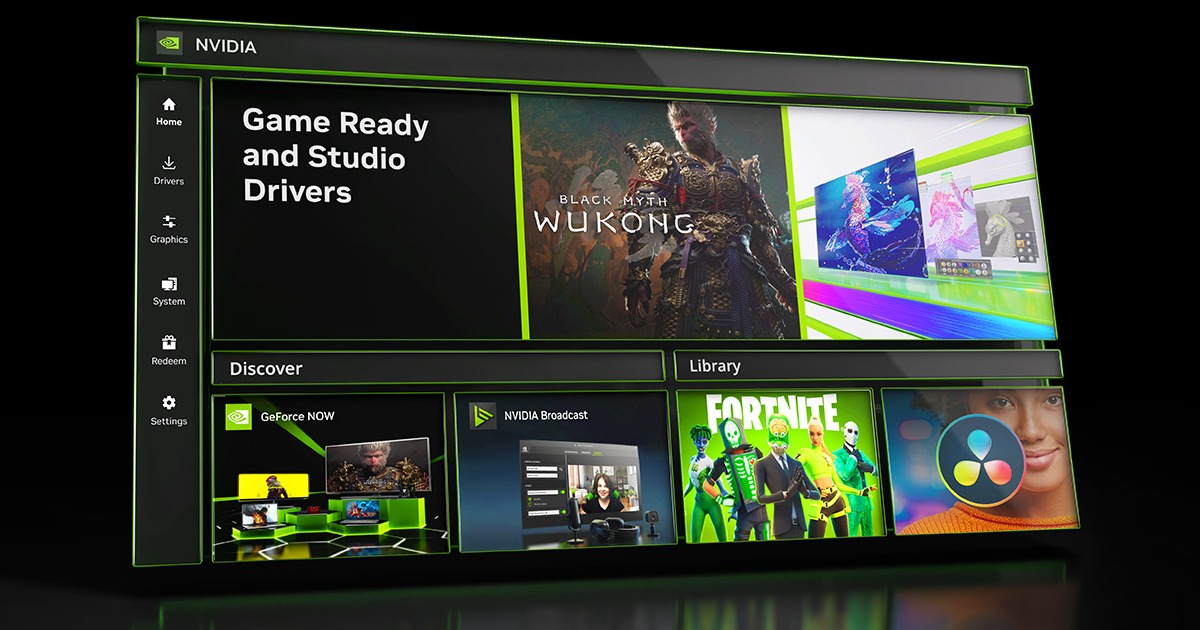
Setup: Install the NVIDIA app (GeForce Experience’s replacement as of 2025), enable the in-game overlay, configure Instant Replay duration.
For Roblox, the trigger is manual: you press the hotkey when you want to save a clip. There’s no automatic detection.
Best for: NVIDIA GPU owners who want high-quality, zero-overhead instant replay without a subscription or AI detection.
AMD ReLive / Radeon Software
Free with AMD GPU. Similar to ShadowPlay for AMD hardware.
AMD ReLive captures via hardware encoding on AMD GPUs with minimal overhead. Instant replay, manual trigger, no watermark, no time limit.
Best for: AMD GPU owners who want the ShadowPlay equivalent for free.
Best tools for automatic Roblox clips
Recording gets you the footage. These tools skip the review step and hand you the highlights directly.
Eklipse: best for Roblox streamers
Free tier available. Cloud-based. Zero FPS impact. Processes Twitch/Kick VODs automatically.
Eklipse is not a traditional screen recorder. It processes your Twitch or Kick VOD after your stream ends. OBS records the gameplay. Eklipse finds and creates highlights from that gameplay. Connect your Twitch account, stream Roblox as normal, and Eklipse exports your best moments in 9:16 vertical format for TikTok and YouTube Shorts.
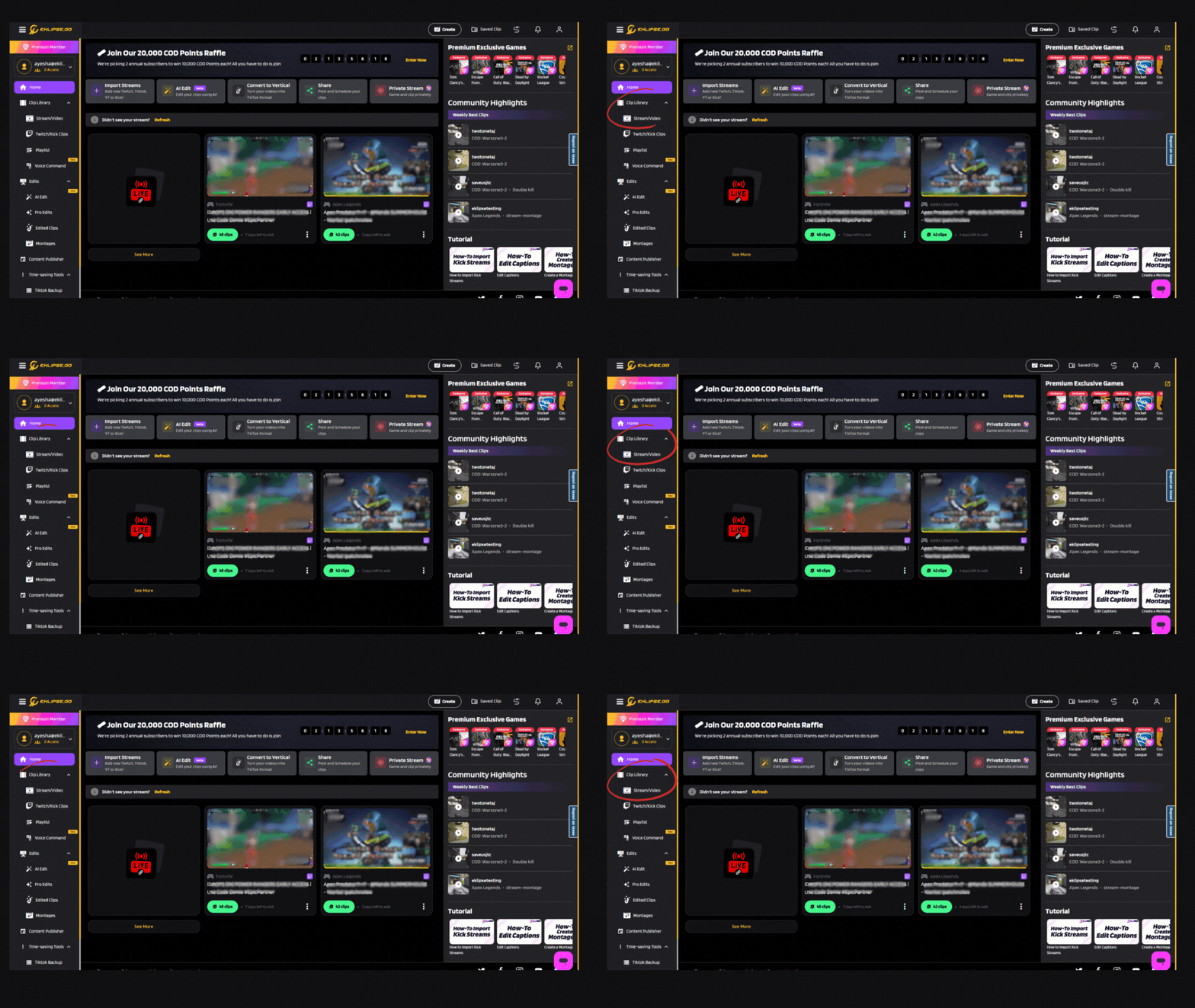
How it works:
1. Create an account at app.eklipse.gg
2. Connect Twitch or Kick via OAuth
3. Stream Roblox, no changes to your setup
4. After the stream, Eklipse processes the VOD automatically
5. In 20–60 minutes, detected clips appear in your dashboard ready to download
What makes it different for Roblox:
– Chat spike detection: when 300+ chat messages appear in 5 seconds, something notable happened. Eklipse catches this, a funny moment, an unexpected clutch, a dramatic event, even without a kill-feed trigger.
– Zero performance overhead: runs entirely in the cloud after your stream ends. Your Roblox session is unaffected.
– 9:16 output by default: no reformatting for TikTok or Shorts.
Best for: Roblox streamers on Twitch or Kick who want automatic highlights from their VODs without reviewing footage manually. See Roblox highlights for a closer look at what Eklipse detects across Rivals, BedWars, and other Roblox PvP experiences.
Requires: active Twitch or Kick account with VOD storage enabled.
Medal.tv: best for offline players
Free tier available. Runs locally. AI detects highlights automatically.
Medal.tv runs as a background process during your Roblox session, capturing everything and using AI to flag notable moments, kills, deaths, certain score events, as short clips.
How it works:
1. Install Medal from medal.tv
2. Launch Roblox, Medal starts capturing automatically
3. After your session, open Medal and review detected clips
4. Download and share from the Medal interface
For Roblox specifically: works well for PvP games (Arsenal, Combat Warriors, Da Hood) where kill events are detected reliably. Limited for progression games (Blox Fruits, Pet Simulator), where “fruit awakening” isn’t a standard kill event. Funny moments are only captured if they trigger an audio spike, not as reliable as Eklipse’s chat-based detection.
Performance impact: 8–12% CPU during recording. Barely noticeable on a modern Ryzen 5 or Core i5. On older or lower-spec machines, expect frame drops in busy Roblox maps.
Free plan limitations: 720p capture, Medal watermark on exports. Medal Pro removes the watermark and unlocks higher resolutions.
Best for: Roblox players who don’t stream live and want automated clip detection without any streaming setup.
Which tool should you use?
- Best overall recording: OBS Studio
- Best for simple recording: Xbox Game Bar
- Best for NVIDIA users: ShadowPlay
- Best for AMD users: AMD ReLive
- Best for automatic highlights: Eklipse (streamers) or Medal (offline players)
Comparison table
| Tool | Cost | FPS impact | AI detection | Output format | Best for |
|---|---|---|---|---|---|
| OBS Studio | Free | Low (GPU encode) | Manual only | 16:9 | Full control, streaming |
| Medal.tv | Free / Pro | 8–12% CPU | Kill events | 16:9 | Offline players, simple setup |
| Eklipse | Free / Paid | Zero | Full VOD (chat + kills) | 9:16 | Twitch/Kick streamers |
| Xbox Game Bar | Free (built-in) | Low | None | 16:9 | Casual, no install |
| ShadowPlay | Free (NVIDIA GPU) | Near-zero | Manual trigger | 16:9 | NVIDIA users, instant replay |
| AMD ReLive | Free (AMD GPU) | Near-zero | Manual trigger | 16:9 | AMD users, instant replay |
Frequently asked questions
What is the best recorder for Roblox?
OBS Studio is the best free Roblox screen recorder overall: no watermark, no time limit, and full control over resolution and encoding. For NVIDIA or AMD GPU owners, ShadowPlay and AMD ReLive offer near-zero overhead with less setup.
How do I record on Roblox?
Install OBS Studio, add a Game Capture source, select Roblox, set your output to 1920×1080 at 60fps with hardware encoding (NVENC or AMF), and press Start Recording. For a zero-install option, press Win+G to open Xbox Game Bar instead.
Can I record Roblox without OBS?
Yes. Xbox Game Bar (Win+G) is built into Windows 10/11 and needs no install. NVIDIA and AMD GPU owners can use ShadowPlay or AMD ReLive for hardware-accelerated recording with less setup than OBS.
Does recording Roblox affect FPS?
Hardware-accelerated recording (NVENC, AMF, ShadowPlay) has very low overhead: 2–5% CPU. Software encoding (x264 in OBS) uses more, 20–40% depending on quality settings. Use hardware encoding to minimize FPS impact on Roblox.
What is the best free Roblox screen recorder?
OBS Studio, with no watermark, no time limit, and no resolution cap. Xbox Game Bar is the simpler free built-in option but caps out at 16:9 and lower quality.
How do I record Roblox clips on a school or work PC?
If you can’t install software, use Xbox Game Bar (Win+G). It’s already on Windows 10/11 and doesn’t require admin permissions in most configurations.
The right recorder for your Roblox setup
- Streamers: OBS for streaming, Eklipse for auto-clips from your VOD
- Offline players with NVIDIA GPU: ShadowPlay for instant replay, Medal for AI detection
- Offline players without a dedicated GPU: OBS recording, Medal for AI clip detection
- Casual one-off clips: Xbox Game Bar
If you’re streaming Roblox and don’t want to scrub through VODs to find what’s worth posting, Eklipse turns your stream into 9:16 clips automatically, free to start.
🎮 Play. Clip. Share.
You don’t need to be a streamer to create amazing gaming clips.
Let Eklipse AI auto-detect your best moments and turn them into epic highlights!
Limited free clips available. Don't miss out!

