Your GTA 6 stream, clipped
AI cuts Shorts, Reels and TikToks.
How to Find and Watch Old Twitch Streams Before They Expire
Twitch deletes most past broadcasts after 7 days, so you have to act fast if you want to watch old Twitch streams again. Affiliates get 14 days, and Partners or anyone with Prime or Turbo gets 60 days. After that window closes, the VOD is gone unless the streamer saved it as a Highlight or Upload.
Key Takeaways
– Past broadcasts last 7 days for most broadcasters, 14 days for Affiliates, and 60 days for Partners and Prime or Turbo users.
– Highlights and Uploads don’t expire the same way, but they share a 100-hour storage limit.
– The “Store Past Broadcasts” setting has to be on before you go live, or nothing gets saved.
– You can browse any streamer’s past broadcasts with the Eklipse Twitch VOD viewer, no account needed.
How long Twitch keeps past broadcasts
Twitch sets the clock by account type. These numbers come from Twitch’s own help page on on-demand content.
| Account type | How long past broadcasts stay |
|---|---|
| Most broadcasters | 7 days |
| Twitch Affiliates | 14 days |
| Partners, Prime or Turbo | 60 days |
| Highlights and Uploads | No expiry, but a shared 100-hour limit |
There’s one more wrinkle for high-quality streams. If you stream in 2K or in a vertical dual-format setup, the higher-quality version expires 7 days after the stream. The 1080p horizontal version stays for the rest of your normal window.
Highlights and Uploads work differently. They don’t expire like past broadcasts, but they all count toward a 100-hour storage cap, including unpublished ones. Past broadcasts don’t count toward that cap, which is why they run on a timer instead.
How to find old Twitch streams on a channel
Start on the streamer’s channel page and open the Videos tab. It lists past broadcasts, highlights, clips and uploads in one place, so it’s the fastest way to see what still exists.
From there, sort by date and scroll back. If the streamer is a Partner, you might have up to 60 days of Twitch VODs to dig through. For a smaller channel, you’re working with a 7-day window.
Sometimes a VOD just isn’t there. Here’s why that happens:
- It expired. The retention window closed and Twitch removed it.
- Storage was off. If “Store Past Broadcasts” wasn’t enabled before the stream, nothing was saved.
- The streamer deleted it. Creators can remove their own VODs at any time.
- It’s subscriber-only. Some streamers make past broadcasts sub-only, so you need a subscription to watch.
That last one catches people off guard. A VOD can exist and still be locked to you.
Watch past broadcasts without logging in
If you want to find old Twitch VODs fast, the Eklipse Twitch VOD viewer does the searching for you. Type in a streamer’s name and it pulls up their past broadcasts, highlights and uploads in one view.
You can filter by date, views or length. That’s handy when you’re hunting a specific match, a long marathon stream, or the most-watched moments from a channel you follow. No account is needed to use the tool.
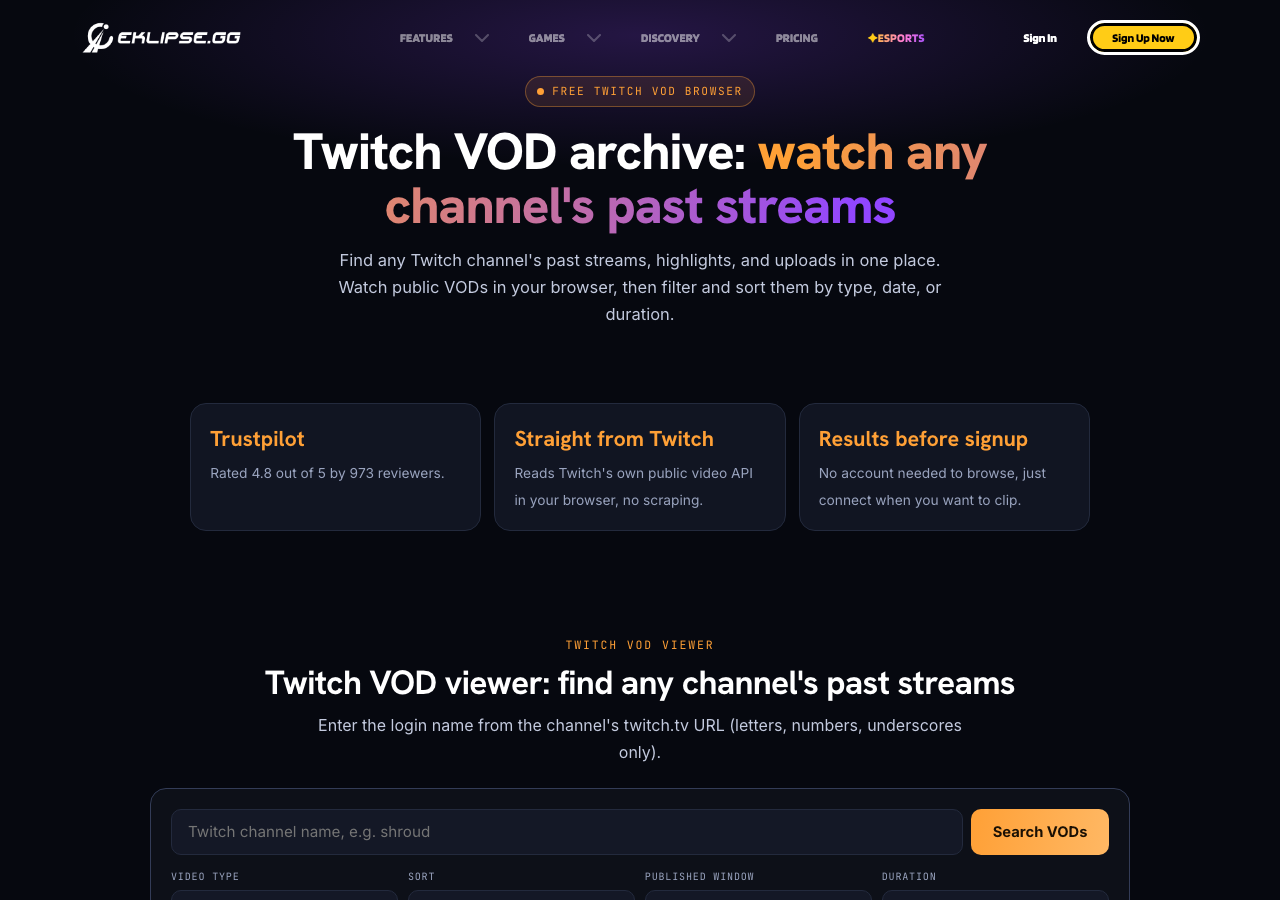
It’s a quick way to check what’s still up before the 7, 14 or 60-day clock runs out. If the VOD is there, you’ll see it. If it’s gone, look at highlights and clips instead.
How streamers can keep VODs past the deadline
If you’re a streamer, the first step is turning on “Store Past Broadcasts” before you go live. You do this from the web Creator Dashboard, not the mobile app. If the setting is off, no past broadcast is saved, and you can’t make Highlights or Clips from it either.
Twitch advises downloading or exporting past broadcasts before the window ends if you want to keep them. That’s the safest way to save Twitch VODs, because once the timer hits zero, Twitch removes the file.
Highlights are your next line of defense. They don’t expire like past broadcasts, so pulling your best moments into Highlights keeps them around. They share the 100-hour storage limit, so you can’t highlight everything.
For short clips, Eklipse’s AI highlights connect to Twitch, scan your VODs for highlight moments, and turn them into 9:16 clips for TikTok, Reels and Shorts. The best parts of a stream live on after the full VOD is gone. Premium keeps your clips for 30 days and Premium Pro for 90 days, so you have time to post them.
Ready to turn your VODs into clips before they expire? Create an Eklipse account and connect your Twitch channel.
What to do when a VOD is gone
Once Twitch deletes a past broadcast, it’s gone from Twitch. There’s no backup copy you can request.
Your best move is to check what survived. Look at the streamer’s Highlights, Clips and Uploads, since those don’t expire on the same timer. Big moments often end up clipped even when the full stream disappears.
You can also ask the streamer. Some creators download their own VODs and keep a personal streamer archive, and they may share a copy if you ask.
Going forward, the rule is simple. If you find a Twitch VOD you love, watch it soon or save it yourself.
FAQ
How long do Twitch past broadcasts last?
Most broadcasters get 7 days. Twitch Affiliates get 14 days, and Partners or anyone with Prime or Turbo gets 60 days. After that, the VOD is deleted unless it was saved as a Highlight or Upload.
Why can’t I find an old Twitch VOD?
It probably expired, the streamer had “Store Past Broadcasts” turned off, they deleted it, or it’s subscriber-only. Check the Videos tab first, then look at Highlights and Clips.
Can I watch old Twitch streams without an account?
Yes. The Eklipse Twitch VOD viewer lets you enter a streamer’s name and browse their past broadcasts, highlights and uploads with no account needed. You can filter by date, views or length.
Do Twitch Highlights expire?
Highlights and Uploads don’t expire like past broadcasts. They share a 100-hour storage limit, which includes unpublished ones.
Bottom line
Old Twitch streams don’t stick around long: 7 days for most channels, 14 for Affiliates, 60 for Partners. Check the Videos tab or the Eklipse Twitch VOD viewer before the window closes. If you’re a streamer, turn on storage, export what matters, and clip the rest before it’s gone.
🎮 Play. Clip. Share.
You don’t need to be a streamer to create amazing gaming clips.
Let Eklipse AI auto-detect your best moments and turn them into epic highlights!
Limited free clips available. Don't miss out!