The fastest free Twitch sub badge maker in 2026 is Eklipse’s Twitch badge maker: it designs sub and bit badges in your browser and exports all three required sizes (18, 36, and 72px) as transparent PNGs, with no account and no watermark. Premade packs from Own3D and Kudos.tv and custom commissions on Fiverr or Etsy cover the rest of the field.
TL;DR
- Eklipse’s badge maker is the only free option that exports all three Twitch sizes (18/36/72px) in one download, with sub and bit tier presets. No login, no watermark.
- Twitch requires every badge as a transparent PNG in 18×18, 36×36, and 72×72px, each under 25KB
- Premade packs (Own3D, Visuals by Impulse, Kudos.tv) are the middle ground: polished, but other channels use the same designs
- Custom commissions (Fiverr, Etsy, Twitch Creative artists) start around $5 per badge pack and take days, not seconds
- Custom badges unlock at Twitch Affiliate. Until then, viewers see Twitch’s default badges.
Sub badges are the small icons next to a subscriber’s name in chat, and they do more work than their 18 pixels suggest. They give subs a visible reason to stay subscribed, and they level up with tenure (1 month, 3 months, 6 months, and beyond), so every tier is a small retention hook.
The catch: Twitch wants each badge in three exact sizes, as transparent PNGs, each under 25KB. Exporting that by hand in an image editor is fiddly, and hiring a designer costs money you may not want to spend at Affiliate level. Here are the 8 best ways to get badges done in 2026, from free browser tools to full custom commissions.
1. Eklipse Twitch badge maker (free, no login)
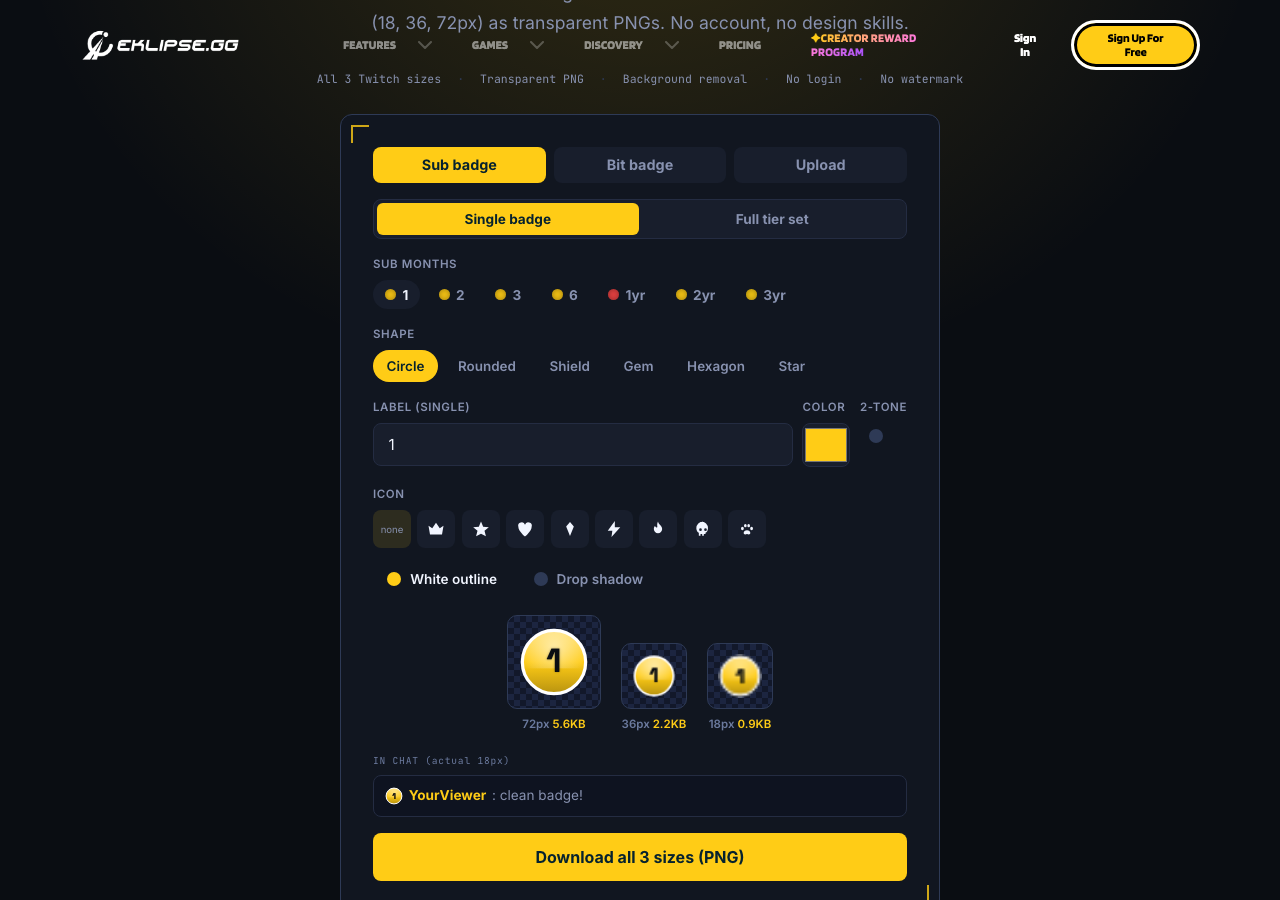
Eklipse’s free Twitch badge maker runs in the browser and is built around Twitch’s actual spec. Pick a sub tier (1, 3, 6 months…) or a bit tier (1, 100, 1K, 5K…) and it prefills the label and canonical color. Choose from six shapes (circle, rounded, shield, gem, hexagon, star), add a color, label, or emoji, and watch a live preview at the real 18px chat size.
One download gives you all three required sizes (18, 36, 72px) as transparent PNGs, each checked against Twitch’s 25KB limit. You can also upload your own art: the tool removes solid backgrounds automatically, adds a shape mask or drop shadow, and exports the same three sizes.
- Price: free, no account, no watermark
- Best for: getting a full matched tier set live in minutes
- Limitation: it’s a badge tool, not a full illustration suite; for hand-drawn mascot badges you still want an artist
2. Own3D
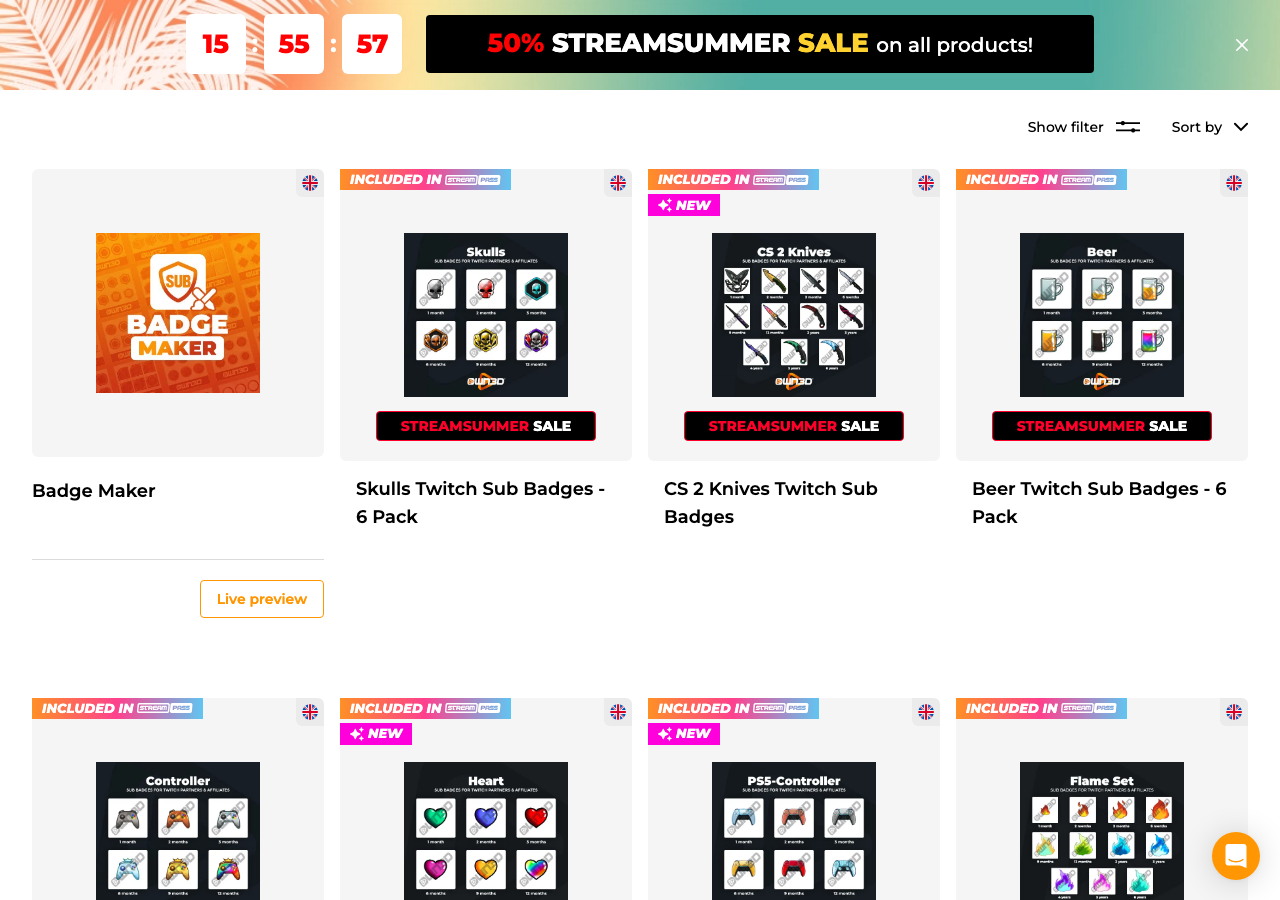
Own3D is one of the biggest stream-design shops, selling overlays, panels, alerts, emotes, and sub badge packs. The badge packs are polished and come sized for Twitch, and the catalog is large enough that most channel themes have a match.
The tradeoff is exclusivity. Packs are premade, so the same badges can show up in other channels’ chats. Own3D sells most of its design catalog through one-off purchases and a Pro subscription.
- Price: paid packs and subscription
- Best for: matching badges to an Own3D overlay theme you already use
3. Visuals by Impulse
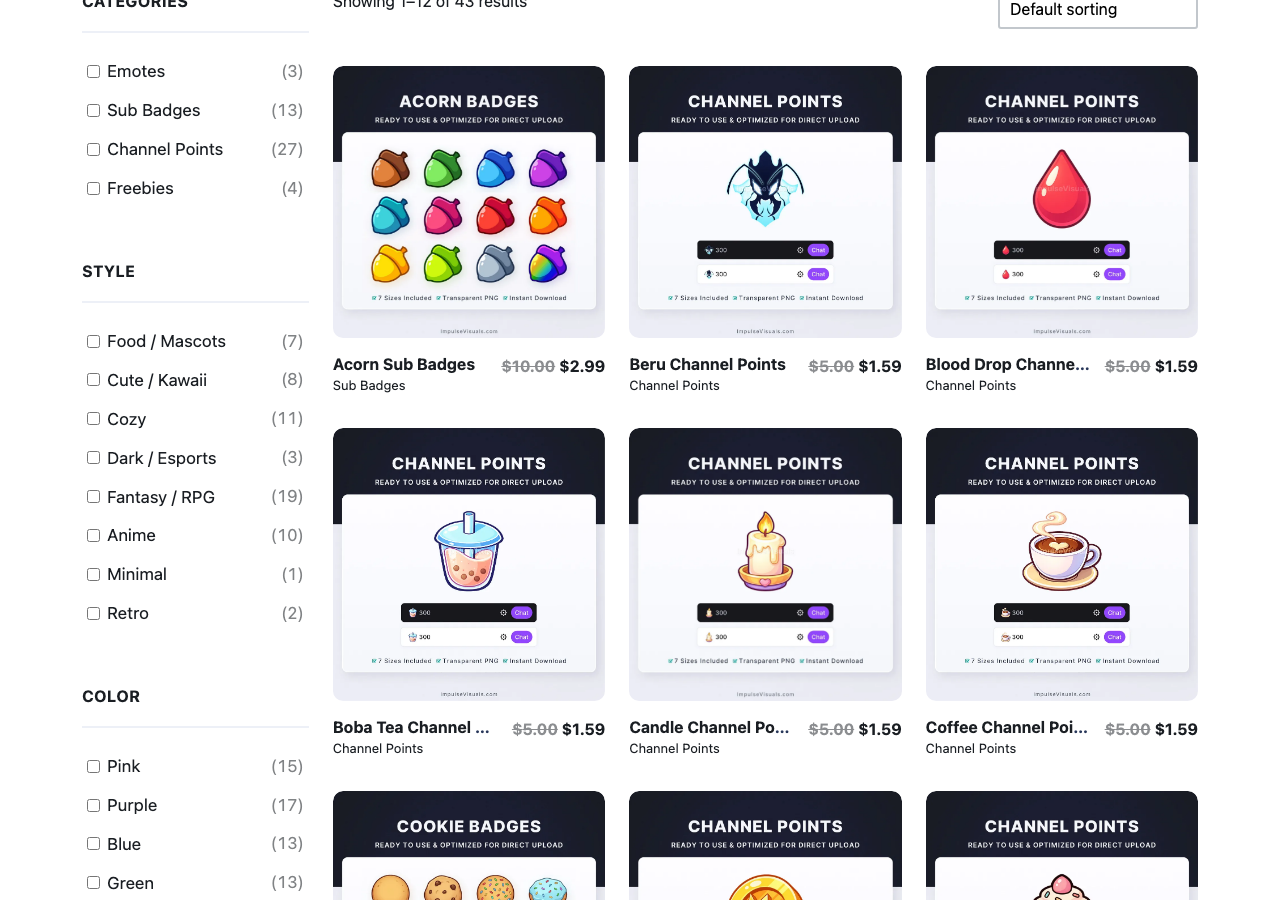
Visuals by Impulse specializes in stream design assets, including sub badge packs sold in Twitch-ready sizes. The store shows an in-chat preview of how badges look before you buy, which premade shops often skip.
Like Own3D, these are premade designs rather than custom work, and support runs through a ticket queue rather than live chat.
- Price: paid packs
- Best for: clean, professional badge sets without commissioning an artist
4. Fiverr
Fiverr is the commission marketplace: search “Twitch sub badges” and you’ll find hundreds of freelancers selling badge packs, usually starting around $5–10 for a basic set of six. You get custom work at the artist’s style and skill level, so check portfolios and reviews before ordering.
Turnaround and revision policy depend entirely on the freelancer. Expect days rather than minutes, and read the gig terms for how many revisions are included.
- Price: from about $5 per pack, scaling with detail and badge count
- Best for: custom badges on a small budget
5. Kudos.tv
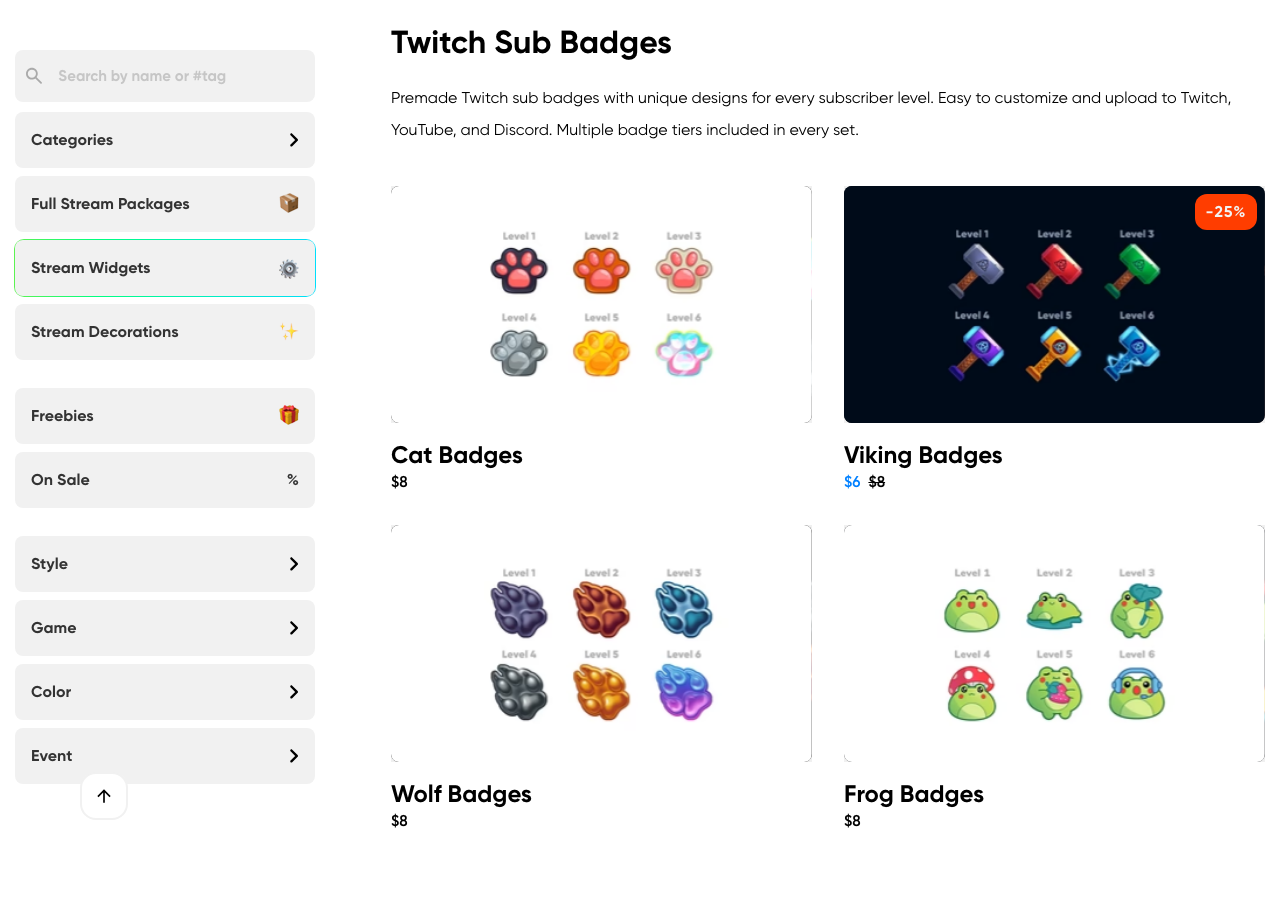
Kudos.tv sells premade stream packages (overlays, emotes, and sub badges) with step-by-step customization guides. Its free badge resizer is a handy utility if you already have art in one size and need the other two Twitch sizes.
The premade badge selection is smaller than Own3D’s, so treat it as a complement rather than a replacement.
- Price: paid packs; resizer is free
- Best for: resizing existing badge art to Twitch spec
6. Etsy badge artists
Etsy has become a real marketplace for stream design: search “Twitch sub badges” and you’ll find both instant-download premade packs and artists taking custom commissions. Prices sit in the same range as Fiverr, and reviews plus shop history make quality easy to judge.
The main caution is licensing. Check whether a pack is licensed for commercial use on a monetized channel before buying.
- Price: instant-download packs from a few dollars; customs vary
- Best for: finding a specific art style (pixel art, chibi, hand-drawn) from a named artist
7. Twitch’s default badges
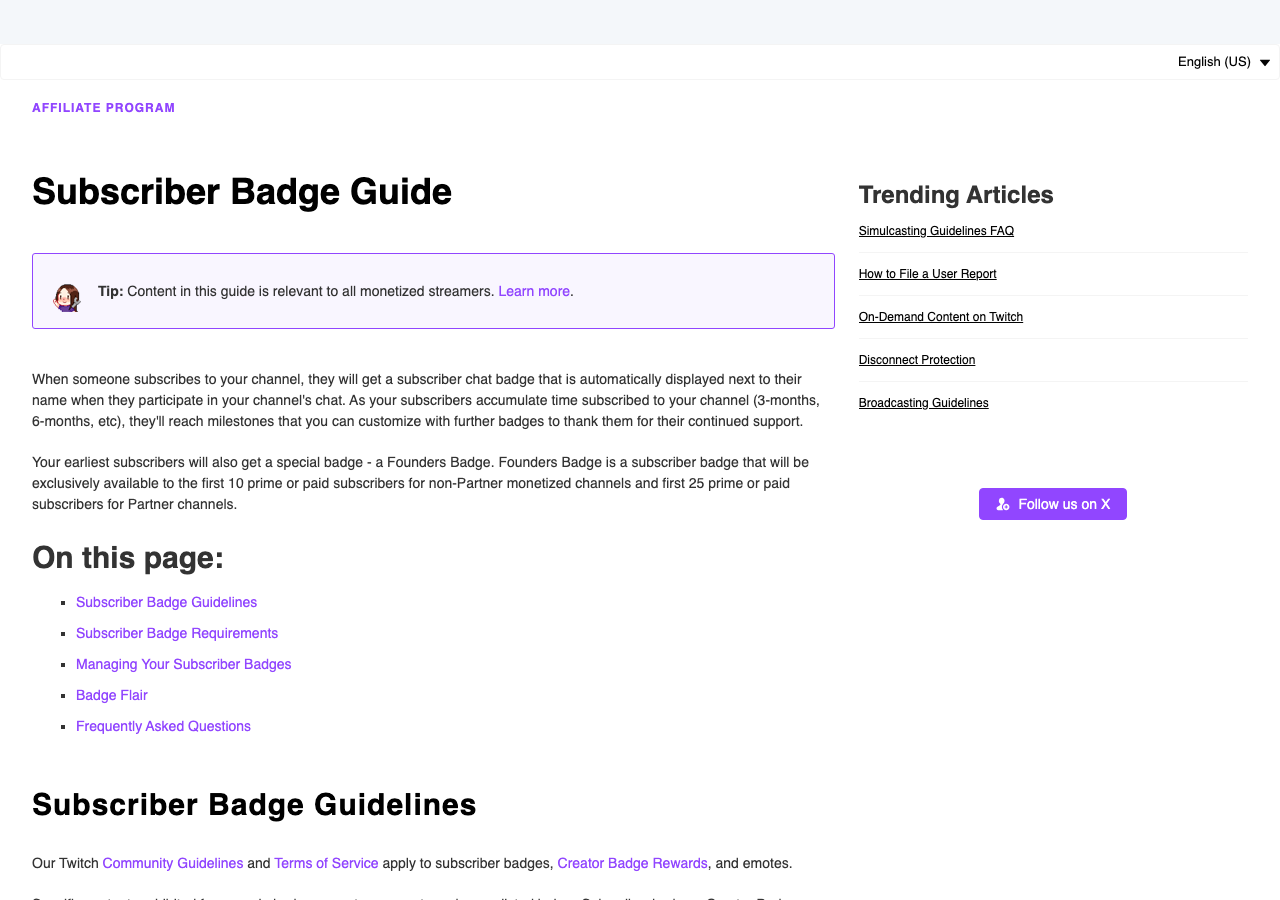
Twitch itself provides default sub badges for every Affiliate and Partner, at no cost and with zero setup. They work, they’re free, and they’re the same star-shaped badges every other channel without custom art uses.
That sameness is the point of replacing them: default badges do nothing for channel identity. Use them as the placeholder while you sort out custom ones.
- Price: free, built in
- Best for: brand-new Affiliates who haven’t chosen a badge style yet
8. Twitch Creative community artists
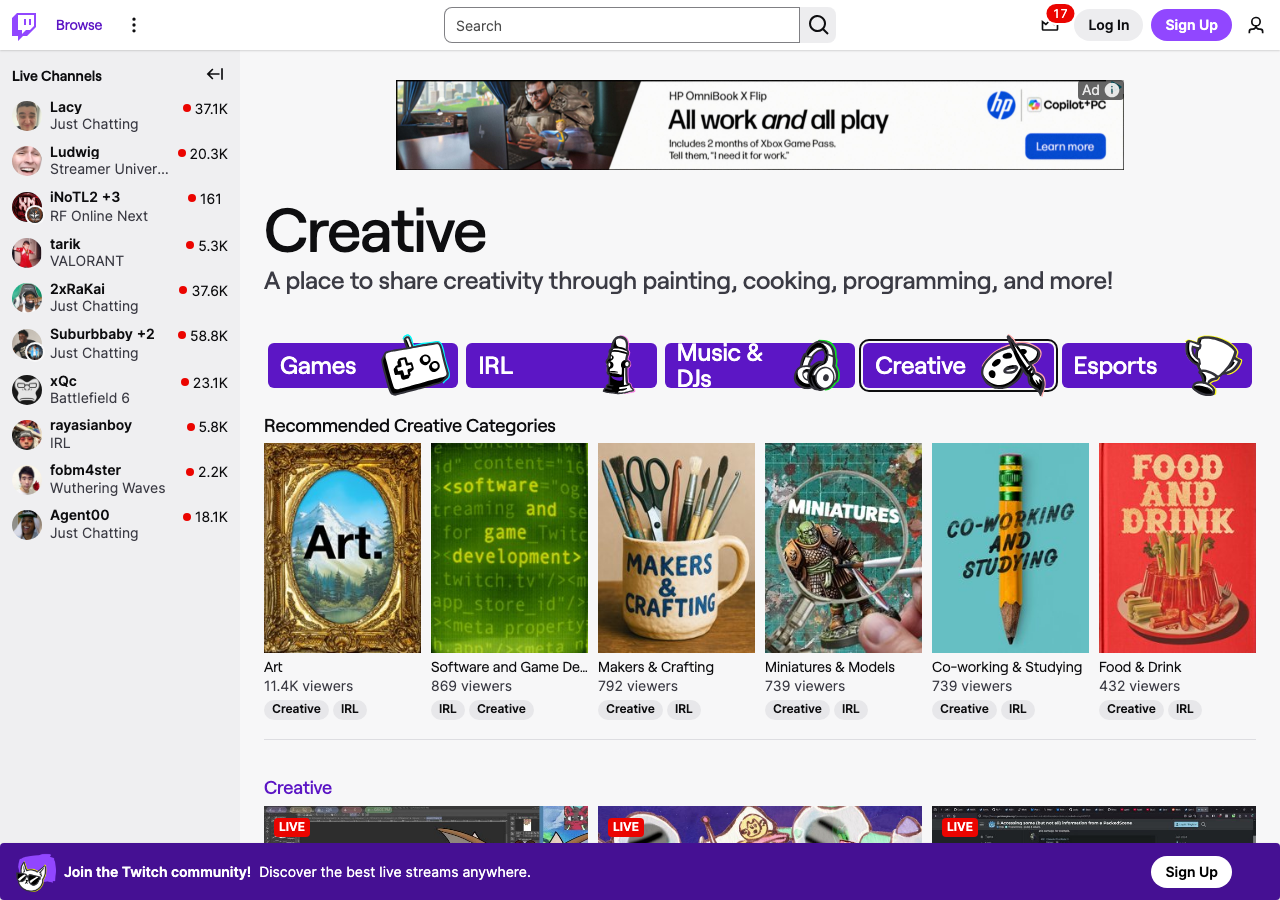
The Twitch Creative directory is full of artists who stream their design work live and take commissions from the community. Commissioning a badge set from an artist you already watch keeps the money inside the community, and you can literally watch your badges get drawn.
Pricing is negotiable per artist and depends on complexity. Treat it like any commission: agree on scope, sizes, and delivery format (ask for the three Twitch sizes as transparent PNGs) up front.
- Price: varies by artist
- Best for: supporting community artists and getting a one-of-one style
How to choose a Twitch sub badge maker
The decision comes down to speed, budget, and exclusivity:
| Route | Cost | Time to badges | Unique to your channel? |
|---|---|---|---|
| Eklipse badge maker | Free | ~1 minute | Your design, your art |
| Premade packs (Own3D, Visuals, Kudos.tv, Etsy downloads) | Paid | Minutes | No, shared designs |
| Custom commission (Fiverr, Etsy, Twitch Creative) | From ~$5 | Days | Yes |
| Twitch defaults | Free | Instant | No |
Decision rule: if you need badges live tonight, use the free Eklipse tool. If your channel has an established visual brand and budget, commission an artist and use the tool’s export sizes as your delivery spec.
What size are Twitch sub badges?
Twitch requires every sub badge and bit badge in three square sizes (18×18, 36×36, and 72×72 pixels) as transparent PNGs, each under 25KB. The 18px version is what viewers actually see next to chat names, so high-contrast shapes read far better than fine detail. Design for the smallest size first.
How to add sub badges to your Twitch channel
1. Open the Twitch Creator Dashboard and go to Settings → Affiliate/Partner. 2. Under Subscriber Badges, upload one badge per tenure tier (1, 2, 3, 6 months, 1 year, and up). 3. Under Bits Badges, upload one per cheer tier if you’re using custom bit badges too.
Custom badges are an Affiliate and Partner perk; see Twitch’s subscriber badge guide for the full spec. Not there yet? Consistent clips are the fastest route to the follower and watch-time requirements, and Eklipse automates that part by clipping your Twitch streams for TikTok, Shorts, and Reels. For the full rundown of badge types, read our complete guide to Twitch badges.
Frequently asked questions
What is the best free Twitch sub badge maker? Eklipse’s Twitch badge maker is the strongest free option in 2026: it has sub and bit tier presets, six badge shapes, background removal for uploaded art, and it exports all three required Twitch sizes as transparent PNGs in one download. No account, no watermark.
Can I make Twitch sub badges without Photoshop? Yes. Browser tools like the Eklipse badge maker handle the design and export the correct sizes automatically. Photoshop only becomes necessary for complex illustrated badges, and at that point most streamers commission an artist instead.
How many sub badges do I need? One per tenure tier you want to reward. Most channels start with 1, 2, 3, and 6 months plus 1 year, and add higher tiers (2 years, 3 years) as the channel matures. You can upload new tiers at any time from the Creator Dashboard.
Do I need to be a Twitch Affiliate to use custom sub badges? Yes. Custom sub and bit badges unlock at Affiliate. Before that, your subscribers see Twitch’s default badges. Once you reach Affiliate, badges you upload apply to subs at each tenure tier automatically.
How do I change my existing sub badges? Upload replacements in the Creator Dashboard under Settings → Affiliate/Partner → Subscriber Badges. The swap applies to all subscribers at that tier. Full walkthrough: how to change sub badges on Twitch.
Conclusion
Three routes, one spec. Free and instant: the Eklipse Twitch badge maker gets a matched sub and bit badge set exported in Twitch’s three sizes in about a minute. Polished but shared: premade packs from Own3D, Visuals by Impulse, or Kudos.tv. Unique but slower: commissions through Fiverr, Etsy, or Twitch Creative artists.
Whichever Twitch sub badge maker you pick, badges only matter once viewers subscribe, and subs come from being visible between streams. Eklipse clips your Twitch VODs into TikTok, Shorts, and Reels highlights automatically, and its free browser tools cover the rest of your channel art, from badges to emotes to panels.
Sign up at Eklipse.gg and turn your streams into clips while your new badges do the retention work in chat.
Maximize your Black Ops 6 rewards—Create highlights from your best gameplay with with Eklipse
Eklipse help streamer improve their social media presence with AI highlights that clip your Twitch / Kick streams automatically & converts them to TikTok / Reels / Shorts
🎮 Play. Clip. Share.
You don’t need to be a streamer to create amazing gaming clips.
Let Eklipse AI auto-detect your best moments and turn them into epic highlights!
Limited free clips available. Don't miss out!