How to remove suggested reels on Instagram? Take control of your Instagram experience and learn how to effortlessly remove Instagram Suggested Reels from your feed, ensuring a personalized viewing experience.
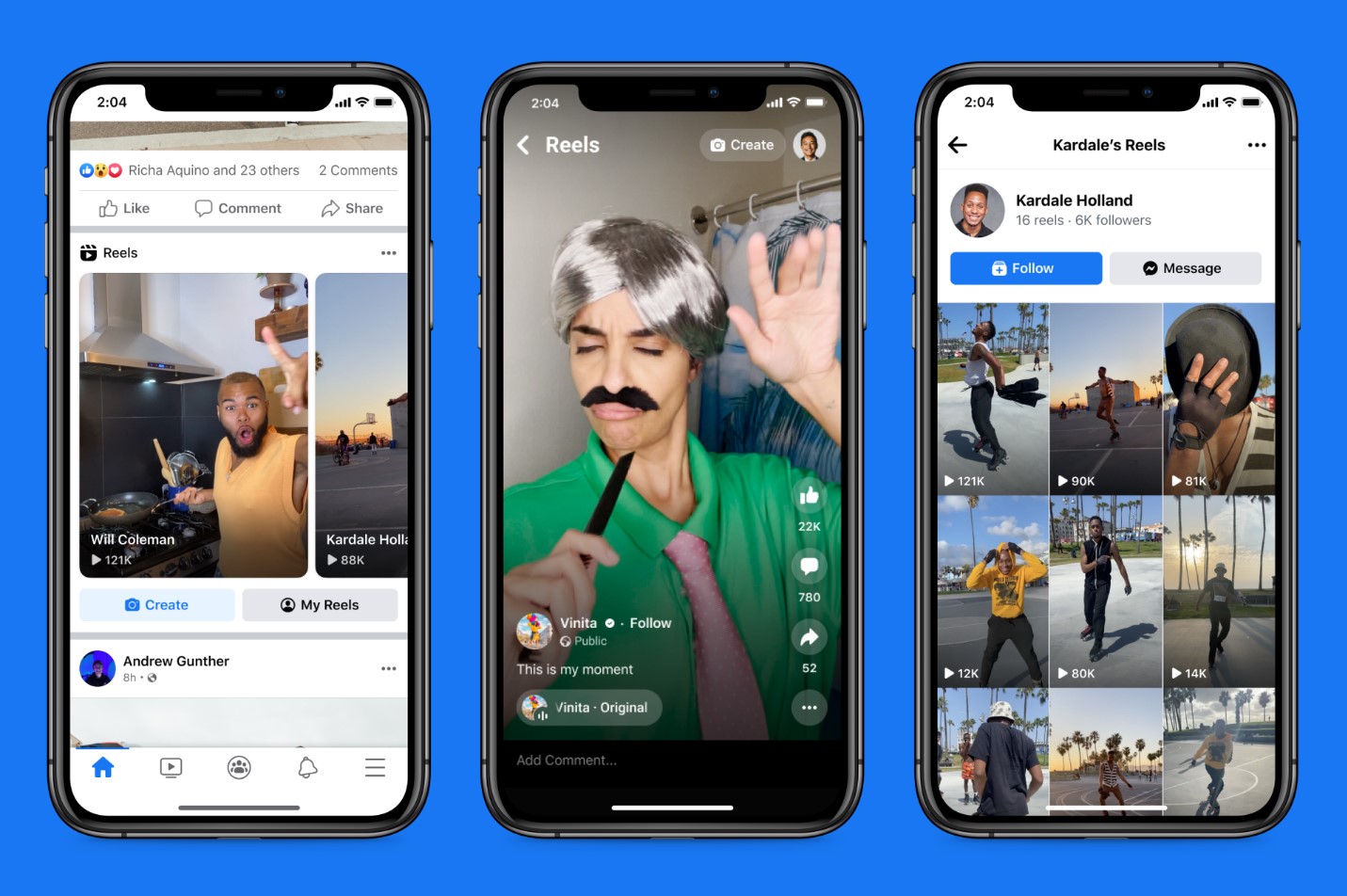
Instagram is now more than a photo-sharing app, offering features like Stories and integrated shopping tools. Instagram Reels, the platform’s answer to TikTok, are a popular way to share short videos with the entire Instagram community. However, if you find suggested Reels that aren’t of interest to you, removing them is simple.
This article will guide you through the process of removing suggested Reels from your Instagram feed. By following these steps, you can tailor your Reel suggestions to better fit your interests. Let’s go!
Process Overview
To remove a suggested Reel:
Tap the three dots on the video near the bottom right corner.
Hit ‘Not interested,’ and the post will be instantly hidden.
You can also hide specific types of content by selecting ‘Don’t suggest posts with certain words’.
After hitting ‘Not interested’, a popup message will appear offering an undo button if it was done by accident.
Conclusion
By actively removing suggested Reels that aren’t of interest to you, Instagram should get better at recommending videos that align with your preferences over time.
Want to grow your Instagram audience? Look no further than Eklipse!
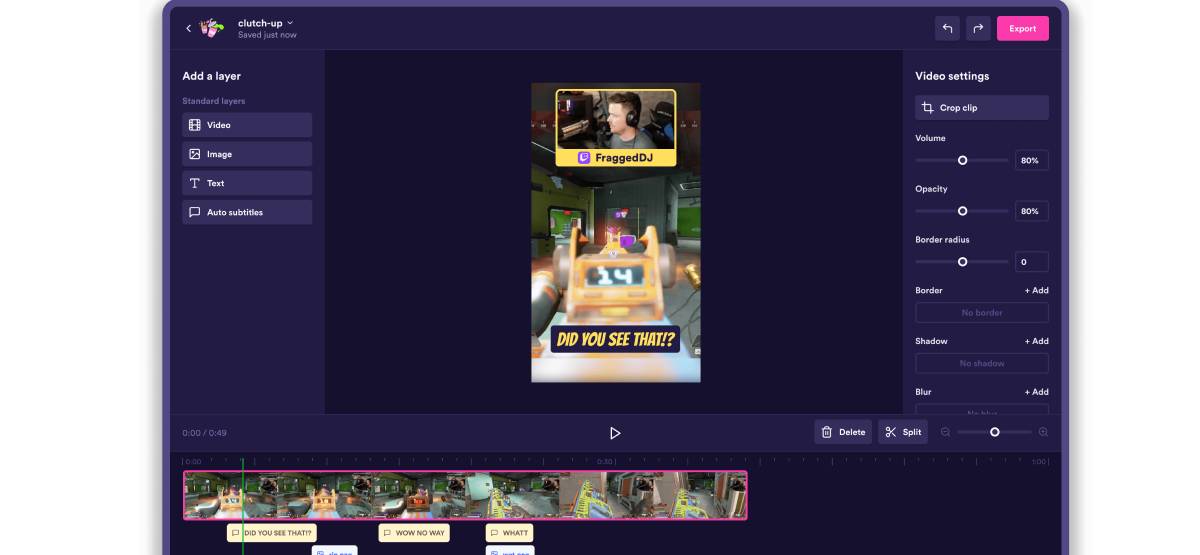
Experience the magic of our AI-powered tool, seamlessly transforming your best gaming livestream moments into captivating TikTok/Short/Reels content with just a single click!
Sign up for free at Eklipse.gg and dive into the world of effortlessly creating gaming video clips like never before. Elevate your channel with Eklipse and watch your community thrive!
Maximize your Black Ops 6 rewards—Create highlights from your best gameplay with with Eklipse
Eklipse help streamer improve their social media presence with AI highlights that clip your Twitch / Kick streams automatically & converts them to TikTok / Reels / Shorts
In the ever-growing world of gaming, creating engaging and captivating highlights has become an essential part of a gamer’s success. With the rise of social media platforms like TikTok, Instagram Reels, and YouTube Shorts, gamers are constantly looking for ways to capture their best moments and share them with their audience.
Fortunately, there are a variety of AI tools available that can automate the process of creating game highlights. In this article, we’ll take a look at the top 7 AI tools for game highlights in 2023.
Eklipse offers a wide range of features tailored specifically for gamers who want to create viral clips from their streams. It supports over 200 games and provides an easy-to-use interface for converting Twitch clips to TikTok content.
Developer: Eklipse
Pricing: Free plan available; Premium plans starting at $15.99/month
Quality: Offers high-quality clips up to 1080p resolution
Features: Auto-captioning, channel stickers, scheduling with Content Planner
Legality: Free plan available with additional premium options
Strengths:
Supports over 200 games
Offers advanced editing features
Weaknesses:
Premium plans may be expensive for some users
StreamClipper AI
StreamClipper AI specializes in automatically generating clips from live streams. It is designed to capture the best moments from gaming streams and convert them into shareable content on social media platforms.
Developer: StreamClipper AI
Pricing: Information not provided
Quality: Automated clip generation
Features: Automatic clipping from live streams
Legality: Information not provided
Strengths:
Automated clip generation saves time
Weaknesses:
Lack of pricing information
Video Editing Service by Eklipse
Eklipse also offers a professional video editing service targeted at supercharging content and boosting social media engagement. This service caters to gamers who want to take their highlight videos to the next level.
TikTok Video Editor by Eklipse
For gamers looking to repurpose their Twitch clips for TikTok, Eklipse provides a free tool specifically designed for this purpose.
Developer: Eklipse
Pricing: Free tool offered
Quality: User-friendly interface
Features: Repurposing Twitch clips into TikTok content
Strengths:
Free tool available
Weaknesses:
Limited features compared to other tools
Shorts Video Editor by Eklipse
Another offering from Eklipse is the Shorts Video Editor, which simplifies the process of creating YouTube Shorts using templates and fun stickers.
Reels Video Editor by Eklipse
Eklipse’s Reels Video Editor allows gamers to instantly create Facebook or Instagram Reels using free templates in an easy-to-use interface.
Kick Support for AI by Eklipse
This feature enables streamers using Kick to convert their streams into TikTok-ready content instantly using AI technology.
Conclusion
In conclusion, these AI tools offer valuable solutions for gamers looking to create compelling game highlights. Whether you’re seeking automatic clip generation or professional video editing services, these tools cater to various needs within the gaming community. As technology continues to advance, these tools will undoubtedly play a crucial role in shaping the future of gaming content creation.
Maximize your Black Ops 6 rewards—Create highlights from your best gameplay with with Eklipse
Eklipse help streamer improve their social media presence with AI highlights that clip your Twitch / Kick streams automatically & converts them to TikTok / Reels / Shorts
Looking for the top game recording tools? Capture your gaming triumphs with the best game recording tools available here, ensuring every epic moment is preserved in stunning detail.
Sharing gameplay recordings is a popular trend among gamers, and finding the right game recording tool is essential for this purpose. There are numerous options available, each with its own unique features and advantages.
In this article, we will explore the top game recording tools of 2023 to help you make an informed decision. Let’s go!
OBS Studio is considered the best overall game capture software. It offers unparalleled flexibility, allowing users to not only capture their gameplay but also add features like webcam shots and watermarks. Despite its advanced capabilities, OBS Studio has a minimal performance impact and is relatively easy to use after minimal training.
Strengths:
– Exceptional flexibility
– Minimal performance impact
– User-friendly interface after brief training
Weaknesses:
– May be overwhelming for beginners
2. Plays
Plays from Plays.tv is widely regarded as the best game capture software for beginners. Its installation and setup are straightforward, making it easy for novice users to start capturing their gameplay without any additional configuration.
Strengths:
– Simple installation and setup
– Suitable for inexperienced users
For sharing gameplay recordings, Windows 10’s Game Bar stands out as an excellent option. While it may not be specifically designed as a sharing tool, its integration with the Windows 10 Xbox app allows users to upload clips directly to Microsoft’s Xbox Live with just one click.
Strengths:
– Seamless integration with Xbox Live
– Easy editing tools for quick clip adjustments
Weaknesses:
– Limited support for other platforms like YouTube and Twitch
Conclusion
When choosing a game recording tool, it’s important to consider your specific needs and preferences. Whether you’re looking for advanced customization options or seamless sharing capabilities, there’s a tool that can meet your requirements.
Tired of having slow-growth on your gaming channel or social media? Try Eklipse now!
Use Eklipse to easily make captivating TikTok/Reels/Shorts video clips from your gaming livestreams with just one click. Your viewers will be mesmerized, and you can share the content effortlessly across various platforms.
Maximize your Black Ops 6 rewards—Create highlights from your best gameplay with with Eklipse
Eklipse help streamer improve their social media presence with AI highlights that clip your Twitch / Kick streams automatically & converts them to TikTok / Reels / Shorts
Are you a gaming content creator looking to take your video editing to the next level? With the rapidly advancing technology of AI, creating game clips with AI has become easier and more efficient than ever.
In this article, we’ll explore the top tools for creating game clips with AIthat can supercharge your content creation process and boost your social media engagement. Let’s go!
Eklipse offers an AI Stream Clipper that automatically generates clips from your gaming streams. It also provides a Video Editing Service for professional clip editing, as well as a TikTok Video Editor and Shorts Video Editor for easy conversion of Twitch clips into TikTok or YouTube Shorts.
– Developer: Eklipse – Pricing: Free Plan available with additional Premium Plans – Quality: High-res clips and customizable features – Features: Auto-caption, templates, scheduling with Content Planner – Legality: Eklipse is a legitimate video editing service
2. NEW YoutTube Video Highlights
This product allows you to never miss the best moments from your YouTube videos by grabbing all your highlights from your favorite VODs.
3. Kick Support for AI
Clip Kick streams with AI and convert them to TikTok instantly! This service is specifically designed for Kick streamers looking to repurpose their content for social media platforms like TikTok.
4. CoD : Modern Warfare 2 Clip Maker
Eklipse uses the power of AI to capture the best moments from your Call of Duty streams. It’s an essential tool for CoD content creators looking to generate amazing clips effortlessly.
5. Apex Legends Highlights Clipper
For Apex Legends enthusiasts, this feature automatically clips every moment of your Apex Legends stream, saving you time and effort in the video editing process.
6. Free Clipping Software for Fortnite
Eklipse offers a free and automatic clipping software specifically tailored for Fortnite gameplay. It’s a great tool for Fortnite content creators who want to streamline their content creation workflow.
7. Mobile App Integration
You can easily generate highlights from your streams on Eklipse app or mobile browser, making it convenient to edit and share clips on the go.
Conclusion
In conclusion, leveraging AI video generators such as Eklipse can significantly enhance your gaming content creation process. These tools offer high-quality features and functionalities that cater specifically to gamers’ needs. Whether you’re a Twitch streamer, YouTuber, or Kick content creator, integrating AI video generators into your workflow can save time, produce engaging content, and ultimately elevate your online presence.
Maximize your Black Ops 6 rewards—Create highlights from your best gameplay with with Eklipse
Eklipse help streamer improve their social media presence with AI highlights that clip your Twitch / Kick streams automatically & converts them to TikTok / Reels / Shorts
Are you new to Combo clip software? Looking for some combo clip software guide? Look no further! Learn everything you need to know with our comprehensive guide here.
Combo clip software is an essential tool for content creators and video editors. It allows users to combine different video clips into a single file, providing a seamless and professional look to their final output.
In this article, we will review the top combo clip software available in the market, highlighting their key features, pricing, and overall quality. Let’s go!
– Developer: Adobe Systems – Cost: $20.99 – $52.99/month – Key Features: – Advanced video editing tools – Seamless integration with other Adobe products – Professional-grade effects and transitions
2. Final Cut Pro X
– Developer: Apple Inc. – Cost: $299.99 (one-time purchase) – Key Features: – Intuitive user interface – High-quality video rendering – Built-in audio editing capabilities
3. Filmora Video Editor
– Developer: Wondershare Technology Co., Ltd. – Cost: $39.99/year (Standard Plan) – Key Features: – Easy drag-and-drop interface – Large library of effects and filters – Support for all popular video formats
Each combo clip software has its own strengths and weaknesses based on its features, pricing, and overall performance.
Strengths: 1. Wide range of professional-grade features for advanced users. 2. User-friendly interfaces suitable for beginners or intermediate users. 3. Support for various video formats and resolutions.
Weaknesses: 1. Higher cost associated with some premium software options. 2.Learning curve required to master advanced functionalities. 3.Platform-specific limitations may affect cross-platform compatibility.
Conclusion
In conclusion, the “combo clip software guide” provides invaluable insight into the best options available in the market today.
Whether you are a novice content creator or an experienced video editor, there is a combo clip software that suits your needs perfectly!
You can also rely on Eklipse, the AI-powered tool for effortlessly turning your Twitch/Kick/YouTube LIVE moments into TikTok/Short/Reels content with just one click! This free application not only detects but also automatically creates short videos of your best live moments.
Still not convinced? Try Eklipse for free now and start becoming a viral sensation on social media!
Maximize your Black Ops 6 rewards—Create highlights from your best gameplay with with Eklipse
Eklipse help streamer improve their social media presence with AI highlights that clip your Twitch / Kick streams automatically & converts them to TikTok / Reels / Shorts
Dominate the Madden NFL content creation game like a pro! Learn expert tips & tricks for success here.
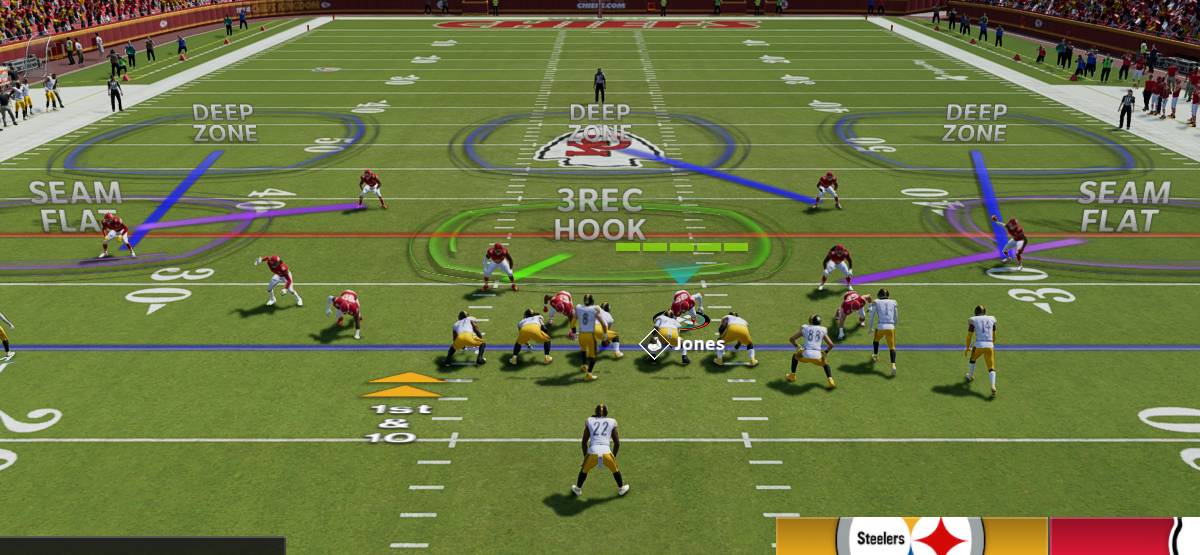
Madden NFL has become a cultural phenomenon in the world of sports gaming, and content creation surrounding the game has experienced a rapid surge in popularity. This article is designed to provide an in-depth look into Madden NFL content creation, highlighting the various aspects that are essential for creators to be aware of.
Whether you’re an aspiring content creator or a seasoned professional looking to enhance your skills, this guide will offer valuable insights and information to help you thrive in the world of Madden NFL content creation. Well, let’s get started!
The Madden NFL community is home to numerous content creator networks and channels that cater to fans of the game. These networks provide a platform for creators to showcase their skills, share gameplay tips, tricks, and engage with their audience on various platforms such as YouTube and Twitch.
Some popular networks include:
– EA Sports – Official channel offering exclusive insights into Madden NFL gameplay – Bengal – Known for captivating episodic creations showcasing new modes and gameplay – YoBoy PIZZA – A prominent channel featuring early access gameplay with NFL superstars
Creating Engaging Content
When it comes to creating engaging Madden NFL content, there are several key factors that can elevate a creator’s work. Quality gameplay capture, engaging commentary, unique narratives, and providing valuable insights into strategies are some crucial elements that contribute to successful content creation within the Madden community.
It’s also important for creators to stay updated with the latest features and updates within the game itself, which helps keep their content fresh and relevant. Additionally, collaborations with other creators or engaging in mini-game tournaments with NFL players have proven to be popular among viewers.
Monetization Opportunities
Madden NFL content creators have various monetization opportunities available at their disposal. Through platforms like YouTube and Twitch, creators can earn income from ad revenue, sponsorships from brands within the gaming industry or beyond. Additionally, engagement with viewers through donation-based systems provides another stream of revenue for dedicated creators.
Conclusion
In conclusion, Madden NFL content creation is a dynamic landscape filled with opportunities for passionate gamers looking to showcase their talents and connect with fellow enthusiasts.
Aspiring for rapid gaming stardom? Eklipse is your key to unlocking quick popularity!
Eklipse’s AI-powered clipping tool will turn your best livestreaming moments into captivating TikTok/Shorts/Reels. Share your clips immediately from Eklipse and become an internet sensation overnight!
Maximize your Black Ops 6 rewards—Create highlights from your best gameplay with with Eklipse
Eklipse help streamer improve their social media presence with AI highlights that clip your Twitch / Kick streams automatically & converts them to TikTok / Reels / Shorts
How to grow gaming channel on Instagram? Learn the secrets to level up your gaming channel on Instagram and build a thriving community here.
Instagram has become a popular platform for gamers to share their experiences, connect with other gamers, and build an audience. In this article, we will explore the key strategies and best practices for growing a gaming channel on Instagram. Let’s dive in!
Instagram is a visual social media platform that allows users to share photos and videos. It provides various features such as stories, reels, and IGTV that can be utilized by content creators to engage with their audience. With the increasing popularity of gaming content, many gamers are looking to expand their reach through Instagram.
Strategies for Growing Your Gaming Channel
1. Define Your Style: Different Profile Styles
There are various approaches to sharing gaming content on Instagram, including personal experiences alongside games or structured game reviews. Each profile style has its unique appeal and can attract different audiences.
2. Engage with Other Gamers: Building Relationships
Engaging in conversations with fellow gamers can promote community building and mutual support. Meaningful interactions can lead to collaborations and increased visibility within the gaming community.
3. Utilize Instagram Features: Stories and Reels
Posting consistently on stories allows for easy interaction with followers through quick responses. Reels provide an opportunity for creative video content, although it’s essential to align them with your personal style and preferences.
4. Consistency is Key: Posting Schedule
Establishing a consistent posting schedule helps maintain audience engagement and creates anticipation among followers. Balancing post frequency prevents overwhelming followers while still providing engaging content.
5. Find Your Online Personality: Authenticity Matters
Being true to yourself in your content creation fosters genuine connections with your audience. Developing a unique online personality sets you apart in the gaming community.
Staying informed about Instagram’s algorithm changes enables you to adapt your content strategy accordingly. Leveraging insights into what type of content receives priority visibility can improve overall reach.
7. Meaningful Engagement over Metrics: Quality Interaction
Prioritizing meaningful engagement over follower counts or likes fosters genuine connections with your audience members. Authentic interactions contribute more significantly to long-term growth than superficial metrics alone.
Conclusion
Gaining visibility as a gaming channel on Instagram requires dedication, creativity, and authenticity. By understanding the platform’s features, engaging meaningfully with others in the community, defining your unique style, and remaining consistent in your approach, you can effectively grow your gaming channel on Instagram.
You can also rely on Eklipse, the AI-powered tool for effortlessly turning your Twitch/Kick/YouTube LIVE moments into TikTok/Short/Reels content with just one click! This free application not only detects but also automatically creates short videos of your best live moments.
Still not convinced? Try Eklipse for free now and start becoming a viral sensation on social media!
Maximize your Black Ops 6 rewards—Create highlights from your best gameplay with with Eklipse
Eklipse help streamer improve their social media presence with AI highlights that clip your Twitch / Kick streams automatically & converts them to TikTok / Reels / Shorts
Are you ready to take your Instagram game to the next level? With the rise of AI technology, creating stunning and engaging Instagram Reels has never been easier. In this article, we’ll explore everything you need to know about AI Instagram Reel creators, including features, use cases, solutions, and how to get started. Whether you’re a social media influencer, content creator, or business owner looking to boost your online presence, this guide will help you harness the power of AI for your Instagram marketing strategy.
An AI Instagram Reel creator is a powerful tool that uses artificial intelligence technology to generate scroll-stopping videos for your social media platforms. It allows users to create professional-quality reels and YouTube Shorts without the need for extensive video editing skills or expensive equipment. By leveraging custom templates and a user-friendly interface, these tools enable users to produce captivating content that resonates with their followers.
Features of AI Instagram Reel Creators
When it comes to choosing an AI Instagram Reel creator, it’s essential to consider the features offered by different platforms. Some key features include:
– Text To Video Generation – E-comm Product Video Creation – Smart Copy Generation – Social Media Ad Copy – Content Scheduler – Competitor Analysis
These features empower users to streamline their content creation process by providing customized templates and insights into competitor strategies.
Solutions for Different Users
AI Instagram Reel creators cater to various user groups such as creators & coaches, agencies, and e-commerce stores. Each solution is tailored to meet specific needs and objectives based on the user’s profile and industry.
How Does it Work?
Creating reels and shorts using an AI-based tool is straightforward:
1. Input your text description for the type of reel or video ad you want. 2. The tool analyzes your input and generates customized reels with captions and hashtags. 3. Make any necessary changes using the creative editor. 4. Schedule your posts directly through the social media scheduler.
By following these steps, you can effortlessly generate high-quality content that aligns with your brand identity.
Use Cases
The versatility of AI Instagram Reel creators extends across various use cases including:
– Creating TikTok videos – Generating special day posts – Crafting quotes into posts – E-commerce product posts – Publishing and scheduling content
Whether you’re promoting products, celebrating events, or sharing motivational content, these tools offer endless possibilities for creative expression.
Strengths and Weaknesses
Strengths of using an AI Instagram Reel creator include its ability to streamline content creation processes and provide valuable insights into competitor strategies. On the other hand, potential weaknesses may arise from over-reliance on automated templates leading to less originality in content creation.
In conclusion, leveraging an AI-based Instagram Reel creator offers tremendous potential for enhancing your social media marketing efforts. By understanding its core features and functionalities.
In the fast-paced world of social media, capturing attention and engaging your audience is crucial for success. With Eklipse, you can effortlessly transform your long-form videos into captivating Reels-ready vertical highlights using the power of AI. This revolutionary tool seamlessly identifies the most exciting and engaging moments from your videos, saving you precious time and effort while ensuring your content shines brightly on Reels
Eklipse’s AI-powered technology intelligently analyzes your videos, pinpointing key moments that will resonate with your Reels audience. Whether it’s a game-winning play, a hilarious blooper, or a moment of pure inspiration, Eklipse expertly captures the essence of your video, condensing it into bite-sized highlights that are perfect for sharing on Reels.
Maximize your Black Ops 6 rewards—Create highlights from your best gameplay with with Eklipse
Eklipse help streamer improve their social media presence with AI highlights that clip your Twitch / Kick streams automatically & converts them to TikTok / Reels / Shorts
Eklipse is a powerful AI video editing platform that allows users to create instant highlight clips from their gaming streams or long YouTube videos. One of the many features that Eklipse offers is the ability to schedule posts on social media. However, some users have reported that they are experiencing a black screen when they try to schedule posts.
Troubleshooting Black Screen on Schedule Post in Eklipse
If you are encountering a black screen when scheduling posts in Eklipse, there are a few things you can try to fix the issue:
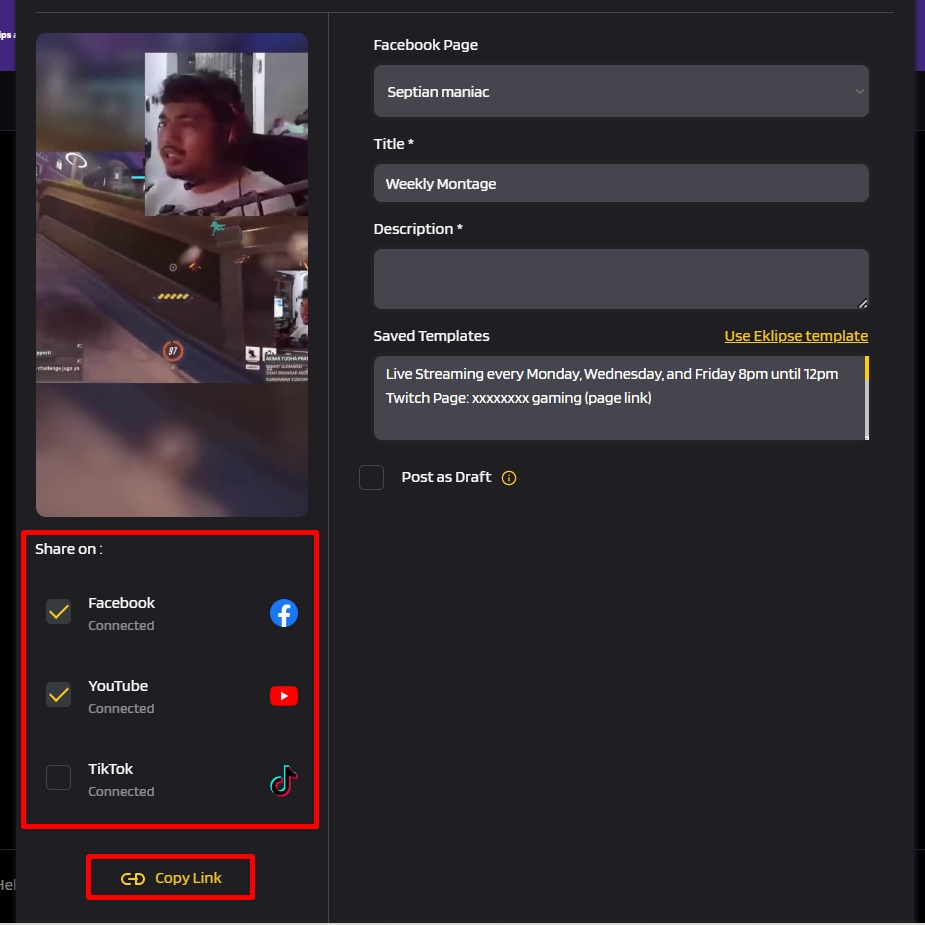
1. Try Sharing with Each Social Media Separately
One possible solution is to try sharing your post to each social media platform separately instead of sharing it to all platforms at once. Sometimes, Eklipse may experience compatibility issues with certain social media platforms, and sharing each platform separately can help to isolate the problem.
After making this change, monitor whether the black screen issue persists on any specific social media platform. If you find that the black screen only occurs when scheduling posts to a specific platform, then you can report the issue to Eklipse support for further assistance.
3. Report the Issue
If the black screen issue continues on a specific social media platform, even after trying to share your post separately, then you should report the issue to Eklipse support. Please provide as much detail as possible about the issue, including which social media platform you are experiencing the problem with, what type of post you are trying to schedule, and any error messages you may be seeing.
4. Further Assistance
Eklipse support will work with their developers to investigate the issue and provide you with guidance on how to resolve the black screen problem when scheduling posts.
For more information, please visit the help page below:
Maximize your Black Ops 6 rewards—Create highlights from your best gameplay with with Eklipse
Eklipse help streamer improve their social media presence with AI highlights that clip your Twitch / Kick streams automatically & converts them to TikTok / Reels / Shorts
In a world where gaming has become more than just a hobby, Twitch serves as the primary streaming platform for gamers and various live streams. For Twitch users, there’s an added advantage if you know how to download Twitch videos for offline viewing.
This article will provide an extensive tutorial on how to download someone’s Twitch clips and videos, including methods to save a Twitch clip to your phone and more.
Yes, you can save a Twitch clip to your phone, either Android or iOS. For Android, you can use the Twitch Video Downloader app, and for iOS, T-Downloader is a good option. Both work similarly, where you paste the clip URL into the app and then save the video.
How do I Download Twitch Videos to my iPhone?
To download Twitch videos to your iPhone, you’ll need a third-party app. There’s plenty of Twitch downloader app or site that you can use for free online. Here are the steps:
1. Copy the URL of the Twitch video you want to download. 2. Open the Twitch downloader app on your iPhone. 3. Paste the copied URL into the app’s text box. 4. Click ‘Download’, and the video will be saved to your iPhone.
How Can I Download Twitch Clips on my iPad?
The process is similar as with an iPhone:
1. Copy the URL of the Twitch clip you want to download. 2. Open the Twitch downloader app on your iPad. 3. Paste the copied URL into the app’s text box. 4. Click ‘Download’, and the clip will be saved to your iPad.
How Can I Download Twitch Videos?
To download full-length Twitch videos:
Go to Twitch.tv and find the video you want to download.
Copy the video URL from the address bar.
Go to a third-party tool like 4K Video Downloader or Twitch Leecher.
Paste the video URL into the appropriate field.
Click on ‘Download’ to save the video.
How To Save A Twitch Video?
For streamers who are **Twitch Partners or Affiliates**, here’s how you can save your own videos for future viewing:
1.Go to your settings page on your account 2.Click on Channel and Videos tab 3.Toggle on Store Past Broadcasts option
Remember that while downloading someone else’s content from their stream always respect their rights and do not redistribute without their permission.
How To Download Someone’s Clips And Videos Using Third-Party Tools
There are multiple free tools available that allow users to download other people’s streams:
Tool Name
Description
Clipr
Web-based tool compatible with all devices
Vimeo
Available on Mac, Windows, iOS, and Android
UnTwitch
Simple website allowing quality selection before downloading
4K Video Downloader
Perfect for high-quality downloads; works across Mac, Windows, Ubuntu
JDownloader
An open-source software available across Windows, macOS, Linux
These tools can be handy for both streamers and regular viewers alike in enjoying offline content from their favorite streams.
Conclusion
That’s how to download Twitch streams for fast, easy and free. Now you can give it a try at home.
Want to grow your Twitch audience as well? Look no further than Eklipse!
Experience the magic of our AI-powered tool, seamlessly transforming your best gaming livestream moments into captivating TikTok/Short/Reels content with just a single click!
Sign up for free at Eklipse.gg and dive into the world of effortlessly creating gaming video clips like never before. Elevate your channel with Eklipse and watch your community thrive!
Maximize your Black Ops 6 rewards—Create highlights from your best gameplay with with Eklipse
Eklipse help streamer improve their social media presence with AI highlights that clip your Twitch / Kick streams automatically & converts them to TikTok / Reels / Shorts