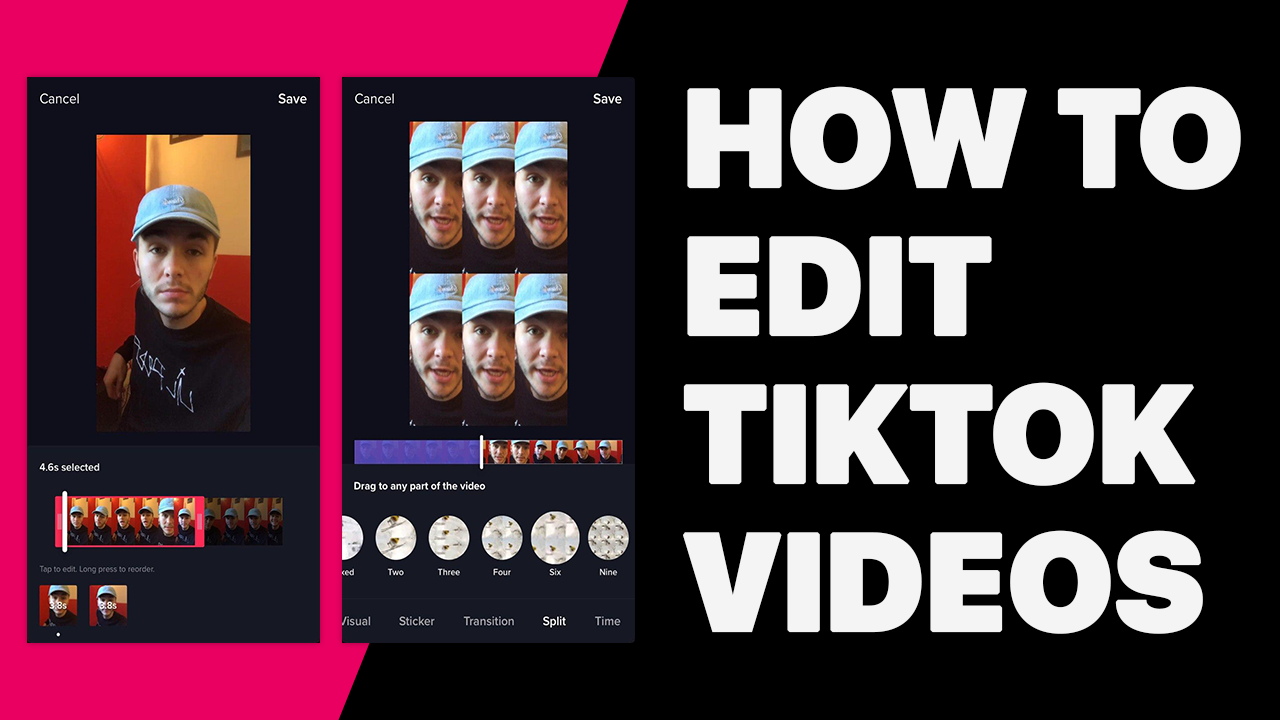
Have you ever posted a TikTok video and then you find out that there’s a small part that needs to be edited? Some people might get the same experience but don’t have an idea how to edit a TikTok video with words after posting it. Most of them choose to delete it instead of edit it.
Turns out, you can make some changes or even add hashtags to TikTok after posting without needing to remake the video from the very beginning. Additionally, it’s quite easy to do so unless you don’t have major mistakes to repair.
If you want to know how to edit the TikTok video after posting, you can just jump right into the tutorial below.
How To Edit A TikTok Video With Words After Posting
If you want to change the caption of your TikTok video or add some little edits to it, you can definitely do it easily. You don’t need to delete the previous video first actually. So, without any further ado, let’s see what can you do to get it done:
First thing first, open the TikTok app and log in with your account
Secondly, go to your profile by tapping the Me button and find the video you wish to edit
Source: Alphr
Then, select the video and tap on the three-dots button
Source: Alphr
Hit Save Video to save your TikTok video to your gallery
Source: Alphr
After that, hit the ‘+’ button to repost the video
Source: Alphr
Go to the Upload button next to the recording button
Source: Alphr
Select the saved TikTok video, and tap Next
In this section, you can add text to make some interesting words, stickers, or even any effects or background music
Once you finished, tap on the Next button
Change the caption or hashtags as you wish
Finally, hit Post if you’re ready to re-upload the video
Source: Alphr
Your original video will automatically be deleted and changed with the new one. So, now you have succeeded to make some little changes to your posted video on TikTok.
Additionally, can you edit a TikTok cover after posting? Of course, you can. In the step before you post the video, you can not only change the caption or hashtags but change the video cover as well. Just click on the video cover and pick the best picture that you like.
Conclusion
There you are. Now, you don’t have to worry if there’s a bit mistake on the TikTok video you just posted. No need to delete it rashly. Only need a little touch, and everything will be okay. However, if you want to make massive changes to your posted TikTok video, you need to remake it from the beginning. But that’s better if you wish to make a perfect TikTok video.
Source: Kayana Creative - how to share reels on instagram story without posting
Many people keep asking about how to share full reels on Instagram story. This is because Instagram has limitations for the Instagram story post. Additionally, you have 60 seconds long for an Instagram reel, but on the other side, you just got 15 seconds long for an Instagram story post.
Then, how if people want to share and promote their Instagram reel through the Instagram story? Could it be possible to do? Yes, it is possible to post your entire reel into a story. But before we start the guide to get it done, just keep in mind that you still cannot literally post a 60-seconds long reel.
If you want to know how to share full 30 seconds reels on Instagram story Android or iPhone, here are the simple yet effective tutorials to do.
Back to Instagram, and when you see the homepage, tap the ‘+’ button
Then, choose Story
Source: Eklipse
After that, pick the downloaded Instagram Reels from your gallery
If you want to add a filter, stickers, or anything, you can do it in this editing section
Finally, hit the Your Story button to start sharing it
Now, your Instagram reel has already been posted on your Instagram story
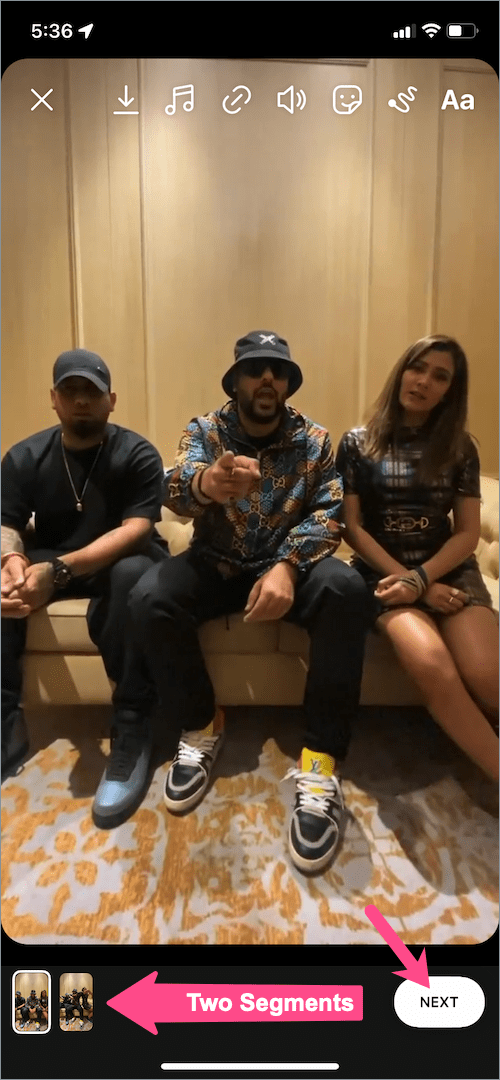
However, if your Instagram reel is more than 15 seconds long, it can automatically split into two or more parts. Each part has 15 seconds long. This is the most make sense way to share your full Instagram reels to your story.
By doing this way, you and other users are able to watch the full reel without needing to go to the reels section. Though it’s already segmented.
How To Share Full Reel on Instagram Story on iPhone
The previous tutorial required you to download the Instagram reel first before you post it on a story. It takes more effort, right? But if you are an iPhone user, you can use the easier method. Without further ado, let’s just take a look at the instructions below:
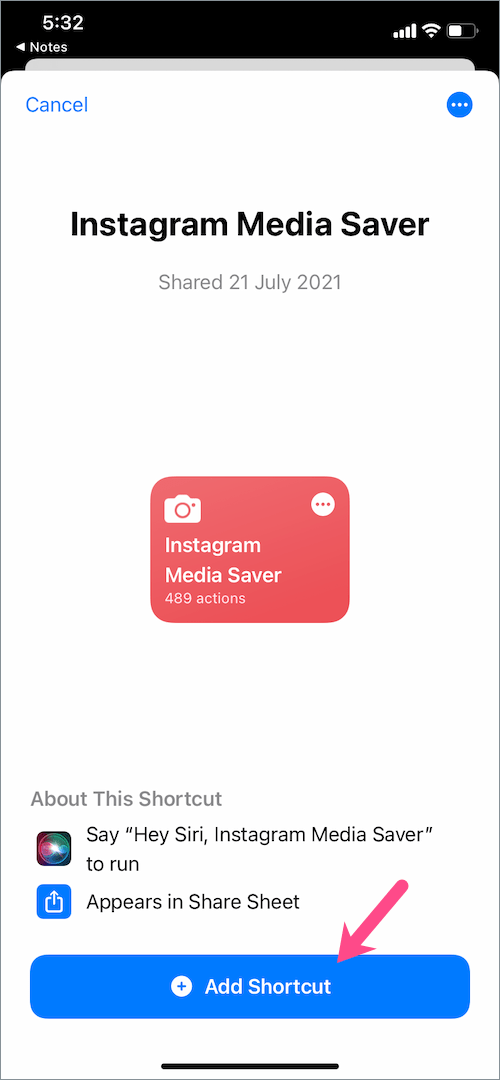
Firstly, install the Instagram Media Saver app on your Apple device, or you can visit this link
Second, hit the Add Shortcut button at the bottom of the screen. This shortcut lets you save your Instagram reels instantly to photos on iOS
Source: Webtrickz
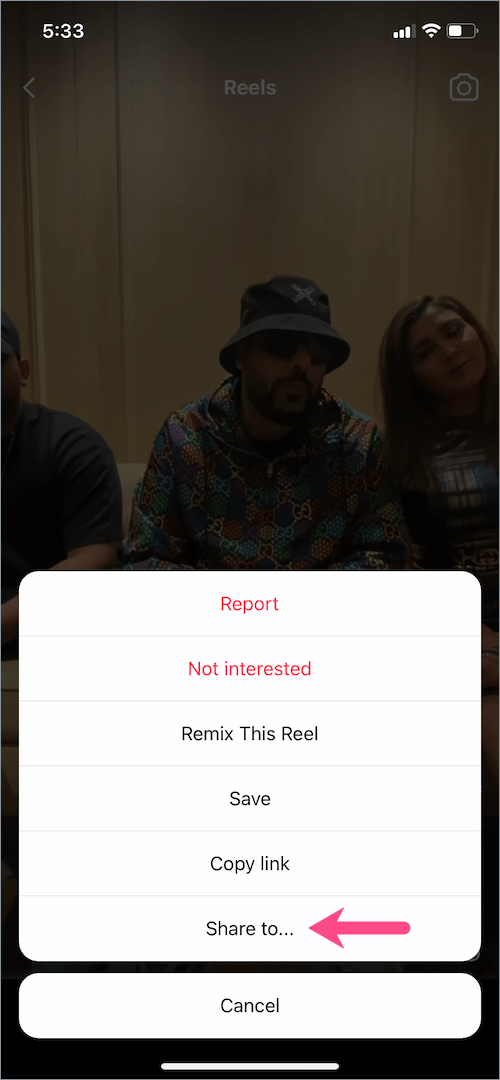
Then, go to Instagram and find the Instagram reel you desire to post to the story
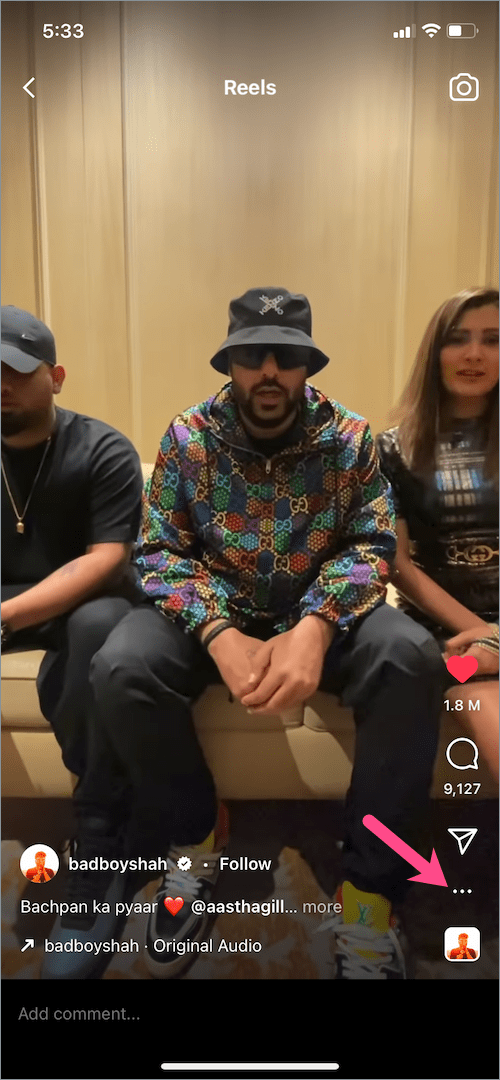
Open the chosen reel and tap the three-dots button
Source: Webtrickz
After that, choose Share to…, and select Instagram Media Saver
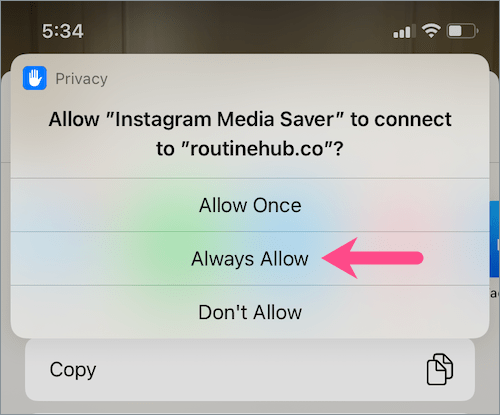
Once you see the pop-up message that said “Shortcuts would like access to Shortcuts”, tap OK
Source: Webtrickz
Grant the necessary permission by choosing Always Allow
Source: Webtrickz
Now, your Instagram reel has been automatically saved to your phone gallery
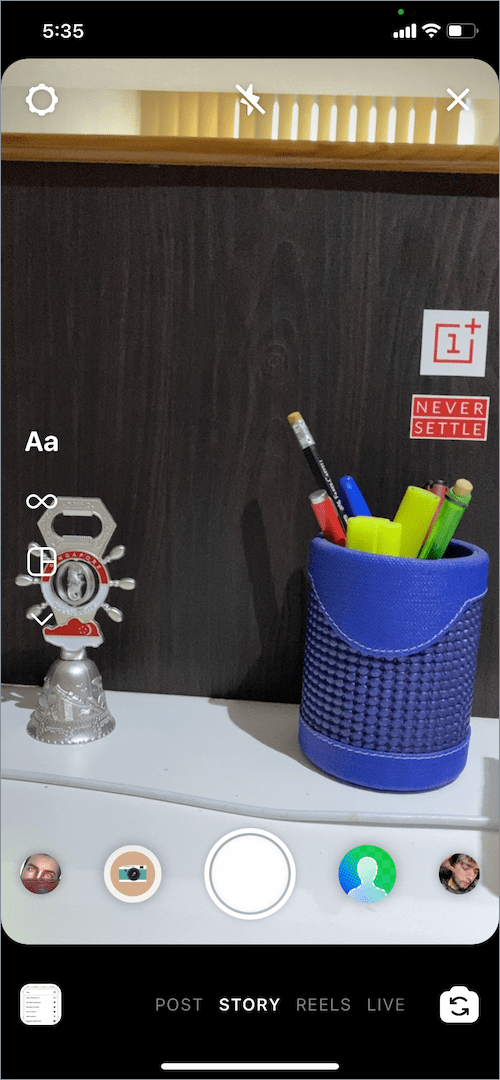
Then, you can go to Instagram and add a new story as mentioned in the previous method
Source: Webtrickz
Your Instagram reel will be segmented into two or more parts if it has more than 15 seconds long
Source: Webtrickz
How To Post Reels on Instagram Story Without Posting on Feed
Another alternative to posting an Instagram reel to a story is by using the embedded link. It means that you are not supposed to post the reel on the feed or anything else but other platforms. It can be YouTube, Facebook, blog, or anything.
Once you have uploaded the reels on other social media platforms, you can copy the URL and embed it. Then, go to Instagram, make a new story and use the Link features within the stickers button. Paste the link there, and now you’re ready to share the link on your Instagram story
Conclusion
That’s how to share full reels on Instagram story. Though you are still not able to post the reel for more than 15 seconds due to the basic policy of Instagram, this is a worthwhile step.
If you are a businessman or a streamer, you may have heard about video-on-demand or VOD. VOD is actually a pre-recorded video that can be watched and repeated anytime. It’s totally different from a live streaming video which cannot be viewed again once it ended. And to have it, you need video-on-demand apps to make a good and proper VOD.
There are a lot of free VOD apps that will help you to record the VOD. However, if you don’t want to launch any apps on your device, you can use any online tools with the same function. If you are eager to know the best VOD platforms, we’ll guide you through this article.
The most recognizable video-on-demand app is nothing else but YouTube. YouTube is integrated with every device now, and no one doesn’t know about it. Therefore, YouTube becomes the ever-popular app that delivers whatever the consumers want.
Being the most well-known VOD platform, YouTube practically has the largest library of videos. It is ever-expanding due to more creators and viewers growing day by day.
The thing about YouTube is whether you’re an individual or a whole business enterprise, you can have massive reach with it.
Wowza
Source: Wowza
Wowza is a veteran in this business as it has 15 years track record as a video-on-demand app. Although Wowza has pretty similar features to other, Wowza specializes in giving the utmost support for developers that require VOD services.
It gives you the ever crucial GitHub repositories and SDKs, as well as an API sandbox for trying out and setting up your VOD.
Wowza is definitely perfect to cater for developers that understand how to maximize its sophisticated features. It supports live streaming, recording, live-to-VOD, and automatic VOD uploads. You can also have it easy with their integrated content management that will store and manage your VOD assets on their own.
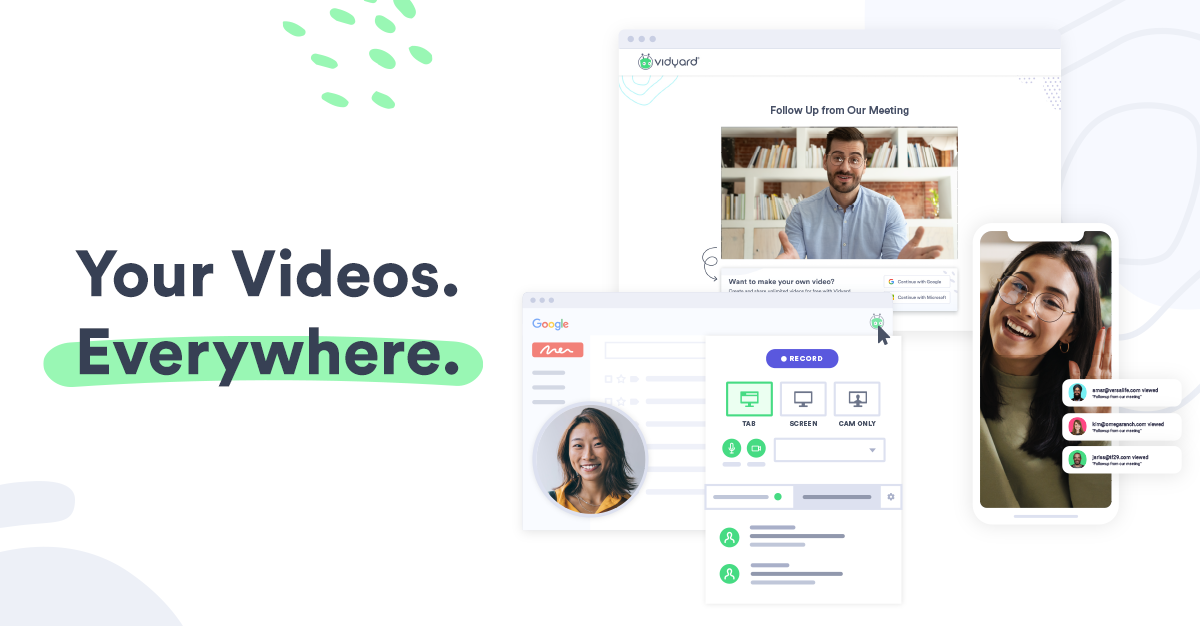
Vidyard
Source: Vidyard
Another alternative free VOD platform is Vidyard. Vidyard, like other business-focused platforms, made to help you to grow your business through videos. Vidyard works by offering you plethoras of features that will greatly support the process of creating impactful videos.
Its main feature is the ease of video management. It offers you high-quality streaming as well as fast video uploads with various video extension support. After uploads, you can just share a link for your agencies to view the library.
Additionally, Vidyard also helps you to make video content as well with its recording widget and a simple video editor. You might even need no third party editor with it.
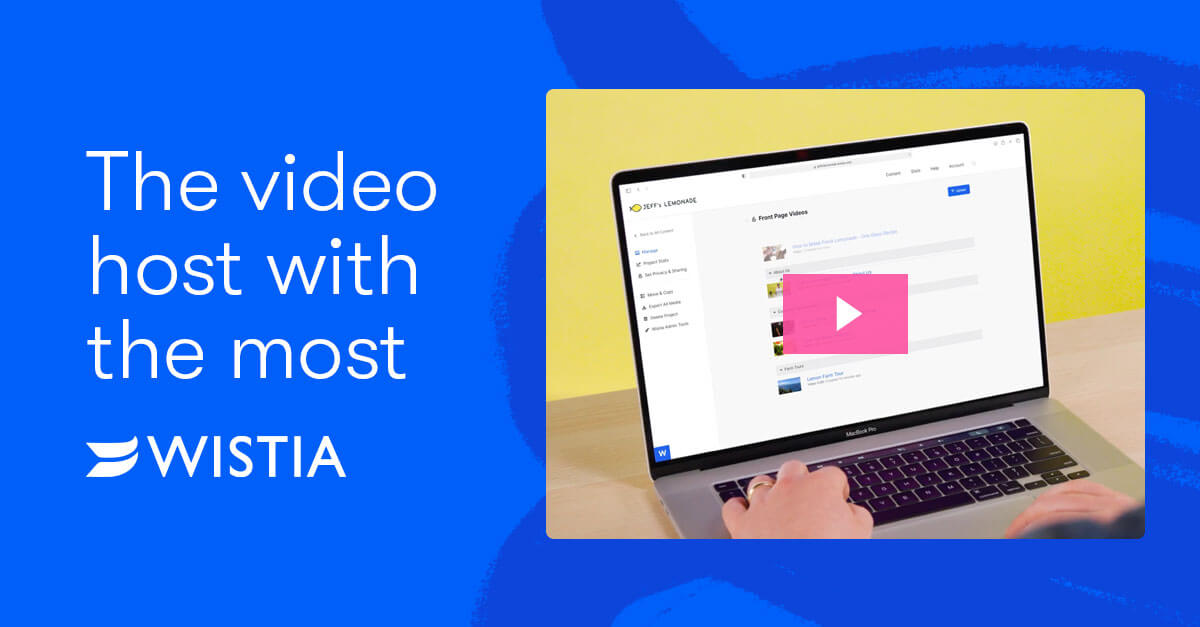
Wistia: One of The Best Video-on-demand Apps
Source: Wistia
Although not as mainstream as YouTube, Wistia offers its service as a video-on-demand app. It is focused on building your brand through video content. Since it’s focused on marketing your business, it is equipped with sophisticated analytics for viewers’ data to help you reach your target better.
Wistia works by giving you hosting space for videos and letting you post them everywhere you want. It can be on your website’s landing page, emails, and even as a pop-up. They also offer you multiple pricing plans for different needs and even let you try their service for free albeit on limited features.
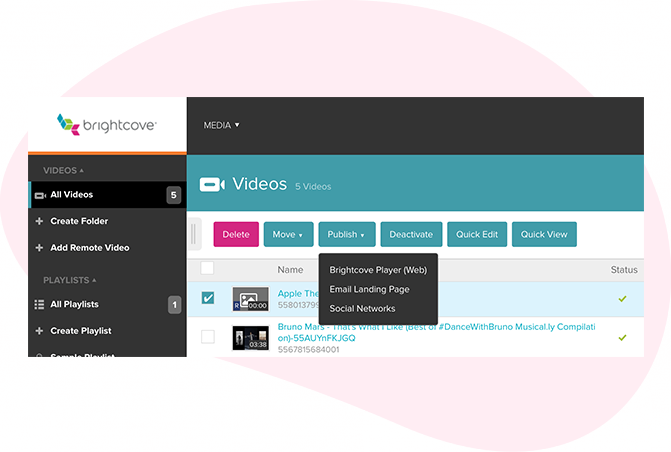
Brightcove
Source: Playable
Compared to other video-on-demand apps, Brightcove comes up with its award-winning, 15 years old track record as a service provider. They offer a very reliable hosting platform and have partnered with big brands. Which means, it can perform on the higher end of the enterprise scale. That said, Brightcove’s features synchronize well when you operate in a big scale business as well.
One of the features they offer you lets you funnel your video content in one channel, basically something like a corporate TV. Another big feature is you can also monetize your content, and even starts your video-based business with it. They deliver 875 million views a week with 99.99% uptime, that’s just how big Brightcove is, you can relax and take it easy on how reliable their hosting services are.
Sprout Video
Source: Sprout Video
While other videos demand apps specialized for medium-to-large businesses, Sprout Video is perfect for every business stage. It features player customization that allows you to have custom resolutions, match colours to your brands, and create playlists.
You can also show or hide controls for better immersion, easily embed your video as their embed codes work on platforms like WordPress, Squarespace, and other popular platforms.
Its analytics also offers robust features to get to know your audience better. Sprout Video offers you four plans which give you choice based on their scalability and extra live input delivery you can add.
Conclusion
Which one of the above video-on-demand apps do you think is the best one to use? Each of the apps has its special feature that will help you to have what you need. So you can just pick the best one without any more hesitance from now on. Enjoy!
Blockchain games have become something which everyone looking for recently. It’s not only providing you with joy and amusement through the interesting games but allows you to earn money from it as well. No wonder everyone keeps asking about the top blockchain games that are worth trying.
Talk about earning money, you can earn money as much as you can by collecting and trading a lot of NFTs within the game. Of course, for some people, this is a quite strange thing to do. But here we are, in the advanced part of life.
So, if you are a gamer and starting to curious about play-to-earn games, we are here to guide you. We have made a list of the best blockchain games you can try. Without any further ado, let’s just dive right in.
One of the top NFT games you need to try is Splinterlands or also known as Steem Monsters. Splinterlands is a card game that lets you get cryptocurrencies in Hive blockchain. Though it’s known as a card game, however, it’s different from other similar games.
Splinterlands is claimed as the trading card game (TCG) with more than 280 cards as NFT assets. Now, you knew that you can earn money by trading those cards as what the game sounds like.
Aside from that, this game is quite friendly for every beginner. You can just take on quests, challenge other players in ranked play, or join the tournaments to collect rewards.
Alien Worlds
Source: Mobidictum
If you want to know more about metaverse and want to explore it more, Alien Worlds will be the best game for you. In Alien Worlds, you’ll be told that the metaverse is divided into seven different planets. You can claim the planets to be yours, colonize and develop them in your way.
The cool thing about this game is that it can be both competitive and collaborative. While you are colonizing the planets, you are able to join and work along with other players. You can find any new NFTs, or even create your own.
On another side, it can be competitive if you decide to claim their territory or currency to be yours. Therefore, you need to think about the best strategy to play this game. The tools, weapons, and avatar can be traded as an NFT in Trillium cryptocurrency. Are you interested to play it?
Gods Unchained
Source: Twitter
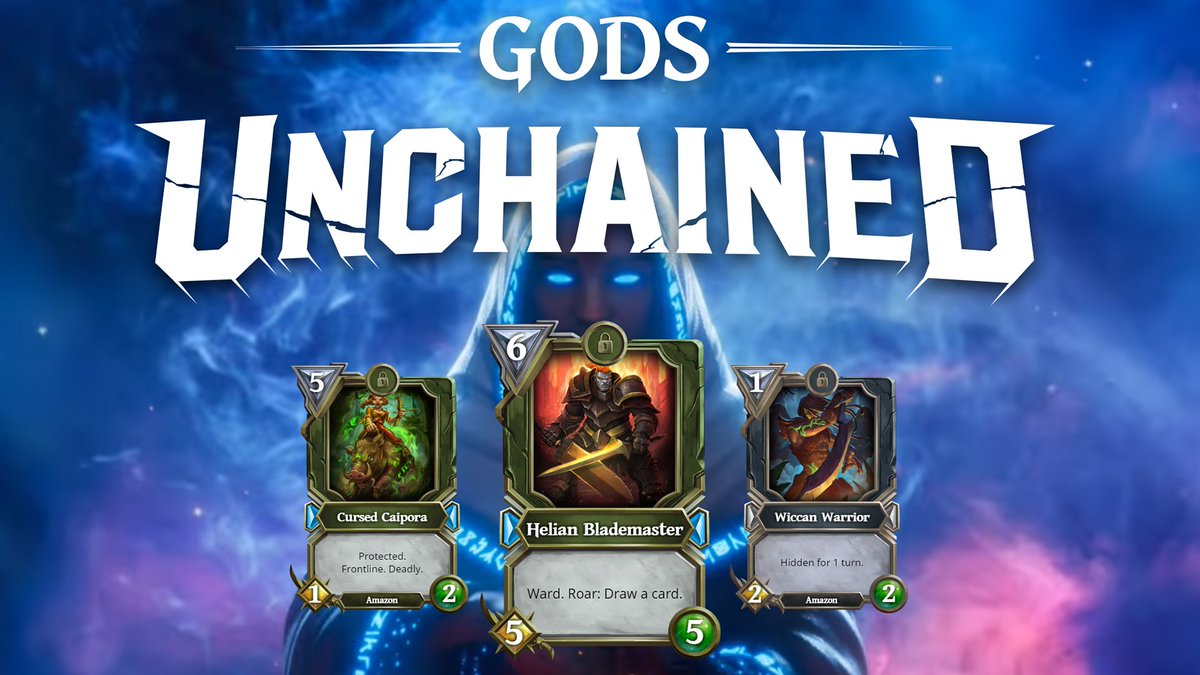
God Unchained is one of the best blockchain games to make money. It’s actually similar to Splinterlands where you can battle your card with other players. Every card in this game is an NFT. Therefore, players can trade it to the secondary market or to other players to get money.
To gain more precious cards in the game, you have to win every fight you took with other players. What’s more interesting about this game is that you can play it free, despite your need to pay if you’re going to have your starter card deck.
Axie Infinity
Source: VOI
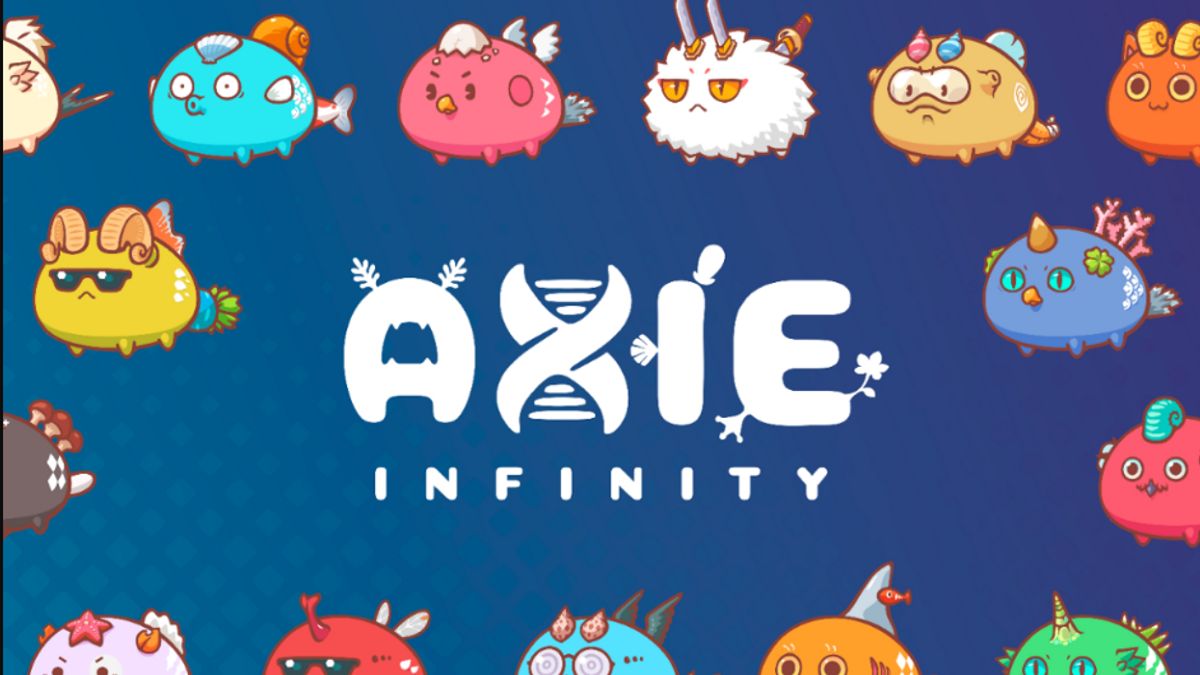
Who doesn’t know this game? One of the pioneers of crypto games on Android and iOS you could’ve tried it. This is a cute and fun game where you can take care of the pets called Axie. The Axies are collectable, and you can also trade the Axies to the secondary markets or other players to get AXS.
In addition to that, taking care of the Axies is not enough, you need to prepare and train them as well to be ready to go to the battle arena. Use your strategy to win the battle and get more Axies to trade.
However, before you start to enter the battle arena, you need to have at least three of the Axies to take care of. Don’t worry if you don’t have enough money to get the Axies. The Axie Scholarship will definitely help you to get it.
Silks: The Latest of The Top Blockchain Games
Source: Bitcoinist
The last blockchain game that is worth trying to earn money is Silks. Silks is a brand new NFT game that combines real-world horse racing with the unique metaverse. The digital horse itself is an NFT which you can collect and trade them.
Additionally, the digital horse has a similar characteristic to the real-world one. So, if a real-world horse is known for having a good quality, then the digital horse will benefit from the same quality.
Though it’s a quite new game, you have to try it out in order to know how many benefits you can get from playing this game. Enjoy!
Conclusion
So, that’s all the five Top blockchain games in 2022 you need to try. You’ll not only get the fun and joy but a lot more than that. A successful trade of the NFT from the game will turn you into a sultan if got perfect management about it. Just try it now and enjoy!
Brave Nine is one of the newest crypto games worth checking out. Although not as popular as Axie Infinity and Thetan Arena, Brave Nine has quite promising potential in bringing in profit.
Playing MMORPG games is never boring. Especially if the game is wrapped with blockchain technology so that it can produce cryptocurrency like the Brave Nine game.
Nowadays, you can find games that can generate crypto very easily. In fact, this series of games also presents gameplay that is no less exciting than the best Android games in general.
So curious about this game and want to play it to earn a lot of money? Before you start, you should first look at how to play Brave Nine NFT, which we have prepared in this article. Here’s everything you need to know about this tactical RPG game!
TikTok is all the rage when it comes to social media platforms. As with all platforms, TikTok allows users to go Live, which is a great way to connect with others. If you’re new to the platform, you may be wondering how to watch live videos on TikTok.
First, we feel it is prudent to mention that TikTok Live videos differ a bit from other platforms. With Facebook and Instagram, you can go Live at any time. However, with TikTok, things are slightly different. In order to go Live on TikTok, you must;
Have at least 1,000 followers
Be 16 years or older
There are however, no restrictions on watching Live videos. Now that we’ve got that out of the way, let’s move on to how to watch Live videos on TikTok!
Source: Screen Rant
How to watch Live videos on TikTok
Are you over 16 and have at least 1,000 followers? Are you now looking to start going Live on TikTok? It might be wise to check out some other Live videos on TikTok to get inspired!
Source: Cherish PR
The steps to watch Live videos on TikTok are easy enough;
Log in to your TikTok account and open the App
Tap the ‘Inbox’ button at the bottom of your screen
When the page opens, tap the Watch button next to the ‘Top Lives’ tab at the top of the screen
Scroll up for the next video
Tap the ‘Explore More’ button for a list of other users Live on TikTok
This method will showcase the top Live videos from your region, from a plethora of content creators. However, if you’re looking for specific Live videos from your followers, that too is simple!
Tap the ‘Home’ button at the bottom of your screen
Tap on the ‘Following’ tab at the top of the screen
Find a specific follower you’re looking for (or all of them if you’ve got the time)
If they’re going Live, tap on their profile picture which will clearly show them being Live
The only time this won’t work is if you’re not following anyone OR no one on your list is currently Live.
Can you watch old Live videos on TikTok?
In short – no. Unfortunately, TikTok does not allow users to watch older streamed Live videos as on Facebook. Once a Live stream ends, it’s gone for good, so make sure to catch them in the moment!
Conclusion
TikTok Live videos are a great way to make your content feel more personal to users. You can feel as if you really connect with those you follow, or those that follow you.
If you want to be notified when your favorite TikTok creator goes Live, follow them! If you’re not following a Creator, you won’t get notified when they go online, and you may miss their Live stream for good.
Now that you’re all caught up, it may be time to post your own TikTok videos! Did you know you can use Eklipse, our A.I tool, to help you post videos to TikTok? Find out how!
Call of Duty has several in-game definitions that beginners might not know about. If you have just tuned in for the Call of Duty experience, you are probably struggling with all these terms. Today, I am going to explain Hip fire in Call of Duty. Knowing that will help you understand the gameplay better and eventually improve your game style. So without further ado, let’s begin.
What is Hip fire in Call of Duty?
Hip firing simply refers to shooting without aiming. As you might have guessed, this makes your shots less accurate. However, there is a benefit to using this technique. If the enemy is close to you, you don’t have to waste your time aiming for it. Just start firing.
Source: GFycat
Call of Duty mobile provides you with aiming down sights (ADS) to allow you to be more accurate with your shots. If you are facing a target that’s far away from you, then using ADS will be the right choice. But in close quarters, hip firing is the way to go. Using ADS means there’s a slight animation delay. This can get you killed if you try to do that in close-quarter situations.
Source: Giphy
Hip firing is poor for long-range combat. It’s hard to be precise when you are using hip fire in Call of Duty. In addition to that, you also need to switch to a weapon that has a high firing rate. Using a sniper in close-quarter situations makes no sense for your game. Instead, you will want to switch to a shotgun or a machine gun when you are hip firing.
Switching between the two modes will be the best strategy for your Call of Duty gameplay.
Conclusion
Hip fire in Call of Duty basically means shooting without aiming first. The technique has its pros and cons but you can use it in situations where it’s truly required.
So, what is a melee master medal in cod mobile? COD Mobile has plenty of incredible medals that are given to the players as a reward for their in-game achievements. Players can avail a lot of rewards by unlocking these medals & completing the tasks in the ‘Events’ section of the game. One of these is the melee master medal.
In Season 4, one of the most well-known medals is undoubtedly the Melee master medal. The main reason why it became famous was due to the quite new melee weapon or equipment in the game, that is Sickle. To unlock the melee weapon, the players of COD Mobile have to unlock the Melee Master medal first.
Want to know more about the Melee master medal cod mobile? Well, in this article, we will summarize all the things you should know about the Melee master medal in cod mobile, including how to achieve it. So, let us begin,
COD Mobile: Tips to Get Melee Master Medal
Source: TouchTapPlay
Since the Melee Master Medal is linked to acrobatics and melee hits, you should complete 4 skills using the melee weapon in the game. The basic trick for doing so is to finish your task in the Battle Royale mode. Even though finishing the task in the mode of Battle Royale seems fairly difficult, we suggest that you should try in this mode alone.
For playing solo in the Battle Royale mode, you need to choose Solo or Classic mode. Though solo mode contains different bots from BR which can enhance the possibility of getting killed with the weapons of melee. It’s possible to use the ax & kill the adversaries without taking any serious damage.
You can also use Katana for slashing your adversaries in short battles. Follow these tips and you’ll be rewarded the medal on COD mobile when you finish the task. Along with this trophy and medal, you’ll also be rewarded with a Punk Skull efficient spray. Sounds cool, right?
Benefits of having a Medal
The medal you attain will give you great benefits for a short time. Try killing a minimum of 4 enemies by using an ax or other melee weapons at least once in a match. If you do this, the Melee Master medal will definitely be yours. A great kick for the bucks! In addition, having the Melee Master medal will assist you in speeding up the progress via different challenges within COD mobile.
All in all, this is the only way to get this medal. However, if the players are facing any kind of issues while doing it, just make sure to look for a solution by research. Plus, you can also talk to any of your friends about this.
Conclusion
So that’s how you can unlock the melee master medal in COD mobile. Definitely try this the next time you play COD mobile with your friends or alone.
Booyah Live is a live streaming game platform for free and easy. The live streaming platform made by Garena is the most widely used by Free Fire players.
You can live stream the game you want with much easier streaming settings on it. All you have to do is set up a streaming app like OBS Studio and connect to the platform.
If you have recently started a YouTube channel, you probably don’t get enough traffic on the YouTube channel. Well, there are two ways of earning money through YouTube. One is through ad revenue and the other is through sponsorships. The best part about YouTube sponsorship for small channels is that you can revenue despite not getting much traffic.
Sponsorships are a godsend for small YouTube channels. Even if you are too small to generate an impressive ad income, chances are you are still big enough to get a sponsor for your YouTube videos. Want to find out how to get your first sponsor? Keep reading to learn more.
How to attract sponsors to your channel when you’ve just started
Here’s what you need to do to make your YouTube channel attractive to your sponsors. Your sponsors are interested in a channel that has just enough traffic (which doesn’t need to be a lot), produces family-friendly content, and gives off professional vibes. If you do these basic things, you will be approached by sponsors in no time.
1. Making your channel look professional
What does it mean to be professional on YouTube? It means you need to tick all the necessary boxes to make your channel look approachable. Make sure you have an about section, a proper banner, and a profile picture. Put relevant titles and thumbnails in your videos and keep everything tidy. This will help you make an impression.
2. Growing your channel
Growing your channel means getting views and subscribers. If you don’t know by now, YouTube requires at least 1000 subs and 4000 hours of watch time before you can monetize your channel. So if you want to chase a certain milestone, aim for these numbers. Once you clear this mark, your channel will be attractive to brands and they will approach you.
Growing your channel requires you to consistently put out unique content. Don’t be afraid of experimenting at first. Make sure you never stop learning and improving your content. As your channel grows, so will your audience. That’s why diversifying is necessary for your YouTube channel.
3. Joining sponsorship platforms
Once you grow your channel, you can join YouTube sponsorship platforms to connect with brands that are interested in sponsoring your YouTube content. YouTube BrandConnect is a great platform for you to meet brands and arrange deals with them. The best part about using this platform is that it is situated within YouTube’s ecosystem.
How to approach brands for sponsorships?
Once you have built a channel with a good enough following and subscribers, you can start reaching out to brands. Brands like NordVpn have dedicated pages for those who want to join their sponsorship programs. Though, having a robust audience and channel means many brands will email you themself.
Though when you are just starting, it’ll be helpful if you build an attractive portfolio and reach out to brands yourself. Doing so will give you a lot of experience and will teach you a lot of things for your YouTube business in the long term.
Conclusion
So that was my guide on how you can receive YouTube sponsorship for small channels.
The main takeaway is that you need to be patient and persistent in your efforts. You need to see your YouTube channel as a resume as brands will judge you based on professionalism, audience, and content.