Twitch or any other social media platform requires marketing and communication. If you want to build something, people should know about it. This is where Twitch trailers come in. They will encourage new viewers to stay on your channel and watch more of your live streams. If you want to create some top-notch trailers, you need some of the best Twitch trailer makers.
These trailer makers will help you produce some of the highest quality trailers for your Twitch channel. So without further ado, here are some tools for creating your own Twitch trailer.
Here are some of the best Twitch trailer makers that you can use for yourself:
1. Shotcut
Shotcut is a free and open-source video editing software with a very beginner-friendly interface. Many people love Shotcut due to its accessibility and amazing features in general. You can add a plethora of effects to your video and create a stunning piece for Twitch. Many people even use Shotcut for their YouTube videos.
2. Kapwing
Kapwing is another free software with amazing effects such as transitions, overlays, and cutting tools. You can create a great trailer for your Twitch easily using Kapwing. The best part about using Kapwing is automation. It has auto subtitles and the editor takes care of the background for you. This automation makes the editing process much faster and easier.
3. Magisto
Magisto’s online editing service is great for beginners. You can easily convert a simple-looking video into a professional one. Make use of the simple yet helpful video editing tools to make aesthetic-looking videos. Magisto provides a diverse set of tools at your disposal.
4. Wideo
Wideo allows editors to edit their videos and create animated videos of their own. The convenient drag and drop feature makes it easy to edit your videos. You can use a vast array of video elements to create professional-looking animated trailers for Twitch.
5. Eklipse
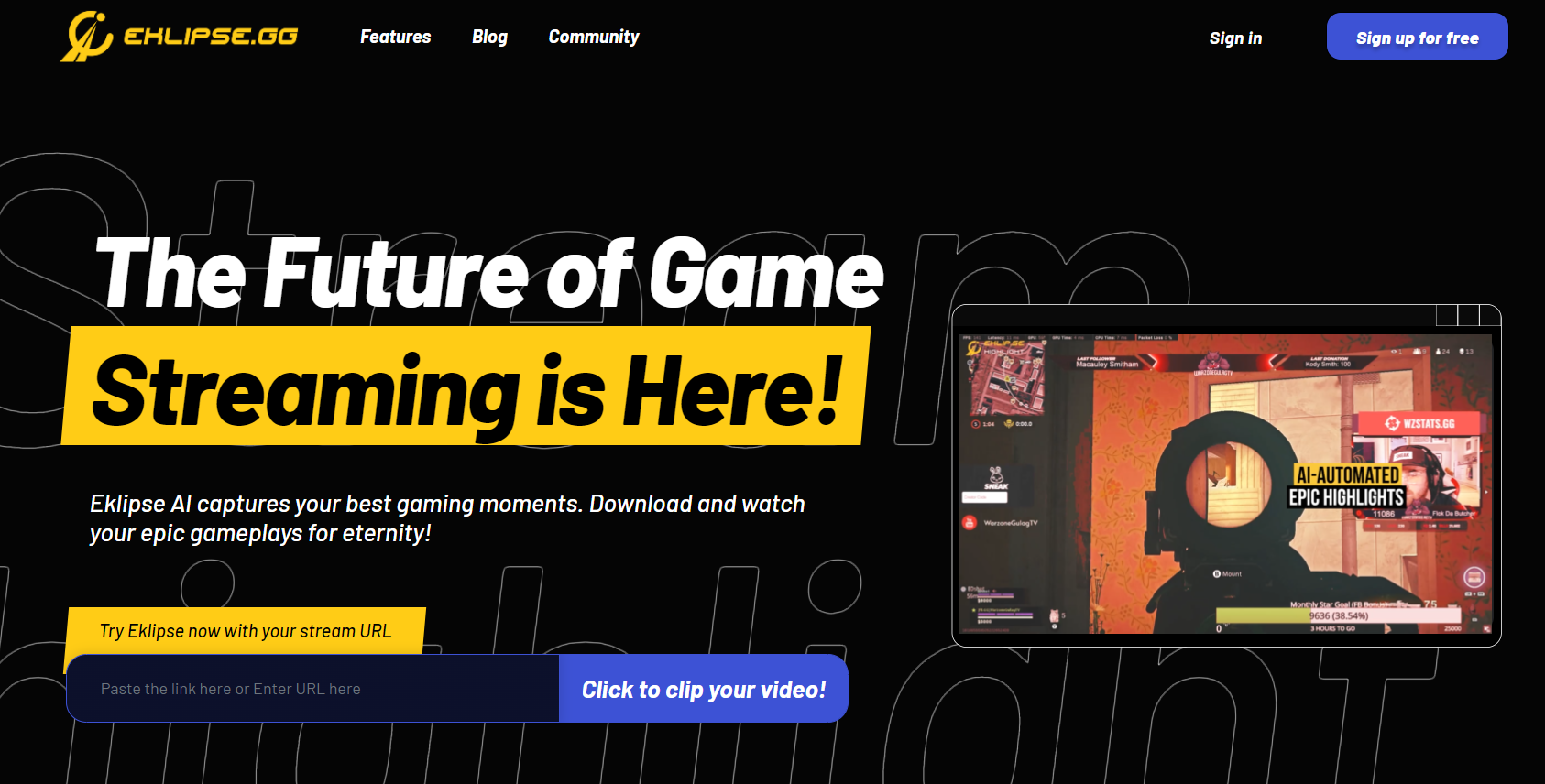
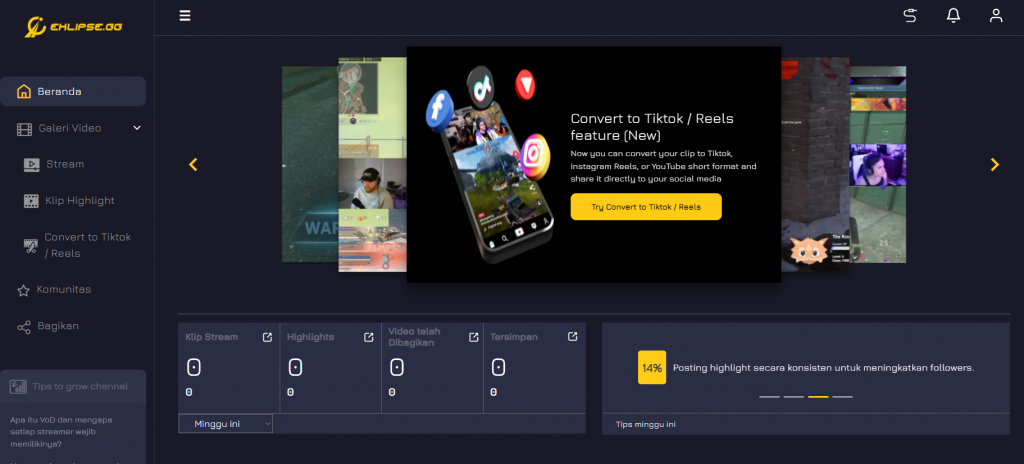
Eklipse is a powerful AI-based clipping software that allows you to conveniently generate highlights of your best gaming moments. But that’s not all, you can also edit your clips and videos using Eklipse. Eklipse allows you to cut, trim, resize, and add text, subtitles, themes, transitions, sound effects, and filters to your video. You can also change your video’s aspect ratio to fit a square or a vertical screen.
You can easily edit your videos professionally using Eklipse. Generate clips using Eklipse and then turn them into a well-edited trailer.
Conclusion
So these were some of the best Twitch trailer makers you can get for your Twitch channel marketing.
GTA is known for its mods among other things. Sometimes you want something more than the usual GTA gameplay and delve into something fresh. So today, I will talk about some of the best GTA mods you can install on your pc in 2022. So without further ado, let’s begin.
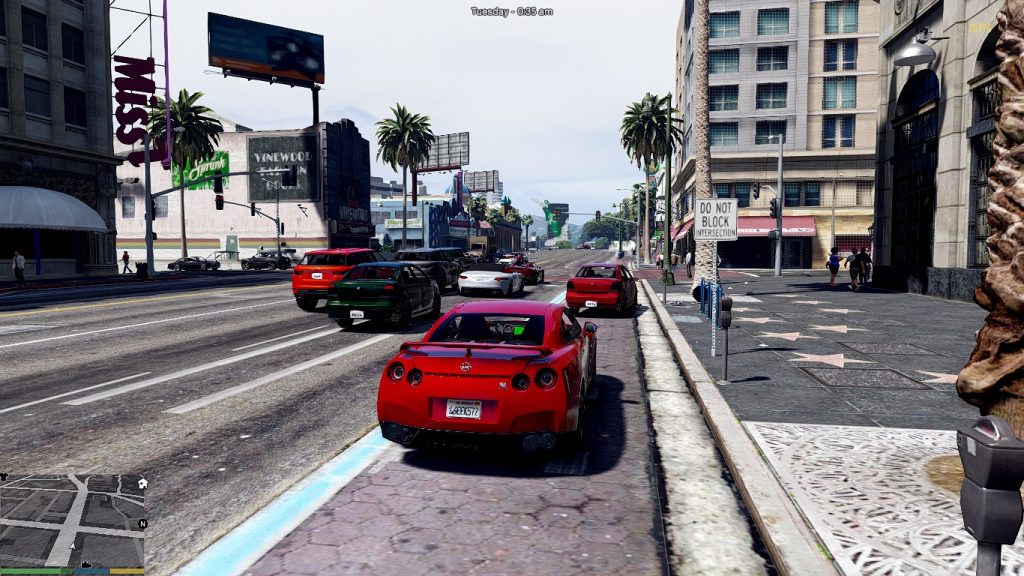
If you are tired of playing GTA with the old graphics then you should try the Visual v mod. This mod will enhance all the GTA graphics for you. Visual V mod upgrades all the current textures, graphic features, distance, and weather to make GTA V look more realistic. If you want to take your game’s graphics to a new level, you should definitely try this Visual V mod.
Source: GTA5-mods
2. GTA V VR
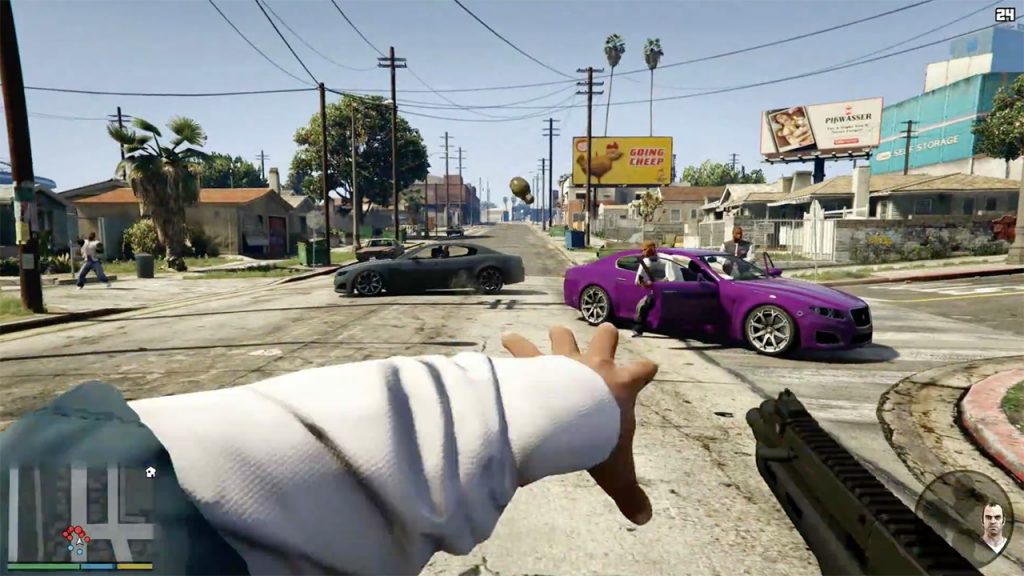
Virtual reality games have become very popular with gamers all over the world. What if I told you that you can transfer your GTA experience to a new world of virtual reality? This GTA V VR mod allows you to do that. This mod will allow you to experience the GTA V gameplay from a first person point of view.
Source: Espirit
Ths virtual reality mode is compatible with Oculus and Stream VR gear.
3. Predator mod
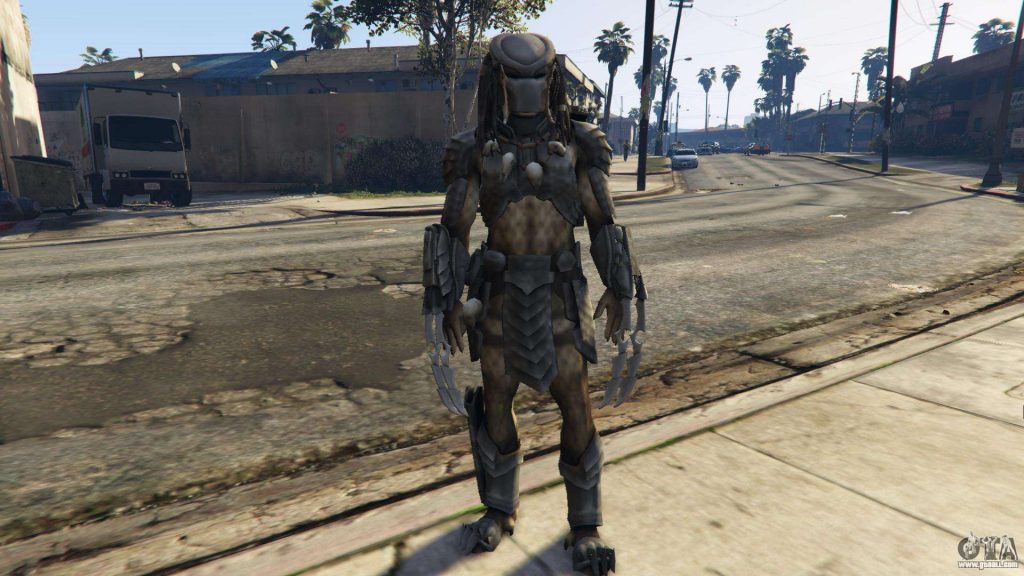
Various GTA mods have attempted to add many pop culture characters into GTA V. This mod allows you to transform into the fearsome predator in GTA V and utilize all of his weapons such as shoulder-rocket, javelin, and the cloaking device.
Source: GTAAll
4. Modded cars
Car mods are very simple yet very satisfying in the game. If you are bored of driving the old cars in GTA V, you can install this mod to expand the number of cars in the game. This modded cars DLC pack will add 16 new cars to your GTA V cars collection.
5. Chaos mod V
If you are tired of playing the game the usual way then you must try the Chaos mod V. This game adds random chaotic scenarios to your gameplay and makes the gameplay more exciting and engaging. This mod makes everything unpredictable for you. At one point you might have to deal with a plane crash, and at another moment you might find a couple of monkeys dancing in your car.
Source: GTA5mod
Conclusion
So these were the top 5best GTA v mods of 2022 that you can install on your PC to enhance your gameplay.
It’s no secret that Twitch is the streaming platform of choice for gamers around the world. Which is why, the coveted Twitch Affiliate program has gamers from all over the world trying to qualify for that elusive moniker. Are you looking to find out just how a Twitch Affiliate Payout works?
Source: TecMundo
So, what happens when you finally become a Twitch Affiliate? What impact does this have on your audience and in turn, your earnings? Well, to give you a brief idea; according to the October 2021 Twitch Leak, streamers in the top 100 on the platform make a minimum of $32,850 USD per month! This whopping revenue is the result of a mixture of subs, bit donations, and ads alone.
The numbers above may seem unrealistic at first, especially since streamers don’t see a payout for several months; even after gaining an affiliate status. However, it’s important to note that those numbers reflect the top 100 streamers, who’ve had ample time to grow their audience and product. In fact, it should be noted that streamers in the top 10,000 make a minimum of $904 USD per month.
Source: bbc.com
Coming back to the payout system itself; the minimum amount for a Twitch will payout is $100. Taking into account the 50% cut that goes to Twitch itself, the average affiliate would have to earn a total of 40 subs before they’re capable of cashing out using the payout system.
Play and Get Paid
In order to take advantage of the Payout System, streamers generally have to go through a certain number of steps. First, you’ll need to enter your tax information onto the site and then, you’ll need to agree to the Twitch Affiliate agreement.
Upon reaching the minimum payout amount of $100 USD or more, Twitch will pay you through one of the following methods:
Direct deposit/ACH
PayPal
Wire Transfer
Check
eCheck/Local Bank, for non-US affiliates
In the event that you’ve not met the minimum threshold of $100/month, Twitch will roll over the balance to the next month until this minimum threshold is met. Furthermore, you can also hold the payments until you are ready to receive them.
Slow and Steady
The partnership between Twitch and its Affiliates is mutually symbiotic. After all, the platform makes a huge chunk of its earnings through advertising on Affiliate channels and through revenue from Bit sales and subscriptions.
For Affiliates looking to harness the payout system it’s important to remember that there is no golden number of followers where you start making money. In fact, the real key lies in the number of your concurrent viewers. Think of it like this; if you are holding an average of 15-20 viewers for the duration of a stream it is quite common to pick up 1-2 subs and a few bits each stream.
Conclusion
With your channel’s growth, you’ll see a jump in these subs as they continue to add up and, eventually, you will make a decent side income. For more tips and tricks on how to navigate the world of Twitch follow our guides such as cracking the Twitch algorithm!
One of the milestones of growing your channel on YouTube is to get that verification badge next to your channel name. The verification mark makes your channel look authentic and gives your channel a professional vibe. If you are wondering how to get verified on YouTube, you’re at the right place.
Today, I will tell you how you can get verified on YouTube and what you need to appear worthy of verification on the YouTube platform. So without further ado, let’s begin.
The verification requirement of YouTube is very simple and straightforward. You need to have 100k subscribers on your channel and need to produce content consistently and be active on your platform in general. So that’s pretty simple.
How to get verified on YouTube? Step-by-step guide
Follow these steps to get your verification tick on YouTube:
Follow this URL to go to the official verification page. Here you can request your YouTube channel verification.
You can click on the “Apply now” button to request verification for your channel.
Once you click on it, you will find the application form.
Now you just have to fill out your name and channel id. If you don’t know your channel id, you can find that out by going to your YouTube account and clicking on advanced settings.
Once you are done filling out the form, click “Submit” and you will be done.
YouTube will send you a confirmation email when they accept your verification request.
Conclusion
So that’s how you can verify your YouTube channel. If you don’t have 100k subs yet, you need to work on your content and gradually earn the subs. Don’t worry yet, you should focus on your content and patronage first before moving on to the verification badge.
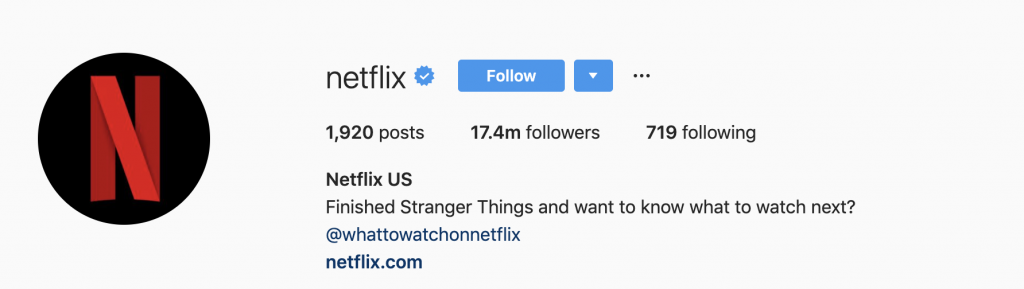
Having a verified Instagram account can be tremendously helpful for you if you are a brand or an influencer. Achieving this celebrity status will let you grow more easily and will give you more recognition on Instagram. Want to know how to get verified on Instagram? Read the blog below to learn how to do that.
How to get verified on Instagram? Step-by-step guide
Follow these steps to request a verification badge for your Instagram account:
Go to your Instagram profile and click on the hamburger icon.
Now tap settings.
Go to the account section.
Now you can request verification.
To request verification, you need to fill in an application form. In the application form, you need to include your legal name, your nickname or the name you’re known as, your niche, and a photo of your government-approved ID.
Once you are done with your application, you can tap send.
Tips for Instagram verification
Requesting verification on Instagram is very easy. What takes time and effort is building a strong presence on Instagram.
1. Build all your socials
Having a strong social media presence on all your social media platforms will help you get the verification badge on Instagram. Focus on building a strong personality. Be vocal regarding whatever niche you are working on. Stay active on all your socials and focus on developing a following.
2. Boost your brand
You can only get verified when there’s something to verify in the first place. You need to stay active on your Instagram account and focus on developing your brand. Work hard and get an impressive following on Instagram. Once you are already a brand, getting a verification badge will be a walk in the park.
Source: Sprout Social
3. Get rid of other links from your bio
Instagram doesn’t take kindly to cross-promotion. That’s why you need to get rid of any links to your other socials from your bio. For instance, do not add links for your YouTube or Facebook page in your bio. Though, you are allowed to add links to your website or your landing page on your bio.
4. Personalize
Personalizing and having a unique personality on Instagram will not only help you build your brand but it will also bring you closer to that verification badge you want. Personalizing your posts is a great way to separate yourself from the rest of the content creators on Instagram.
Conclusion
So that’s how you can get verified on Instagram. As you can see, it takes a long time to achieve that kind of status on Instagram. However, if you are really serious about developing a serious brand on Instagram, you need to hustle.
Instagram is one of the most popular social media platforms along with Facebook and Twitter. It provides an opportunity for influencers to increase their fan following. It’s also great for business-minded people looking to gain customers. There can be cases where you want to get rid of your Instagram account. So, how to delete your Instagram account? Keep reading the blog to learn about that.
How to delete your Instagram account: Step-by-step guide
Follow these steps to successfully remove your Instagram account:
Log in to your Instagram using your phone or computer.
Now go to the “Delete your account” page.
You need to select an option from the drop-down menu next to “Why are you deleting your account?”. This will send some feedback to Instagram regarding issues within the app.
The option for permanently deleting your account won’t appear unless you select an option from the drop-down menu.
Once you’ve selected a reason, the option for deleting your account will appear. Click delete [your username].
What happens when you delete your Instagram account?
Once you delete your account, all your information will be with Instagram before Instagram permanently deletes all of it. Sometimes the deletion process can take up to 90 days. Once the duration ends, all your data including your photos, videos, likes, followers, and comments will disappear permanently.
If you don’t want that to happen, you can choose to temporarily disable your account instead. Once you delete your original account, you can use the username to create a new account as long as someone else hasn’t taken your username for their Instagram account.
Conclusion
So, that’s how you can permanently remove your Instagram account. Make sure you have made up your mind about this because there’s no way of recovering your Instagram account once you remove it. Also make sure that you don’t loose any important information or memory.
Those who regularly do video editing should’ve been familiar with Clipchamp, right? Clipchamp is one of the best online tools that will help you edit your video. Additionally, you can find other Clipchamp alternatives on the internet if you need more features which you can’t find in Clipchamp.
Online video editor is growing rapidly these days with the advance in technology. Therefore, you can find a lot of similar tools which offer you various features to support your video editing process. So, without any further ado, we’ll give you some recommendations about Clipchamp alternatives free you can try. Let’s dive right in.
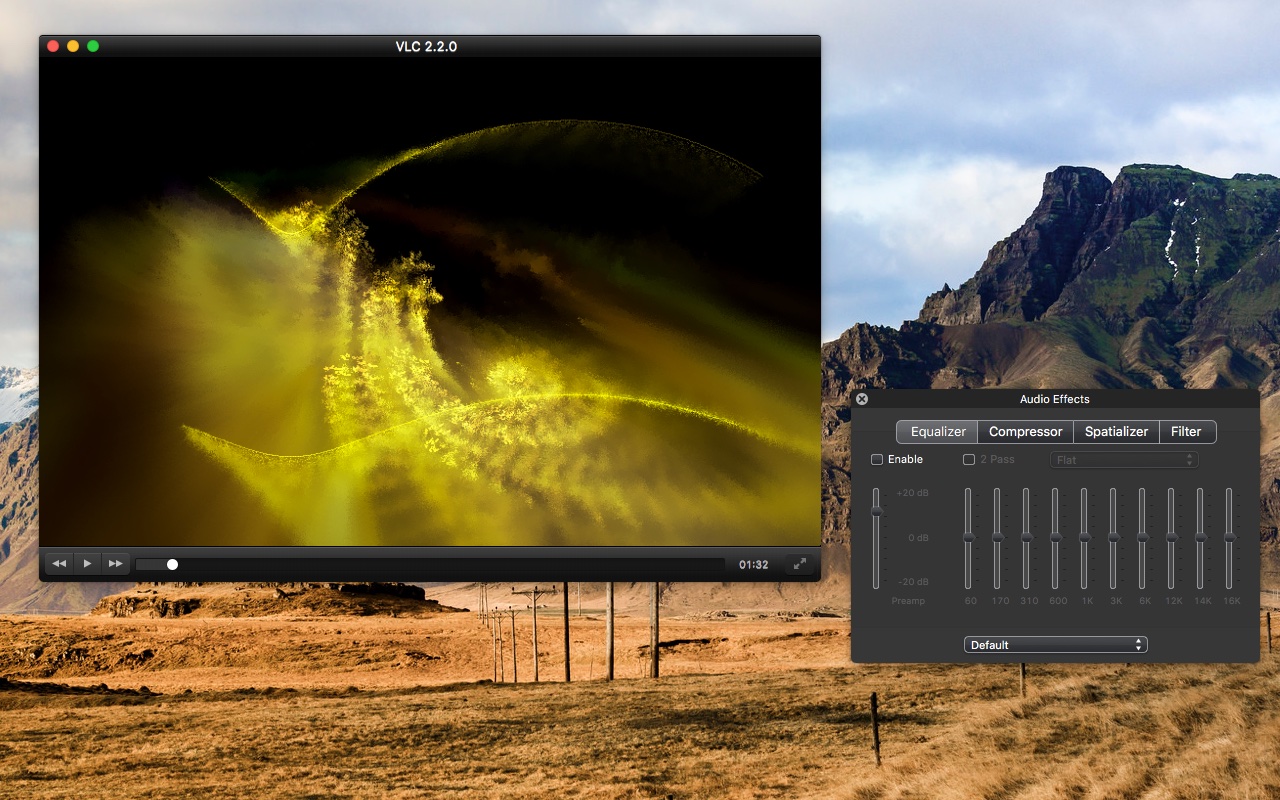
VideoLAN is a perfect option if you are looking for a complete and easy tool to edit your video. You might recognize this tool as the VLC Media player on your device. But turns out, it not only offers you a video player but a video editor as well.
With VideoLAN, you can do a simple editing process to your video such as trimming, cutting, or even compressing the video. However, this tool uses more GPU memory to play video than other players. But still, VideoLAN is worth trying if you wish to make some simple changes to your video.
On top of that, though it only has basic features of editing, VideoLAN is completely free to use. You don’t need to worry about the price of subscriptions or anything related.
Biteable: A Must-Try Tool Of Clipchamp Alternatives
Source: Biteable
Need a perfect tool for making an animated video? Biteable is a website you’ll want to check. This tool allows you to customize the fonts and colours, even adding new scenes and text to your video. Though it’s perfect for animated content but doesn’t mean it’s difficult to use. Every beginner will be in love with its features.
Aside from that, Biteable has provided you with various pricing options. If you don’t mind a little watermark on your video, you can try the free one. Otherwise, if you wish to get rid of the watermark, you can try the Plus plan for $19 per month. You can also create high-quality videos using this plan.
Craving for more premium features? The Ultimate plan will definitely suit you with the opportunity to pair up with 10 team members to edit the video. On top of that, you can easily download it to save the video once you’ve done editing. Moreover, you can also share it on social media instantly.
Renderforest
Source: Logitheque
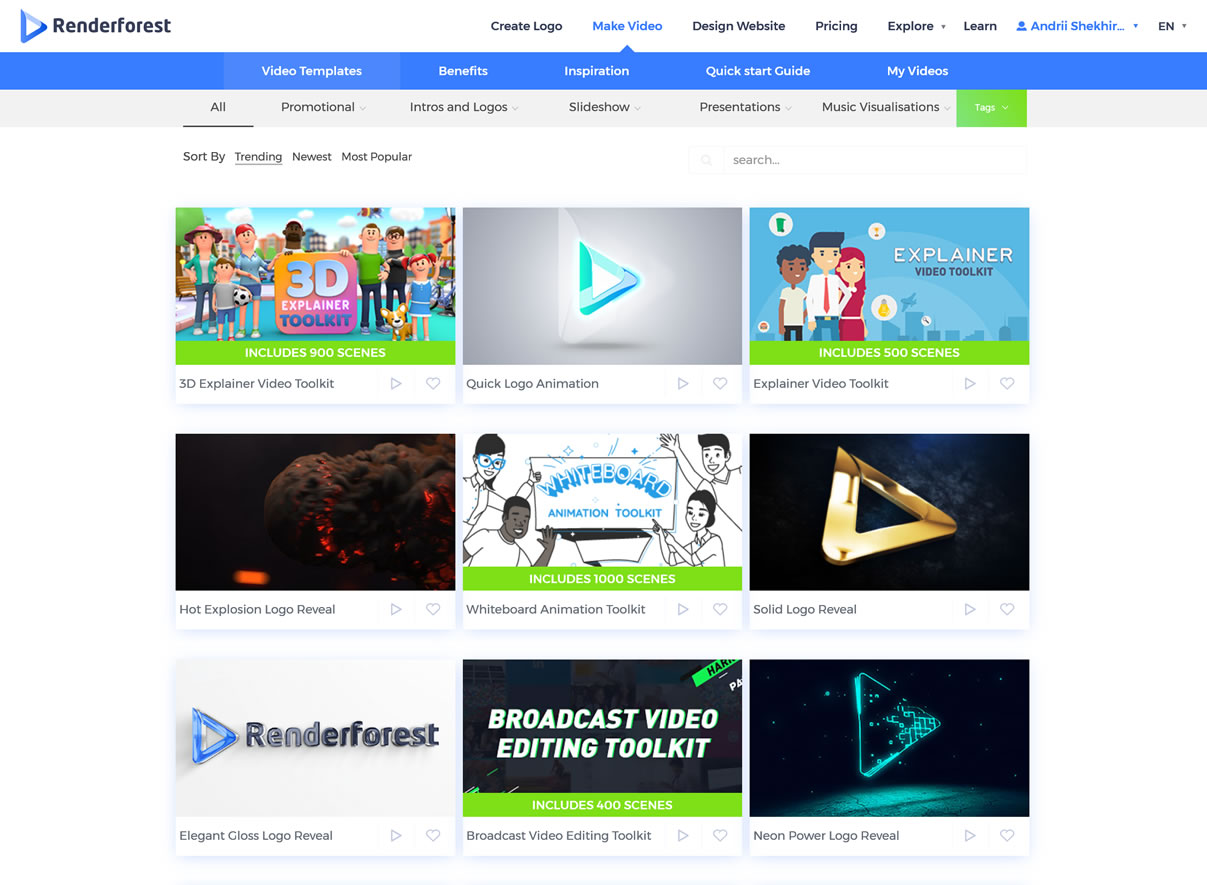
Another option for Clipchamps alternatives is Renderforest. Renderforest comes with the most complete features compared to the previous ones. Not stopping there, it also provides you with a robust and friendly interface.
If you are going to increase the growth of marketing and branding of your companies, you can use every perfect feature within Renderforest. This tool allows you to create a professional video to support your website. In addition to making great videos, you are also able to make a logo here.
Only need to do a drag-and-drop method, and then you can start making great videos using the existing templates on it. No need to download and launch to your device like some other tools. Additionally, Renderforest also offers you five options of pricing plans. You can choose whichever suits your need.
Eklipse: The Best Tool of Clipchamp Alternatives
Source: Eklipse
Don’t have much time to edit your video? No worries, because Eklipse can give you a hand to create cool videos in only several minutes! The AI systems will help you a lot to highlight your perfect moment on a streaming video.
In addition to clipping the best part of the video, you can also add some edits to it such as cropping, trimming, adding background music, effects, or many more. You can use the premium version to let the Eklipse AI do automatic editing to your video. It only requires a few clicks, and there you go.
No worries about the payment, because this tool is totally free to use. You can get everything you need here. A no-install tool, super easy and free to use, and able to give you excellent outputs, what else do you need from this video editor?
VEED
Source: Heroku
Another online tool that offers you a complete package with no rush is VEED. Again, this is a tool which you don’t need to download and install on your device. All you need to do is go to the official website, then drag and drop the video you desire to edit.
The special thing about this tool is you do not need to register an account as you would with other platforms. Besides the easiness, VEED is also complete with almost everything you need in terms of the video editing process. You can add or make GIFs, add some cool effects, or anything!
Additionally, you can save your edited video freely. However, there’ll be a watermark in your video. But if you want a free-watermark video, you can try several plans offered here. There is a Basic package that required $12, or a Pro package with $24 that will let you create a more than an hour video.
Vimeo: Another Best Clipchamp Alternatives
Source: Vimeo
Vimeo can be one of the Clipchamp alternatives that match with professionals. Vimeo can give you more than a video maker or editor. Additionally, you can also record your screen, do a broadcast live, host virtual events, or even monetize your videos.
You can produce high-quality videos using the existing templates or by uploading raw footage from your device. Turn your video to be a great show with a seamless transition.
Comes with several options of the plan, Vimeo lets you pick any package you think will suit your needs in terms of editing video. However, if you don’t want to subscribe, you can use its 30-days free trial.
Conclusion
So here is the list of Clipchamp alternatives you can try in 2022. Every tool has its own advantages. You can choose the best one to create fantastic videos. Which one do you think is the best tool of all? Comment down below.
We are thrilled to share some exciting stuff happening at Eklipse. We will officially launch a new feature today alongside other updates. Hope you guys can enjoy these new updates and get the maximum benefit out of them.
For those who are new to streaming,Eklipse is an automatic highlight generating AI tool for streamers which allows you to make excellent highlights from your game streams. You can edit these highlights and share them with your fans through your social media.
We at Eklipse are always striving for the best by bringing you excellent features for all your streaming needs. Our new feature will ensure that you are able to save your favorite highlights in the form of a collection.
New Feature “Playlist”
Eklipse New Playlist Feature
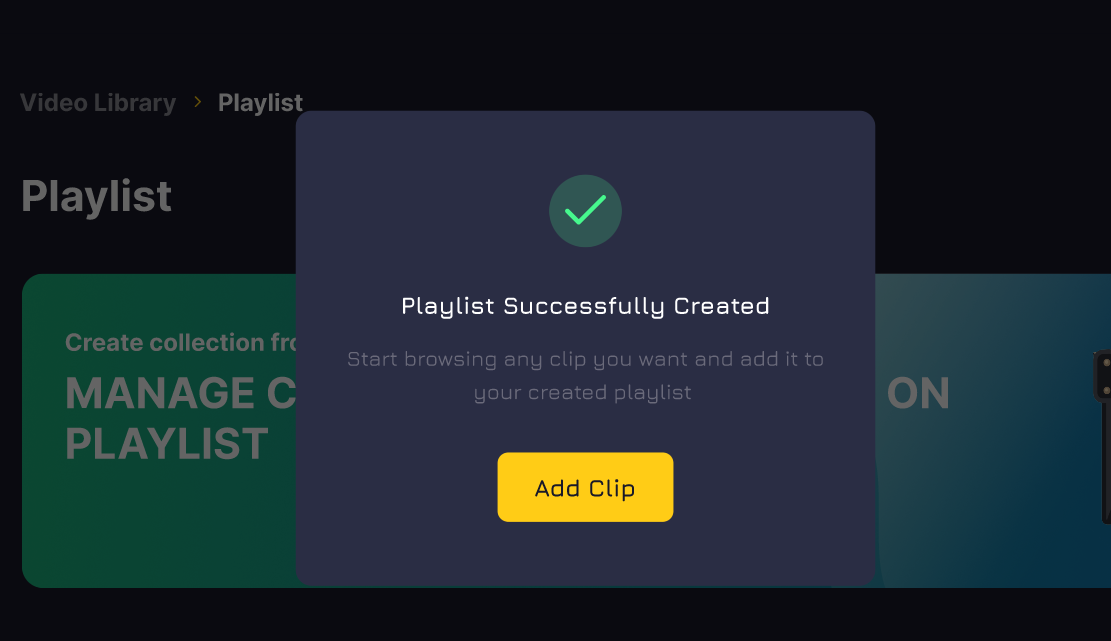
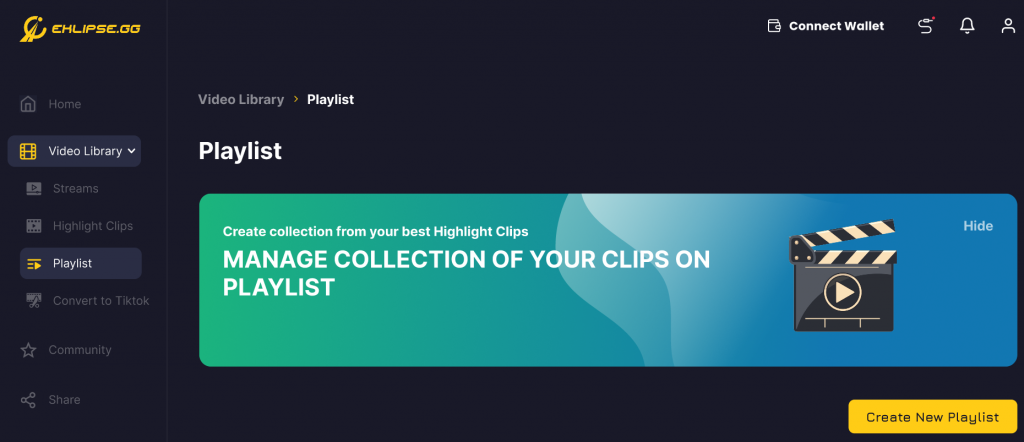
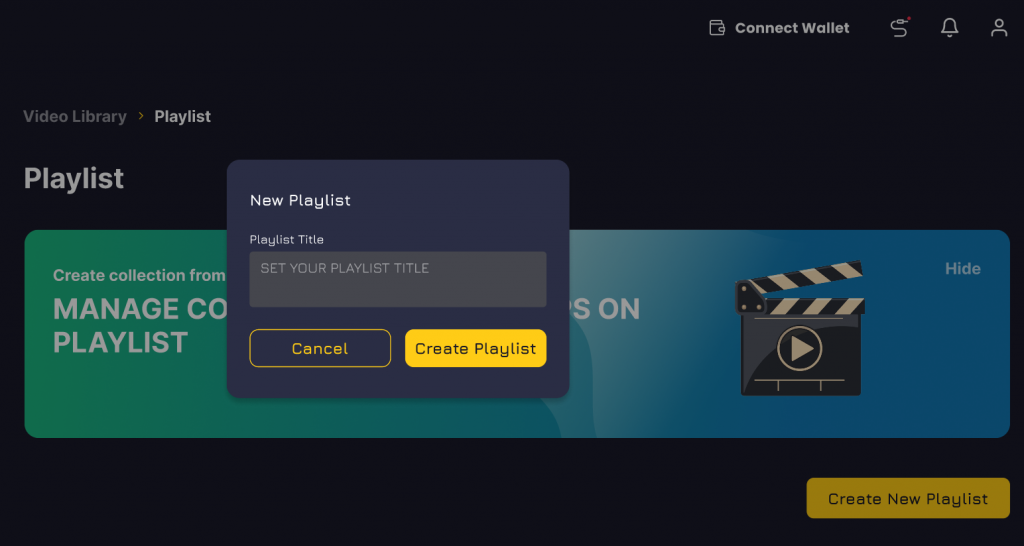
“Playlist” is the new feature in Eklipse. You can find it under the “Video library” section like other features. This feature will allow the users to save their best clips and make a collection of those favorite moments. You can use any clips to add in your selected playlist based on your own choice. While browsing through your highlight clips you may want to save a particular clip in a playlist of similar clips or make a brand new playlist for all such clips and it is possible now. You just have to follow these simple steps to make your very own playlist with your best highlights clips.
Create highlights with Eklipse
Browse through your highlights
Pick a highlight
Add it to an existing playlist
Or make a new playlist
Press “Create New Playlist”
Add the title/name
Your playlist is ready
Add more clips
You can also go to the playlist option directly and look at the right hand corner you will see create new playlist and then repeat the steps.
This new playlist feature will allow users to:
Create a new playlist
Add /delete clips
Rearrange clips
Download clips
Share clips from a playlist
Other Announcements
Join our discord channel
Users can now join our discord channel throw pop-up reminders. The pop-ups will redirect you to our discord community page and you can join us easily. You can also join our discord by using the discord button in the side bar menu.
News Section
Get the latest updates through our news and updates section. Keep a track of all the new stuff happening at Eklipse. For example, we have improved the performance speed for a better user experience. Do check it out and give us your feedback. Stay tuned for new feature updates, current news and more. 6
Conclusion
If you are a new streamer or an old registered user we are happy to serve you and bring you the best features you can ask for as a streamer. Keep us updating with your feedback and we will make sure that we deliver and do better. Check out Eklipse blog for more info. Happy Streaming!
So you want to remove your call of duty mobile account? There can be many reasons for it. Maybe you don’t wish to continue playing the game or maybe you are a parent removing an account for a minor. Though when you are removing the account for a minor, you need to make sure whether any other adult hasn’t claimed that account as theirs. Here’s a full guide on how to delete call of duty mobile accounts.
How to delete call of duty mobile account: step-by-step instructions
Follow these steps to delete your call of duty mobile account:
On your call of duty mobile game screen, tap More on the bottom right section.
Now go to settings.
In the settings section, you can select privacy & security.
In the privacy and security section, you will find the option to deactivate your call of duty mobile account. Click on that option.
A confirmation prompt will ask you if you want to deactivate your account, tap “yes” and click on “ok” to confirm your decision.
This will remove your call of duty mobile account.
What happens when you delete your call of duty mobile account?
Once you remove your call of duty mobile account, you will lose all the progress related to your call of duty account. Including all your achievements, medals, special items, purchases, gear, weapons, and your game level. If for some reason you wish to remove your call of duty mobile account, you need to confirm whether you really want to do this.
Just know that there’s no way to recover your progress and in-game possessions once you remove your call of duty mobile account.
Conclusion
So that’s how you can remove your call of duty mobile account. Do make sure that you really want to do this before following this guide.
When you are working with different sorts of videos for your project, you will need a video converter so you can make sure all the video files in your project are the same. You can also take the final video and convert it to whatever format. During the conversion, loss of quality is a huge issue. That’s why today I am going to recommend to you an online free HD video converter that adds no watermark to your project video.
Eklipse is a great streaming tool that functions on powerful AI. It is basically a clipping tool that allows you to automatically capture the best moments from your gaming streams and turn them into highlights. You can then upload these highlight clips to your preferred social media platforms.
Other than that Eklipse is also a great editing software that allows you to seamlessly edit your highlight clips and other video files. You can edit your clips for Twitch, YouTube, Instagram, and TikTok. Eklipse has a beginner-friendly and diverse interface that allows you to edit, crop, make compilations and add effects, filters, transitions, text, and music to your videos.
And of course, Eklipse also acts as a great online free HD video converter.
How to convert a video file using Eklipse
Follow these steps to convert your video file using Eklipse:
Make your free account with Eklipse by signing up with your email or Facebook profile.
Upload your video to Eklipse.
Now you can crop the video using the slider.
Click the plus button to add text to your video.
Select the formats so you can convert the format of your video file.
You can also change the aspect ratio of your video file to convert it for TikTok or Insta reel.
Now go ahead and save your project.
Conclusion
So that’s how you can convert your video files using Eklipse’s online free HD video converter.