Home Blog Page 111

Which Sims 4 Expansion Pack is the Best? [Update 2024]

0

Which Sims 4 expansion pack is the best? As a game with a massive amount of packs or DLC, it may be hard to determine the best one. However, we’ve already compiled some of the top packs that could entertain you for hours on end in game.

The Sims 4 allows you to do almost anything. You can have a pet, start a business, own a boarding house, start a family, go to university, build a huge mansion, move to the city… You can even become a member of the First Order if you so desire.

However, owning all of the expansion packs is an expensive proposition. If you’re on a tight budget, you’ll want to make certain that the The Sims 4 expansion packs you buy are the best of the best. While each pack has something unique to offer, we’ve discovered that some are far more enjoyable than others. It comes down to personal preference, but we’ve listed our top Sims 4 expansion packs and game packs below.

Skip the post-game editing slog. Eklipse instantly transforms your gameplay into shareable masterpieces. Level up your content game today!

Devil May Cry Peak of Combat Redeem Code (January 2024)

0
Devil May Cry Peak of Combat redeem code

These Devil May Cry: Peak of Combat codes are here to help you defeat those demons, offering heaps of free gems, orbs, breakers, and more. Claim it on this article!

Devil May Cry: Peak of Combat has taken the mobile gaming world by storm with its fast-paced action gameplay. Players can access premium currency in the form of Gems and Vaults through redeem codes, allowing them to pull for characters in the Vault system.

Active Devil May Cry Peak of Combat redeem code

Here is a list of currently active codes and their respective rewards:

  • WELCOME31421 โ€“ one special vault breaker and 10k red orbs
  • DMCLAUNCH โ€“ 100 gems and 10k red orbs
  • DMCOB0110 โ€“ one weapon vault breaker and 5k red orbs
  • DMCPOC0111 โ€“ one hunter vault breaker and 5k red orbs
  • DMCPOC โ€“ ten diluted elixirs
  • LIVE777 โ€“ ten diluted elixirs
  • VIP777 โ€“ 5k red orbs
  • JACKPOT โ€“ 5k red orbs

Expired Devil May Cry Peak of Combat redeem code

As of now, there are no expired codes. Keep an eye out for updates as new ones may be released soon!

How to Redeem Devil May Cry Peak of Combat redeem code

Redeeming codes in Devil May Cry: Peak of Combat is a simple process that can be completed within minutes:

  1. Launch Devil May Cry: Peak of Combat.
  2. Navigate to the “Three Lines” icon on the top left of your main screen.
  3. A new window that says “Office” will show up, along with your profile picture, ID number, etc.
  4. Click on “Redeem.”
  5. Paste or write down your code.
  6. Click “Confirm.”

Conclusion

Players can maximize their experience in Devil May Cry: Peak of Combat by taking advantage of redeem codes to acquire additional rewards and bonuses. Stay updated with new codes and enjoy the thrilling action-packed gameplay offered by this popular mobile game.

Elevate your streaming game with Eklipse, the ultimate AI video editing tool designed for streamers and content creators. Save a whopping 90% of your editing time and transform your streams into viral clips with just one click. 

Still hesitating? Try Eklipse for free here and experience the impressive power of AI editing. Don’t miss outโ€”sign up now and watch your content go viral!


Maximize your Black Ops 6 rewardsโ€”Create highlights from your best gameplay with with Eklipse

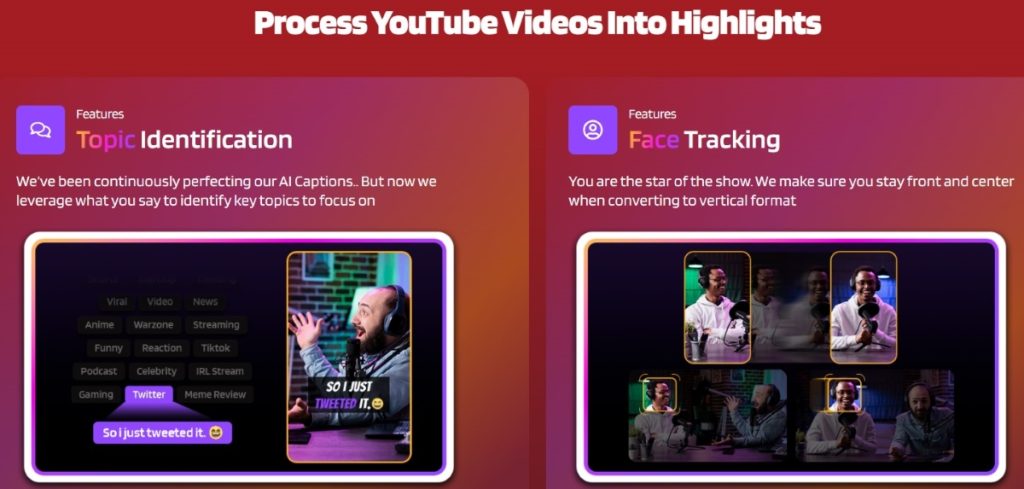
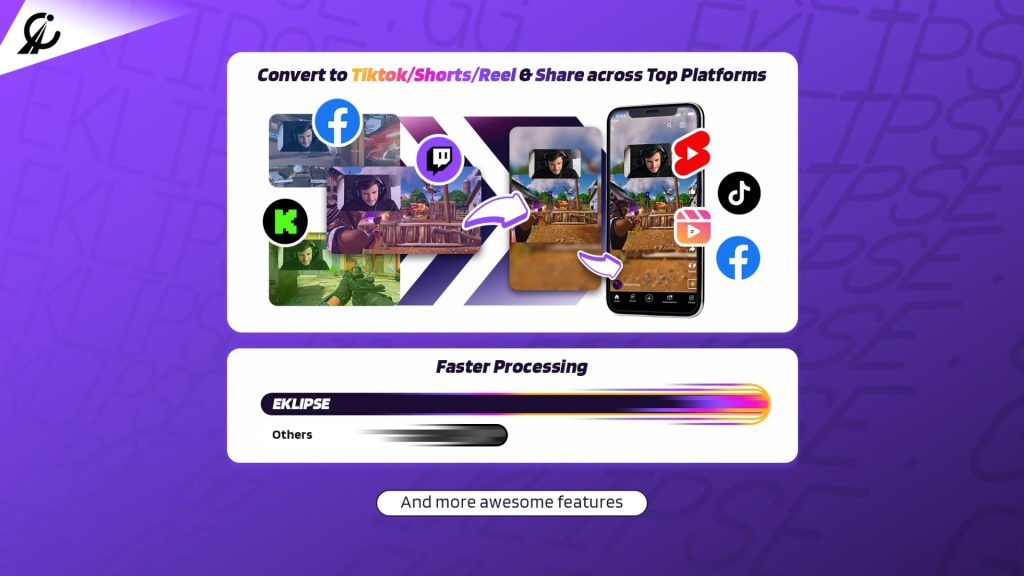
Eklipse help streamer improve their social media presence with AI highlights that clip your Twitch / Kick streams automatically & converts them to TikTok / Reels / Shorts


How to Redeem Digital Game Code on PS5?

0
how to redeem code on ps5
Source: TecMundo

If you’ve recently purchased a voucher or received a digital code for the PlayStation Store, you may be wondering how to redeem it on your PS5 console. In this article, we’ll provide you with a comprehensive guide on how to redeem a code on your PS5, whether it’s for games, in-game currency, subscriptions, or wallet top-ups.

Redeeming a Voucher on Your PS5 Console

  1. Access the PlayStation Store: On your PS5 Home Menu, navigate to the PlayStation Store.
  2. Select “Redeem Codes”: In the Categories bar at the top of the screen, look for an icon represented by triple dots. Select this icon and then choose “Redeem Codes” from the list of options.
  3. Enter Your Code: Carefully enter your 12-digit voucher code using your controller and press X on your DualSense controller to continue.
  4. Confirm and Download: Once you’ve entered the code, you will see the content associated with it. Highlight the confirm option and press X to redeem the code. The content should start downloading automatically. If not, you can visit the game page in your library from the Games Hub to manually download it.

It’s as simple as that! You’ve successfully redeemed your voucher code and can now enjoy your new content on your PS5.

Troubleshooting Voucher Issues

If you encounter any issues while redeeming your voucher code, here are a few troubleshooting tips:

  • Double-check that you entered the voucher code correctly.
  • Ensure that the code is still valid before attempting to redeem it.
  • Check for any network problems by visiting the PlayStation Network Status page.
  • If issues persist, sign out of PSN and sign back in to refresh your account.

Following these steps should help resolve common problems when redeeming vouchers on your PS5 console.

Conclusion

In this guide, we’ve provided step-by-step instructions for redeeming a voucher code on your PS5 console through the PlayStation Store. By following these simple steps and troubleshooting tips, you can easily add new games, in-game currency, subscriptions, or wallet top-ups to your account and start enjoying all that PlayStation has to offer.

Want to gain quick popularity as a professional gamer? Eklipse can help!

Eklipse’s AI-powered clipping tool will turn your best livestreaming moments into captivating TikTok/Shorts/Reels. Share your clips immediately from Eklipse and become an internet sensation overnight!

Sign up now at Eklipse.gg or click below to experience gaming on a whole new level!


Maximize your Black Ops 6 rewardsโ€”Create highlights from your best gameplay with with Eklipse

Eklipse help streamer improve their social media presence with AI highlights that clip your Twitch / Kick streams automatically & converts them to TikTok / Reels / Shorts


6 YouTube Shorts Online Video Editors – Best Free Options

0

YouTube Shorts has become a significant platform for content creators to reach a wider audience and engage viewers with short, snappy videos.

However, creating high-quality videos for YouTube Shorts can be challenging, especially for those with low-spec PCs or limited video editing experience. Thankfully, several free online video editors offer a solution, providing a user-friendly interface and a range of features to help creators produce compelling Shorts without breaking the bank.

In this article, we will explore five of the best YouTube Shorts online video editors available.

Level up your streamings and boost your earnings – Register for Eklipse here!

1. Eklipse – Best Free YouTube Shorts Online Video Editors Option

Eklipse is YouTube Shorts Online Video Editors

Eklipse is a free online video editor tailored for streamers, offering a suite of features to enhance their content.

One of its standout capabilities is AI highlights, which automatically generates clips from your live streams, saving you time and effort. Additionally, Eklipse provides a “convert to YouTube Shorts” tool, enabling users to effortlessly edit horizontal clips into vertical formats suitable for YouTube Shorts.

The editor includes a diverse range of features, such as the option to add auto-captions to your videos, incorporate channel name stickers, and include text overlays.

Furthermore, Eklipse facilitates seamless social media sharing, allowing creators to effortlessly share your vertical video to Shorts instantly.

Eklipse VIP access unlocked for free – Claim it now!

More on Eklipse Blog >> How to Use Auto Captions for Creating YouTube Shorts

2. Kapwing

Kapwing is another top-notch free online video editor known for its simplicity and effectiveness in creating short videos. It offers a user-friendly interface, making it accessible to both beginners and experienced video editors alike.

With Kapwing, you can easily trim, crop, add text, and include music to your videos, streamlining the video editing process.

The platform’s sharing functionality simplifies the process of publishing your Shorts on social media platforms, expanding your reach and engagement potential.

3. Clipchamp

Clipchamp is a rising star in the world of online video editors, garnering popularity due to its intuitive interface and comprehensive feature set.

Aspiring YouTube Shorts creators will find the ability to craft custom intros and outros for their videos particularly appealing, adding a professional touch to their content.

With a free plan available, Clipchamp offers a cost-effective solution for those looking to produce compelling short videos without having to invest in expensive software.

4. Clideo

For creators on a tight budget, Clideo serves as an excellent option for online video editing. Being free to use, it provides essential features like trimming, cropping, adding text, and incorporating music to enhance your YouTube Shorts.

While the free version is already valuable, Clideo also offers a paid plan that unlocks additional features and storage space, catering to the needs of more advanced creators.

5. Renderforest

Renderforest is a creative powerhouse, offering a wide selection of templates and customizable animations to elevate your video editing experience.

Creators seeking to add unique visual elements to their YouTube Shorts will find Renderforest a valuable ally.

With a free plan available, Renderforest allows you to experiment with various creative tools without incurring costs.

More on Eklipse Blog >> Do YouTube Shorts Make Money? Yes, Hereโ€™s 10 Tricks For It

6. VEED

Next, we have VEED, an automatic short online video editor with beginner-friendly features. This app will help you splice your clips with its “Magic Cut” and add subtitles to boost engagement.

This online editor isn’t just smart but also fast, allowing you to create stunning videos in minutes. You can try it for free as well.

Conclusion

Creating captivating YouTube Shorts has become a crucial aspect of content creation, and these five free online video editors offer excellent solutions to cater to a wide range of needs.

Whether you’re a streamer, a beginner, or a seasoned content creator, these tools provide an accessible and cost-effective means to produce engaging Shorts. Empower yourself with these online video editors, and start crafting Shorts that will captivate your audience on YouTube and beyond.

Happy editing!


Maximize your Black Ops 6 rewardsโ€”Create highlights from your best gameplay with with Eklipse

Eklipse help streamer improve their social media presence with AI highlights that clip your Twitch / Kick streams automatically & converts them to TikTok / Reels / Shorts


How to Create Madden NFL 24 Highlights Instantly with AI

0

The thrill of a heart-stopping touchdown catch or the adrenaline rush of a game-saving defensive play โ€“ these are the moments that make Madden NFL 24 one of the most exhilarating sports games ever created. And now, with the power of AI, you can relive these epic moments and instantly create viral Madden NFL 24 Highlights.

Gone are the days of manually sifting through hours of gameplay footage to find the perfect highlights. AI-powered tools can now analyze your Madden NFL 24 games and automatically detect the key plays, saving you time and effort. Whether itโ€™s a jaw-dropping quarterback scramble or a bone-crunching tackle, these AI tools will capture all the action and excitement of your games.

But thatโ€™s not all. AI can also enhance your highlights with dynamic transitions, music, and commentary, turning them into professional-quality productions. So, whether youโ€™re a seasoned Madden veteran or a casual player, AI can help you create unforgettable highlights that amaze your friends and followers.

Step-by-Step Guide to Creating Madden NFL 24 Highlights

Struggling to create those epic Madden NFL 24 highlight reels? Enter Eklipse, your new AI teammate! This handy tool scans your gameplay recordings (VODs) and automatically identifies the most exciting moments.

Eklipse then whips up highlight clips in a flash, saving you time and effort. Now you can focus on perfecting your Madden skills while Eklipse showcases your victories (or near misses!).

Step 1 โ€“ Setting Up Your Eklipse Account and Linking it to Your Twitch or YouTube

Ready to turn your Madden NFL 24 streams into epic highlights? Eklipse can help! First things first, you’ll need to create an Eklipse account. Head over to eklipse.gg and sign up for free.

Once you’re in, connect Eklipse to your favorite platform – Twitch, Kick, or YouTube – where you stream your Madden battles. This way, Eklipse can automatically import your streams and start working magic.

Here’s how to do it:

Source: Eklipse Blog
  1. Click on your profile icon and navigate to Account Settings.
  2. Under Personal Details, click the “Add Account” button on the top right.
  3. Follow the prompts to connect to your chosen platform.

Voila! You’ve created your Eklipse account and linked it to your streaming platform. Now, let’s move on to the next step!

Step 2 โ€“ Broadcasting on Twitch or YouTube and Generating Madden NFL 24 Highlights on Eklipse

The next stage requires you to stream your best Madden NFL 24 gameplay on Twitch or YouTube. Once your streaming session concludes, you can effortlessly retrieve your highlights from Eklipse.gg.

Eklipse Blog
Source: Eklipse Blog
  1. Navigate to the โ€œClipโ€ section and locate โ€œStreamsโ€ to find your previous streams.
  2. Ensure that your Twitch or YouTube stream is set to public, enabling Eklipse to access your highlights.
  3. Click the โ€œGet Clipโ€ button and designate Madden NFL 24 as the game category.
  4. Adjust your game category to Madden NFL 24 when streaming on Twitch, Kick, or YouTube.
  5. Exercise a bit of patience, and behold! Your Madden NFL 24 Highlights are primed for your viewing pleasure.

Step 3 โ€“ Converting Your Content for TikTok/Shorts/Reels

The last step is essentially up to you. However, if channel growth is your goal, this step becomes crucial. You can transform your captivating Madden NFL 24 highlights into TikTok, Shorts, or Reels.

This approach widens your contentโ€™s exposure to a larger audience. The added benefit? Itโ€™s a straightforward process with Eklipse! Letโ€™s delve into the steps.

Eklipse Blog
Source: Eklipse Blog
  1. Go to the Clip > Streams section
  2. Select one that stands out,
  3. Proceed to the โ€œConvert to TikTok/Shorts/Reelsโ€ option.
  4. Pick a template that resonates with your content and style.
  5. Customize the frame by selecting your desired face cam and gameplay area.
  6. Enhance your clip with text overlays, channel name stickers, and auto-captions for enhanced engagement.
  7. Conclude the process by clicking the Publish button, and there you have it
  8. Now your Madden NFL 24 highlights are expertly tailored for TikTok, Shorts, or Reels.

More on Eklipse Blog >> How to Grow a New YouTube Channel: 7 Must-Know Tips

About Madden NFL 24

madden nfl 24
Source: PlayStation

Madden NFL 24, developed by EA Tiburon (EA Sports) and published by Electronic Arts, is a highly anticipated American football game.

This installment in the Madden NFL series centered around the National Football League (NFL). This game was released to PlayStation 4, PlayStation 5, Windows, Xbox One, and Xbox Series X/S in August. The charismatic cover athlete for the game is none other than Buffalo Bills quarterback, Josh Allen.

Many have streamed their Madden NFL 24 gameplay on popular platforms like Twitch, Kick, and YouTube. If youโ€™re one of these streamers and desire an effortless way to generate captivating highlights from your gameplay, this step-by-step guide is tailored just for you.

Final Thoughts

Eklipse empowers Madden NFL 24 streamers with a groundbreaking tool to effortlessly curate and share their most exhilarating moments.

By following this straightforward guide, youโ€™re well-equipped to seamlessly create, customize, and promote your Madden NFL 24 highlights across various platforms.

Elevate your livestream content and captivate a broader audience, all with the assistance of AI-driven technology. Sign up for Eklipse now!

Eklipse

The Best Music to Use for a Memorable Twitch Stream

0
use music for memorable Twitch stream

Are you looking to use music for memorable Twitch stream? Whether you’re into lo-fi, metal, or any other genre, finding the right music can be crucial for creating an engaging and memorable experience for your viewers. In this article, we’ll explore some of the best options to use music for memorable Twitch stream.

StreamBeats

Developed by Harris Heller, StreamBeats offers a 6-hour Lo-Fi playlist that is completely copyright-free. This means you won’t have to worry about getting claimed while streaming on Twitch. With a wide range of tracks, StreamBeats provides the perfect backdrop for your streams without any legal issues.

Pretzel.rocks

Pretzel.rocks is another excellent option for royalty-free music streaming. Designed specifically for streaming, this platform allows you to save the currently playing song to a text file and display it in your overlay. Additionally, it can post song links in the chat, making it easy for your viewers to discover new music.

Monstercat on Streamlabs

If you’re a fan of Monstercat’s music, you can use the app available on Streamlabs to stream their tracks without worrying about copyright issues. This provides access to a vast library of music that can add energy and excitement to your streams without risking any strikes or takedowns.

FreeMusicArchive.org

For those looking for a variety of free music options, FreeMusicArchive.org is an excellent resource. With a diverse collection of royalty-free tracks, you can find the perfect sound to complement your content without any legal concerns.

Ambient Mixer

If you’re interested in creating custom soundscapes for your streams, Ambient Mixer is worth exploring. This platform allows you to build unique audio environments without any licensing issues, giving you complete freedom in crafting the perfect atmosphere for your audience.

Choosing the Right Music Genre

When selecting music for your Twitch stream, consider your audience’s preferences and the overall vibe of your content. While metal may energize some viewers, others might prefer lo-fi or indie tracks as background noise. It’s essential to strike a balance that resonates with your community while staying true to your personal taste.

Conclusion

In conclusion, incorporating the right music into your Twitch stream can significantly enhance the viewing experience and keep your audience engaged. By leveraging these platforms and resources, you can access a wide range of copyright-free tracks that align with various genres and moods. Ultimately, finding the perfect soundtrack will help create memorable moments on your channel.

Want to grow your Twitch audience? Look no further than Eklipse!

Experience the magic of our AI-powered tool, seamlessly transforming your best gaming livestream moments into captivating TikTok/Short/Reels content with just a single click! 

Sign up for free at Eklipse.gg and dive into the world of effortlessly creating gaming video clips like never before. Elevate your channel with Eklipse and watch your community thrive!


Maximize your Black Ops 6 rewardsโ€”Create highlights from your best gameplay with with Eklipse

Eklipse help streamer improve their social media presence with AI highlights that clip your Twitch / Kick streams automatically & converts them to TikTok / Reels / Shorts


The Perfect Facebook Cover Photo Size & Best Practices (2024 Update)

0
facebook cover photo size

The size of your Facebook cover photo is crucial for creating a great first impression on your audience. It needs to be branded, high-quality, and perfectly optimized for display. Hereโ€™s everything you need to know about the perfect Facebook cover photo size and best practices to help your images represent your channel exactly how you want.

The Ideal Size

According to Facebook, the ideal dimensions for a cover photo are 820 pixels wide by 312 pixels tall on computers, and 640 pixels wide by 360 pixels tall on smartphones. However, it’s important to remember that it displays differently on mobile and desktop devices. Designing with safe zones in mind ensures that your cover photo will display properly on both devices.

Creating a Perfect Cover Photo

When creating a Facebook cover photo, ensure that none of the critical components of your cover photo are getting cut off on mobile devices or desktops. Using tools like Snappa can make this process incredibly simple and efficient.

What Should Your Facebook Cover Photo Be?

Your cover photo should be relevant to your persona and resonate with your target audience. You can use it to drive sales or lead generation, feature user-generated content, advertise upcoming events, demonstrate product features and benefits, show off your store, or feature team members and employees.

Creative Ideas for Your Cover Photo

Consider using hand-drawn illustrations, adding shapes and outlines, using lifestyle images while removing text, adding contrast to text and photos, incorporating playful icons, or following a specific color palette to create an eye-catching cover photo.

Mistakes to Avoid

When choosing a cover photo for your Facebook page, avoid making mistakes such as using the same cover photo repeatedly, including too much text or clutter in the image. It’s important to consider the current page format and not choose something generic without adding branding elements.

Where to Find Great Cover Photos

You can find amazing cover photos made from graphics or photographs on free stock photo sites like StockSnap, Pexels, Unsplash as well as user-generated content platforms.

Conclusion

In conclusion, choosing the right size for your Facebook cover photo goes a long way in helping you make an excellent first impression with new users. By combining the perfect cover photo size with best practices recommended by Facebook itself will help you build an impactful social presence for your channel in 2024.

Want to grow your Facebook audience? Look no further than Eklipse!

Experience the magic of our AI-powered tool, seamlessly transforming your best gaming livestream moments into captivating TikTok/Short/Reels content with just a single click! 

Sign up for free at Eklipse.gg and dive into the world of effortlessly creating gaming video clips like never before. Elevate your channel with Eklipse and watch your community thrive!


Maximize your Black Ops 6 rewardsโ€”Create highlights from your best gameplay with with Eklipse

Eklipse help streamer improve their social media presence with AI highlights that clip your Twitch / Kick streams automatically & converts them to TikTok / Reels / Shorts


Auto Edit Now Available: An Even Simpler Way to Make Clips From Twitch Streams

0

If you are a gamer who loves to stream and create content, you might have heard of JoinCombo, a platform that offered automated editing for your Twitch clips. Unfortunately, JoinCombo has shut down, leaving many streamers without a convenient way to make TikToks from their gaming moments.

But donโ€™t worry, Eklipse is here to save the day. Say goodbye to the JoinCombo era and say hello to the future of content creation with our latest updates: Auto Edit!

Go from streamer to highlight master. Eklipse unlocks your Twitch streaming potential. Join the AI-powered revolution!

Introducing Auto Edit: Turn any Twitch clip into a TikTok with just 1-click

One of the most popular features of JoinCombo was the ability to create TikToks automatically from your Twitch clips. Well, we have good news for you: Eklipse has launched its own Auto Edit, an even better way to make TikToks from your gaming streams.

More on Eklipse Blog>>> Eklipse New Feature Updates: Now Supports French for Dashboard and Auto-Caption!

With Auto Edit, you can create TikToks automatically from your Twitch clips within minutes. All you have to do is set up your Auto Edit by choosing your webcam placement, in-game footage window, stickers, emojis, and text. 

Eklipse will then use these preselections to create TikToks from any Twitch clips. Choose which highlight youโ€™d like to activate Auto Edit on and poof your content is made!

Whether youโ€™re on the go, limited on time, or simply want us to do the work, you can now have Eklipse do 100% of the work for you. 

Dominate the leaderboard and your audience. Supercharge your Twitch content with Eklipse. Sign up now!

@ruflesscat

Turn Your Clips Into TikToks/IG Reels! ๐ŸŽฌ โ€ฆ @Eklipse.GG #EklipseGG #ForYou

โ™ฌ Aesthetic – Gaspar

How to Use Auto Edit

Eager to try the newest addition? To use it effortlessly, you still need to set up your preferences. Here is a step-by-step guide on how to set your Auto Edit up.

  1. Go to https://eklipse.gg/home and log in with your account.
  2. Select the ‘Automation’ tab to navigate to the Auto Edit settings.

3. Navigate to the Auto Edit tab and switch on the toggle to activate Auto Edit.

4. Link your Twitch account so Eklipse can feast on your epic Twitch clips.
5. Toggle on the ‘Edit Twitch Clips’ option to give Eklipse permission to work its magic on those clips.

6. You can further customize settings such as import clip date and minimum clip views to filter your Twitch clips.
7. For the template, create your own preferred style to give your clips that extra TikTok-worthy flair.

8. Remember to save your settings. From now on, when you have Twitch Clips, they will be automatically converted to TikTok formats.
9. You can find your Auto Edit clips on “Edited Clips” tab. And itโ€™s done!

P.s. Auto Edit is a premium feature, so make sure youโ€™ve signed up and subscribed to Eklipse Premium Plan first to get a hold of it.

More on Eklipse Blog>>> Best Alternatives for COMBO Clip

Eklipse: The ultimate AI content creator for gamers

Eklipse is more than just a platform for making content. Itโ€™s a community of gamers who love to share their passion and creativity with the world. Eklipse helps you grow your brand with more content for your socials and connects you with other streamers and content creators who share your interests.

If you are looking for a replacement for JoinCombo, or if you just want to make more content from your gaming streams, Eklipse is the perfect choice for you. 

Effortless brilliance, instant engagement. Experience the power of Eklipse AI for your streaming content. Sign up for Eklipse today and enjoy our new feature: Auto Edit. You wonโ€™t regret it!


Maximize your Black Ops 6 rewardsโ€”Create highlights from your best gameplay with with Eklipse

Eklipse help streamer improve their social media presence with AI highlights that clip your Twitch / Kick streams automatically & converts them to TikTok / Reels / Shorts


How to Create Effective Twitch Lead Magnets (2024)

0
twitch lead magnets
twitch lead magnets

Twitch lead magnets are crucial for building an engaged email list and driving lead generation. When it comes to Twitch, creating effective lead magnets can significantly impact audience engagement and conversion rates. In this article, we will explore the best lead magnet ideas and examples for Twitch streamers, as well as how to market these lead magnets effectively.

Best Twitch Lead Magnet Ideas

  1. Exclusive Content: Offer exclusive behind-the-scenes content or access to private streams in exchange for email sign-ups.
  2. Giveaways: Hold regular giveaways during live streams and ask viewers to sign up with their email addresses for a chance to win.
  3. Checklist: Provide a checklist related to your gaming content, such as a beginner’s guide or pro tips.
  4. Content Upgrade: Offer bonus content related to your live streams, such as extended gameplay footage or tutorials.
  5. Case Study: Share in-depth case studies of your successful gaming strategies or achievements.
  6. Cheatsheet: Create cheatsheets with quick references for popular games or gaming techniques.
  7. VIP Access to Killer Tools: Give subscribers access to tools and resources that enhance their gaming experience.

Effective Twitch Marketing Strategies for Streamers

When promoting lead magnets on Twitch, it’s essential to engage your audience during live streams and encourage them to sign up for exclusive content or offers related to your channel’s niche. Use engaging videos with compelling calls-to-action (CTAs) and provide clear instructions on how viewers can access the lead magnet.

Conclusion

In conclusion, creating effective lead magnets for Twitch can significantly boost audience engagement and drive lead generation. By implementing these ideas and marketing strategies, you can build an engaged email list while providing value to your audience.

Want to gain quick Twitch popularity? Eklipse can help!

Eklipse’s AI-powered clipping tool will turn your best livestreaming moments into captivating TikTok/Shorts/Reels. Share your clips immediately from Eklipse and become an internet sensation overnight!

Sign up now at Eklipse.gg or click below to experience gaming on a whole new level!


Maximize your Black Ops 6 rewardsโ€”Create highlights from your best gameplay with with Eklipse

Eklipse help streamer improve their social media presence with AI highlights that clip your Twitch / Kick streams automatically & converts them to TikTok / Reels / Shorts


5 Best TikTok Video Downloaders Without Watermark (2024)

0
tiktok downloader without watermark

Check out the best TikTok video downloader without a watermark in 2024. You can download TikTok videos from any device you have.

TikTok has become one of the most popular platforms for sharing short videos. While the app offers a wide range of videos to watch and enjoy, there may come a time when you want to download a video without the watermark.

Here are five of the best TikTok video downloaders that allow you to save videos without any watermark, making it easier to share, edit, or repost your favorite content.

1. Snaptik: Best for Downloading TikTok Videos without Watermark Quickly

Snaptik
Source: Selular.id

SnapTik is one of the best TikTok downloaders available online for downloading videos without a watermark. It allows you to download videos directly from TikTok without having to install any additional software on your device. The app is fast, easy to use, and provides high-definition quality videos without watermarks.

Pros:

  • Removes watermarks: The key feature, lets you download TikTok videos clean for sharing or personal use.
  • Simple and User-Friendly: No login or complicated setup is required, just copy-paste the link and download.
  • High-Quality Downloads: Offers downloads in various formats and quality options, often matching the original video.
  • Cross-Platform Compatibility: Works on phones, tablets, and computers for maximum downloading flexibility.
  • Fast Download Speeds: No waiting around for your favorite videos.

Cons:

  • Copyright Issues: Downloaded content might have copyrights, so be mindful before using it for commercial purposes.
  • Security Concerns: Downloading from third-party platforms requires caution. Stick to official sources for SnapTik (website or app store) and be wary of intrusive ads.
  • Reliance on Ads: Free service supported by ads, which can be disruptive.

Price: Free

Availability: Android, iOS, Windows, and Mac

2. ssstik.io: Best for Hassle-Free TikTok Video Downloads in High Definition without Watermarks

ssstik.io
Source: SevenTech.io

ssstik.io is another popular TikTok downloader tool that helps you save TikTok videos with HD resolution and no watermark. This free online service allows users to download TikTok videos without any trademark, making it ideal for post-editing and publishing purposes. Users can access this service from desktop PCs, smartphones (Android, iPhone), tablets, and iPads.

Pros:

  • Easy to Use: SSStik.io has a simple and user-friendly interface.
  • Fast Downloads: SSStik.io boasts quick download speeds, allowing you to save your favorite videos in seconds.
  • No Watermarks: Downloaded videos come without watermarks, providing a cleaner viewing experience.
  • Multiple Download Options: SSStik.io offers the option to download videos in MP4 format or extract the audio as an MP3 file.
  • Claims Safety: The website claims to use SSL encryption to protect user data.

Cons:

  • Copyright Infringement: Downloading content without the creator’s permission can violate copyright laws.
  • Potential Security Risks: There is always a risk of encountering malware or ads on free download websites.
  • No Guarantee of Quality: Downloaded videos may not always be of the highest quality.

Price: Free

Availability: Android, iOS, Windows, and Mac

More on Eklipse Blog >> How To Use ssstiktok Mp3 for Downloading TikTok Music (Free 2024)

3. Tmate: Best for Downloading TikTok Videos and Creating Photo Slideshow Compilations

Tmate
Source: Tmate.cc

Tmate is a versatile tool that not only allows you to download TikTok videos without watermarks but also provides options for downloading photo slideshows in MP4 video formats. The app automatically merges images and music from TikTok slideshows, allowing users to create their compilations with ease.

Pros:

  • Simple and Easy to Use: You can copy and paste the TikTok video link into the app, and it will automatically download the video for you.
  • Free to Use: There are no in-app purchases or hidden fees.
  • Multiple Download Resolutions: Tmate allows you to choose the resolution of the video you want to download.
  • Batch Downloading: Tmate allows you to download multiple TikTok videos at once.
  • Offline Viewing: Tmate has a built-in video player, so you can watch your downloaded videos even when you are offline.

Cons:

  • Ads: Tmate is a free app, and it is supported by ads.
  • Copyright Issues: Downloading copyrighted content without permission is illegal.
  • Limited Features: Tmate is a simple app with limited features.

Price: Free

Availability: Android, iOS, Windows, and Mac

4. iTubeGo: Best for Comprehensive Video Downloading

iTubeGo
Source: Download4.cc

iTubeGo is a powerful video downloader that supports over 10,000 websites including TikTok. With iTubeGo, users can download high-quality TikTok videos without watermarks directly onto their devices. The app supports various file formats and resolutions, allowing users to choose the best option based on their needs.

Pros:

  • Fast Download Speeds: iTubeGo boasts fast download speeds, thanks to its optimization features.
  • Multiple Download Options: You can choose the video resolution, and format (MP4, MP3, etc.), and even extract audio only from videos.
  • Batch Downloading: Save time by downloading multiple TikTok videos at once.
  • Built-in Browser: iTubeGo has a built-in browser, eliminating the need to switch between apps to find and copy video links.
  • Additional Features: While not exclusive to TikTok videos, iTubeGo offers some bonus features like basic video editing tools and the ability to download private videos from some platforms (check individual platform support).

Cons:

  • Cost: iTubeGo is a paid software with a free trial that has limitations on download speed and features.
  • Limited Free Trial: The free trial restricts download speeds and may not allow access to all features.
  • Potential Safety Concerns: Some reviews mention encountering issues with disabling security software to access certain websites.

Price: Start from $12.95 per month

Availability: Android, Mac, and Windows

5. Qload.info: Best for Easy Browser-based TikTok Downloads

Qload.info
Source: Googleplay.com

Qload.info is an efficient online tool that enables users to easily download TikTok videos without watermarks in just a few simple steps. The service is user-friendly and compatible with all modern browsers such as Google Chrome, Mozilla Firefox, Safari, Microsoft Edge, etc., making it accessible on all devices including mobile phones and desktop PCs.

Pros:

  • Free to Use: Qload.info is a website, so you don’t need to download any software or pay any fees to use it.
  • Simple and Easy to Use: Qload.info has a user-friendly interface with clear instruction.
  • Multiple Download Options: In many cases, Qload.info allows you to choose between downloading the video with or without the watermark and potentially offers different video quality options.
  • No Account Required: There’s no need to create an account on Qload.info to use its service.
  • Accessibility: Being a website, Qload.info can be accessed from any device with a web browser, making it versatile.

Cons:

  • Reliance on Ads: Qload.info is likely ad-supported, which can be intrusive and potentially redirect you to unwanted websites.
  • Security Concerns: Websites like Qload.info may not have the same security measures as established app stores or paid software. Exercise caution when using them.
  • Unreliable Download Speeds: Download speeds can vary depending on your internet connection and the website’s server load.

Price: Free

Availability: Android, Mac, and Windows

Final Thoughts

These five best TikTok video downloaders provide convenient solutions for saving your favorite content from the platform without any watermarks or trademarks. Whether youโ€™re looking for a quick way to access your favorite videos offline or need high-quality content for editing or sharing purposes, these tools offer reliable options for downloading videos hassle-free.
But most TikTok video downloaders don’t let you easily share edited videos on other social media. That’s where Eklipse comes in. It lets you cut, edit, and change your best livestream moments into cool TikTok/Shorts/Reels videosโ€”all for free! Just sign up on Eklipse.gg and start making gaming clips for social media.