Home Blog Page 179

How to Improve Kick Stream Quality: 10 Things to Check

0

Kick is a new live-streaming platform that’s quickly gaining popularity among gamers and other content creators. It offers a variety of features that make it a great choice for streamers. However, if you’re experiencing poor stream quality on Kick, it can be frustrating for both you and your viewers. So you might want to know how to improve Kick stream quality.

Even the best streaming platform can’t guarantee perfect stream quality all the time. There are a number of factors that can affect your stream quality, including your internet connection, your hardware, and your software settings.

In this article, we’ll give you 10 tips on how to improve your Kick stream quality. We’ll cover everything from your internet connection to your software settings, so you can be sure that your streams are always looking and sounding their best.

1. Check Your Upload Speed
What is a good download speed
How to improve kick stream quality reddit

The upload speed you need for your live broadcast will vary depending on the quality you want to output.

Higher-quality video requires more information to upload, which means you need more Mbps. You can use Speedtest to test your upload speed. For a good-quality stream, you should have:

  • 6 Mbps for 720p
  • 13 Mbps for 1080p

2. Use Ethernet Cable

Using an Ethernet cable connection instead of Wi-Fi can help improve your live streaming quality.

Wi-Fi connections can be unstable, which can affect your results. If you have access to a cable connection, you’ll have more stability, and your stream quality will increase. However, you can still go live on a Wi-Fi connection if:

  • There aren’t too many people using it at the same time
  • The upload speed is high
  • You do a dry run to test different video resolutions

More on Eklipse Blog>>> Top 5 Livestreaming Software for Kick Streamer

3. Try Going Live at Different Times of Day

The time of day and day of the week can influence the quality of your internet connection, impacting your live stream quality.

Each region has its live streaming peak hours, which you might be able to find online. Otherwise, it’s a good idea to try going live at different times of day and weekdays to evaluate when you get the best quality stream.

4. Limit Ongoing Tasks
best settings for kick streaming

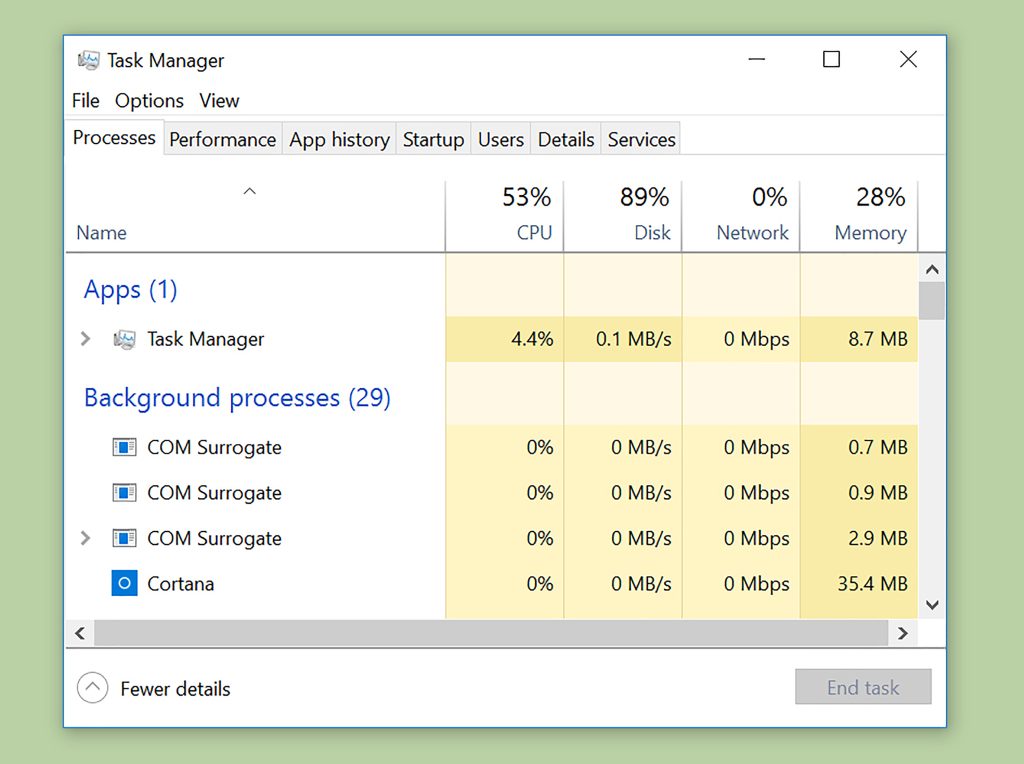
Before your live stream, make sure you close all the software applications that you won’t use during the broadcast. For example, Skype, browsers, Outlook, and so on. This will help ensure that your computer is running at its best.

5. Disable Other Connections

To further optimize your computer, you can disable connections that aren’t necessary for your live stream. If you are connected via Ethernet cable, you can disconnect the Wi-Fi. If you see any other useless connections, make sure you disable them.

Once you have optimized your computer and internet connection to the best of your abilities, it’s time to focus on your live streaming settings.

More on Eklipse Blog >> Guide to Edit Kick Clips into YouTube Shorts with Just 5 Steps.

6. Video Quality vs. Stream Quality

Choosing between higher video quality or better stream quality can be a difficult decision. A lower-quality video has less information to transmit to your viewers, which takes up fewer resources and loads faster. If your live video is laggy, try lowering its resolution.

7. Adjust the Video Bitrate
why is my kick stream only 720p

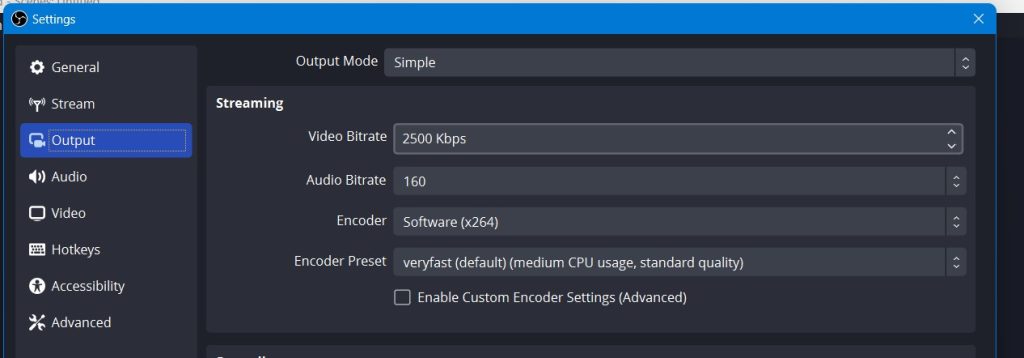
Changing the bitrate can help you improve your live streaming quality. It controls how much information is transmitted per second. Lower your video bitrate when you lower the video resolution. Try playing with different variables to see what works best for your resources.

More on Eklipse Blog>>> How to Download Kick VODs and Clip: Easily Share Your Content

8. Change the FPS (Frames per Second)

If your live video is choppy and far from smooth, you can change your FPS rate to try and improve your live streaming quality. Set your live stream to above 25 FPS, with 30 FPS being ideal. You can stream at 60 FPS for even higher quality, but it will require more power and upload speed.

9. Use an Encoder with Hardware Acceleration
kick stream quality bad

Using multiple video sources, such as screencasting, cameras with different points of view, and apps, can increase the load on your computer and slow it down.

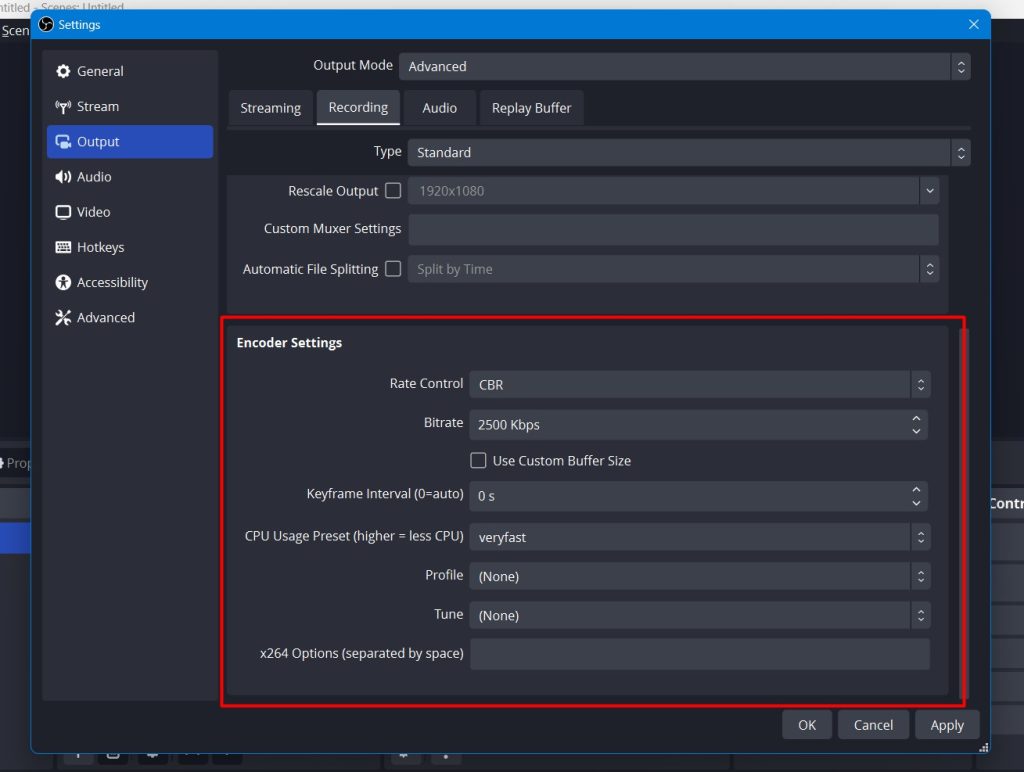
Using hardware as your encoder can save your CPU power, and your broadcast will be processed by your GPU. You can check these settings on OBS and try to fine-tune them until you find the best settings possible for your PC.

10. Check the guidelines of your live streaming platform

Each live-streaming platform has its own guidelines for video quality and settings, so it’s essential to check these before going live. For example, many streaming platforms including Kick, recommend a maximum bitrate of 4000 Kbps for 1080p streams.

Tips To Boost Kick Viewer Engagement
kick streaming settings

In addition to improving the quality of your Kick stream, it’s equally important to engage your audience effectively. Here are some tips to boost viewer engagement:

  1. Interactive Content: Incorporate polls, Q&A sessions, or interactive games to keep viewers engaged and actively participating during your streams.
  2. Engage with Comments: Respond to viewer comments and questions in real-time, fostering a sense of community and making viewers feel heard and valued.
  3. Consistent Schedule: Stick to a regular streaming schedule to build anticipation and loyalty among your audience. Consistency helps viewers know when to tune in.
  4. Promotion: Announce your upcoming streams on social media and other platforms to attract a larger audience. Tease the content or any special guests to generate excitement.
  5. Collaborate: Partner with other Kick streamers or influencers in your niche for joint streams or shoutouts. Collaborations can introduce your content to new audiences and create buzz.

More on Eklipse Blog >> How to Promote Your Kick Stream With Channel Name Sticker

By implementing these five tips, you can enhance viewer engagement and create a more vibrant and interactive Kick streaming community.

Conclusion

By following these ten tips, you can significantly improve the quality of your Kick stream.

Remember to check your upload speed, use an Ethernet cable if possible, try going live at different times of day, limit ongoing tasks, disable other connections, adjust your video quality and stream quality, change the FPS rate, use an encoder with hardware acceleration, and check the guidelines of your live streaming platform.

With these tips, you’ll be able to provide your viewers with a high-quality and engaging live stream.

If you’re a Kick streamer, you know that it’s important to create engaging content to keep your viewers entertained. But with so many streamers competing for attention, it can be difficult to stand out.

One way to make your content more engaging is to create highlights of your best moments. But editing highlights can be time-consuming and tedious.

That’s where Eklipse comes in. Eklipse is an AI-powered tool that automatically creates highlights of your Kick livestreams for free!

If you’re serious about streaming on Kick, then Eklipse is a must-have tool. Sign up for a free account today and start creating amazing Kick highlights automatically!


Maximize your Black Ops 6 rewardsโ€”Create highlights from your best gameplay with with Eklipse

Eklipse help streamer improve their social media presence with AI highlights that clip your Twitch / Kick streams automatically & converts them to TikTok / Reels / Shorts
How to Create TikTok with AI Generator: Streamer Must-Know

0
How To Add Clips To TikTok
Source: CanalTech

In today’s digital age, social media platforms like TikTok have revolutionized the way we share and consume content.

With the help of artificial intelligence (AI), creating captivating and engaging TikToks has become more accessible than ever. Especially if you are a live streamer on Kick or Twitch.

In this blog post, we will explore how you can create TikTok with AI Generators.

Step-by-Step Guide Creating TikTok with AI

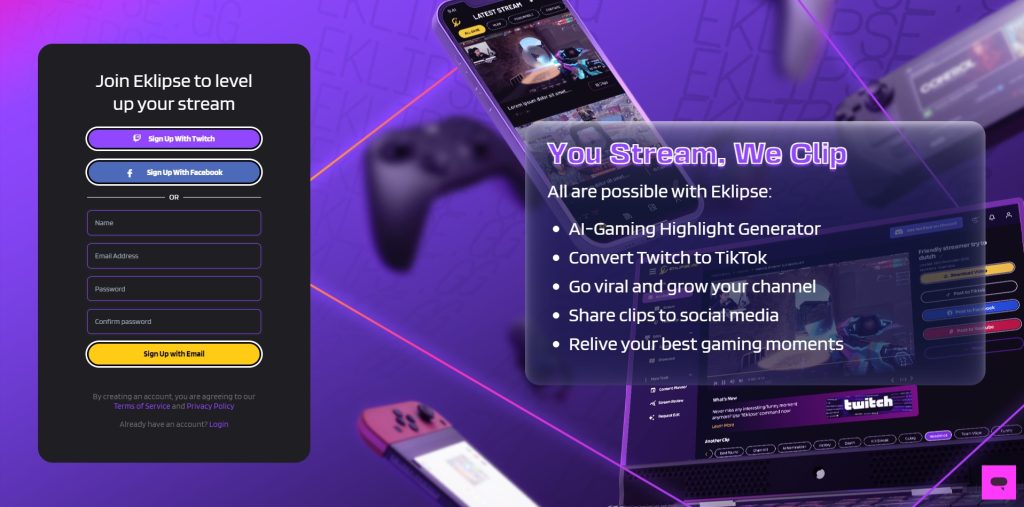
In this post, we will guide you using an AI generators tools named Eklipse.

This software is designed specifically for streamers. It use an AI technology to automate the process of clipping your stream content.

So, if you are streamer on Kick or Twitch, looking to promote your channel on TikTok using your live stream clips, you’ve come to the right place!

Without further ado, here are the step-by-step guide create TikTok with AI Generators.

Step 1: Sign Up and Getting Started

  1. Visit Eklipse.gg and sign up to get started.
  2. After signing up, connect your Twitch/YouTube/Facebook Gaming account.
  3. Click on your profile and go to โ€œAccount Settings.โ€
  4. In the โ€œPersonal Detailsโ€ tab, toggle the โ€œAuto-processingโ€ option ON.
  5. Just stream as usual, and Eklipse will automatically clip your stream afterward.
  6. To check your clips, go to Clips > Streams > โ€œProcessedโ€ tabs.

Step 2: Create TikTok with AI Generators

  1. Choose your clips from the menu Clips > Streams > โ€œProcessedโ€ tabs.
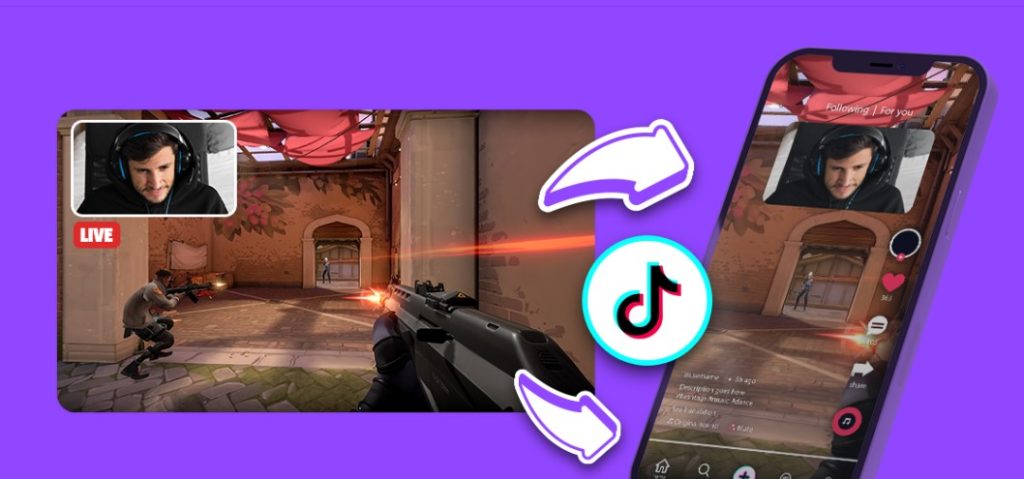
  2. Once youโ€™ve made your selection, click the โ€œConvert to TikTok/Shorts/Reelsโ€ button.
  3. You will be directed to Eklipseโ€™s online video editor tools, which allow you to edit your video as much as you want.
  4. Follow the process by selecting a template and layers for your face cam and gameplay.
  5. For the final touch, you can add auto-captions, custom text, channel name stickers, and more.
  6. Click โ€œDoneโ€ when you are finished. You can also post your Reels content directly from Eklipse by clicking the โ€œPost to Reelsโ€ button.

TikTok Content Idea for Streamers

Now that you have a powerful tool like Eklipse at your disposal, here are five creative content ideas that can help you make the most of your TikTok presence as a streamer:

  1. Highlight Epic Moments: Showcase the most thrilling and memorable moments from your live streams. Whether it’s a clutch victory, a hilarious blooper, or an unexpected twist, these highlights can engage your TikTok audience.
  2. Behind-the-Scenes: Give your viewers a sneak peek into your streaming setup, your daily routine, or how you prepare for your streams. This personal touch can help your audience connect with you on a deeper level.
  3. Q&A Sessions: Host Q&A sessions where you answer questions from your TikTok followers about your streaming journey, favorite games, or even personal interests. This can foster a sense of community and interaction.
  4. Game Reviews and Recommendations: Share your thoughts on popular games, provide reviews, and recommend titles that you enjoy playing. Gamers often seek guidance when choosing their next gaming adventure.
  5. React to Viral Trends: Keep an eye on TikTok trends and memes, and incorporate them into your content when relevant. Reacting to popular trends can boost your visibility.

Conclusion

In conclusion, leveraging AI generators like Eklipse can significantly enhance the process of creating TikToks for streamers on platforms like Kick and Twitch.

By following the simple steps outlined in this guide, streamers can efficiently generate compelling content from their live streams and easily edit them into captivating TikToks.


Maximize your Black Ops 6 rewardsโ€”Create highlights from your best gameplay with with Eklipse

Eklipse help streamer improve their social media presence with AI highlights that clip your Twitch / Kick streams automatically & converts them to TikTok / Reels / Shorts


How to Create a YouTube Channel in 5 Steps

0
how to create youtube channel

YouTube is a well-established video platform with over 2 billion monthly active users. It’s the second-largest search engine in the world and offers a great opportunity to broaden your reach with new audiences and boost your followings.

Step 1: Sign into Google

Before creating a YouTube channel, sign into your Google account. It’s recommended to create a dedicated account specifically for your YouTube channel to ensure security and allow multiple people to access it.

Step 2: Create a new YouTube channel

Go to YouTube’s homepage and click on the avatar icon in the top right corner. From the drop-down menu, select “Create a channel.” You can choose to create a separate channel for your persona or use your existing Google account.

Step 3: Customize your channel’s layout

Click the “customize my channel” button at the top of the screen to access YouTube Studio. Here, you can customize your channel’s layout, including video spotlights and featured sections. Organize your content to make it more discoverable and engaging.

Step 4: Customize your channel’s branding

Adjust your channel’s branding elements, including the profile picture, banner image, and video watermark. Use visuals that reflect your personal and create cohesive designs.

Step 5: Customize your channel’s basic info

Make a strong impression by customizing your channel’s basic information. Adjust the name, handle, description, channel URL, and links to direct visitors to your website and other social channels. Include a public-facing email for business inquiries.

More on Eklipse Blog >> 5 Content Repurposing Tips: Long Videos to Vertical Content

Tips for Making Your YouTube Channel Discoverable

To make your YouTube channel discoverable, follow these tips:

  • Post videos regularly to keep your audience engaged and growing.
  • Optimize your videos with relevant keywords and tags to improve search rankings.
  • Create eye-catching thumbnails that grab attention and stand out in search results.
  • Use playlists to categorize your videos and make it easier for visitors to find content.
  • Cross-promote your YouTube content on other channels to drive traffic.
  • Monitor your analytics to gain insights into your video performance and audience engagement.

Conclusion

Learning how to create a YouTube channel is just the beginning. Mastering YouTube takes time and effort, but by following these steps and tips, you’ll be on your way to building a successful channel for .


Maximize your Black Ops 6 rewardsโ€”Create highlights from your best gameplay with with Eklipse

Eklipse help streamer improve their social media presence with AI highlights that clip your Twitch / Kick streams automatically & converts them to TikTok / Reels / Shorts

10 Tips for Creating an Effective Instagram Bio for Content Creators

0

Your Instagram bio is a critical element of your profile as a content creator. It’s your digital introduction, and it can play a pivotal role in attracting and retaining your audience. To optimize your Instagram presence and effectively communicate your content, consider these tips for crafting an engaging bio.

1. Understand the Role of Your Instagram Bio

Your bio is your opportunity to provide a snapshot of your content and personality. It should convey what type of content you create, your niche, and what your audience can expect from your profile. Remember, this little space is like a virtual storefront for your brand.

2. Choose a Clear Profile Photo

Your profile picture is the visual representation of your brand. Use a clear and recognizable profile picture. It can be a headshot, a logo, or an image that represents your brand. Ensure it’s high-resolution and aligns with your content theme. A picture is worth a thousand words, so make sure it speaks volumes about your content.

3.Craft a Compelling Bio Copy

In 150 characters or less, succinctly describe your content niche and what makes it unique. Use keywords relevant to your content to improve discoverability. Think of it as your elevator pitch โ€“ a concise, compelling statement that makes people want to learn more about you and your content.

3. Utilize Line Breaks and Emojis

Break up your bio into readable sections using line breaks. Emojis can also add visual appeal and personality to your bio. However, use them sparingly and in context. A well-structured bio is not only easier to read but also more visually appealing.

4. Add Contact Information

Include contact buttons like email or a contact form to make it easy for brands and collaborators to reach out to you. Accessibility is key to forming collaborations and partnerships in the world of content creation.

5. Share Your Achievements

instagram explore page

Highlight notable achievements, such as awards or features, to establish credibility and intrigue potential followers. It’s like displaying your trophies in your virtual showcase โ€“ they showcase your expertise and accomplishments.

More on Eklipse Blog >> 8 Best AI Generator for Making Instagram Reels

6. Use Hashtags and Mentions

Include relevant hashtags in your bio to increase discoverability. Mention any related accounts you collaborate with or want to give credit to. This not only boosts your visibility but also connects you with like-minded creators.

7. Promote Current Projects or Merchandise

If you have ongoing projects, promote them in your bio. Mention any merchandise, courses, or services you offer. Your bio can be a platform for marketing your latest endeavors and revenue streams.

8. Include a Call-to-Action (CTA)

Guide your audience on what to do next. Whether it’s “Check out my latest video” or “Follow for daily inspiration,” a clear CTA can drive engagement. Encourage your visitors to take action and engage with your content.

9. Update Your Bio Regularly

As your content evolves, make sure your bio stays up-to-date. A stagnant bio may misrepresent your current focus. Regularly refreshing your bio ensures that it accurately reflects your latest content and goals.

10. Test and Optimize

Experiment with different bio variations to see what resonates best with your audience. Monitor the performance of your bio and make adjustments accordingly. Social media is dynamic, and what works today might not work tomorrow, so be open to adaptation.

Conclusion

Remember that your Instagram bio is your digital storefront. It’s often the first impression you make on potential followers, brands, and collaborators. By following these tips and tailoring your bio to your content creator persona, you can effectively communicate your brand, attract a loyal audience, and enhance your Instagram presence. Your bio is your online identity, so make it count!


Maximize your Black Ops 6 rewardsโ€”Create highlights from your best gameplay with with Eklipse

Eklipse help streamer improve their social media presence with AI highlights that clip your Twitch / Kick streams automatically & converts them to TikTok / Reels / Shorts

How to Make a Playlist on YouTube to Increase Your Engagement

0
Set Up YouTube for 24/7 Live Streaming
Source: Eklipse Blog - Set Up YouTube for 24/7 Live Streaming

Playlists are a powerful feature you can use to grow your YouTube channel. It’s more than just tossing videos togetherโ€”it’s a major part of your YouTube strategy.

Creating playlists strategically can help you leverage the YouTube algorithm, influence viewer choices, and keep them coming back. In this article, we’ll walk you through how to create and manage playlists on your YouTube channel and share some best practices.

What is a YouTube playlist?

Source: Business Insider

A YouTube playlist is a collection of videos curated based on themes. It helps categorize content and helps viewers discover specific videos. Playlists can also be used to organize your channel’s homepage, adding a binge-worthy element to your channel.

Why create playlists on YouTube?

  1. Improves YouTube SEO: Playlists often rank in YouTube’s search results. Optimizing your playlist titles and descriptions with relevant keywords can help increase views.
  2. Improves discoverability: Videos included in a playlist have more chances of showing up as suggested videos to viewers. This increases the chances of being discovered on YouTube.
  3. Increases engagement: Playlists can be used to promote specific videos and organize content by theme or audience type. This makes it easier for viewers to navigate and discover content that interests them.
  4. Longer watch times: Playlists automatically play the next video, increasing watch time and improving search rankings.

How to create a new YouTube playlist

Source: GSM Arena
  1. Go to YouTube Studio and select “Playlists” from the left menu. Click “NEW PLAYLIST” on the top right-hand side.
  2. Enter a title and description (optional). Select visibility settings (we suggest Public). Click “CREATE” to create the playlist.
  3. To add videos, click the edit pencil next to the playlist. Click the three dots menu and select “Add videos.”
  4. Select the videos you want to add to the playlist and click “Add videos.”
  5. To re-order videos in a playlist, drag and drop them.
  6. Your curated YouTube playlist is ready and can be viewed by your audience.

Best practices for YouTube playlists

To optimize your video playlist, start by giving it an attention-grabbing title and description that accurately portray what viewers can expect. These should be phrased with search optimization in mind to help potential viewers find your content easily.

When organizing your playlist, prioritize your most popular and engaging videos at the beginning. This initial impact can boost watch time and viewer engagement. Additionally, arrange your videos in a logical order to create a smooth narrative or theme throughout the playlist. Grouping videos based on related themes or categories can enhance the viewing experience.

Consider creating a dedicated playlist for new visitors to introduce them to your brand or showcase your best content. This playlist can act as a curated introduction to your channel. Also, select an appealing thumbnail that aligns with the playlist’s title and encourages viewers to click. Lastly, maintain a manageable number of videos per playlist, typically between 3 to 10, to ensure easier navigation and a better viewing experience for your audience.

Conclusion

Make the most out of YouTube playlists by curating them based on audience preferences and insights. Playlists are valuable tools in organizing content and improving the viewer experience on your channel.

For more insights on growing your brand presence on YouTube, check out our guide on YouTube marketing.

TikTok Creator Fund: How It Works and What to Expect

0

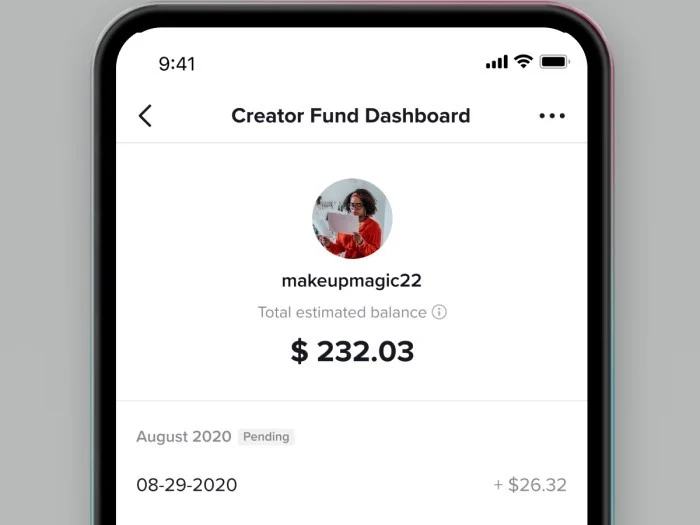
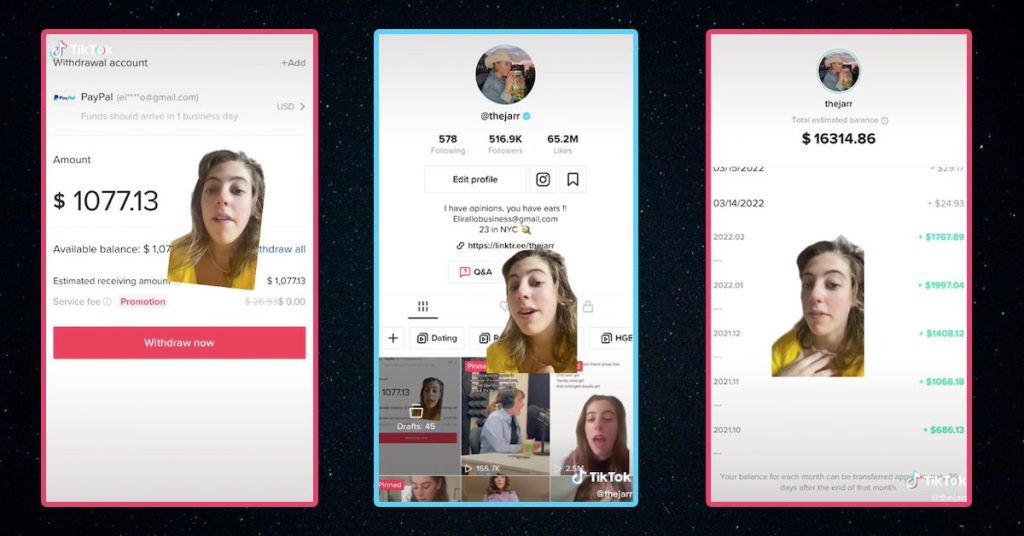
Being a “creator” is a big deal on TikTok. Creators are responsible for the trends, challenges, and viral videos that generate billions of views and ad revenue on the platform. To show appreciation for their impact, TikTok has introduced the TikTok Creator Fund, a financial support program for top-tier content creators. In this post, we’ll explain how the Creator Fund works and whether it’s worth joining.

What is the TikTok Creator Fund?

Source: The Tab

The TikTok Creator Fund is an official fund established by the app to compensate creators for their content. It aims to reward users for their incredible TikTok videos and creativity. Here are some key details about the Creator Fund:

  • Established in 2020 with an initial investment of $200 million, TikTok’s goal is to grow the Fund to over $1 billion within three years.
  • Compensation and eligibility for the Creator Fund are based on a creator’s metrics, such as views and engagement.
  • The Fund’s mission is to provide creators with the means to earn livelihoods and spark careers on TikTok.
  • TikTok welcomes creators of all types, not just beauty/fashion vloggers or influencers.
  • The Fund emphasizes the importance of original and authentic content that aligns with TikTok’s mission of inspiring joy and creativity.
  • TikTok Creator Fund focuses on compensating creators for organic content, not sponsored content like the TikTok Creator Marketplace, where brands hire and pay creators for promotional posts.

What’s the purpose of the TikTok Creator Fund?

TikTok states that the Fund is designed to support creators. However, there are additional motivations behind it, such as:

  • Incentivizing more content creation: TikTok wants to encourage users to create more videos and spend more time on the app.
  • Capitalizing on the popularity of influencers: TikTok aims to keep creators focused on seeking compensation on the platform, rather than seeking independent influencer contracts.
  • Building rapport with creators and the public: Supporting creators and the creator economy can enhance TikTok’s reputation and generate positive buzz.

How to join the Creator Fund on TikTok

Source: Gadgetren

If you’re interested in joining the Creator Fund or want to learn more about it, here’s what you need to do:

  1. Meet the Fund’s eligibility requirements, which include having at least 10,000 followers, 100,000 views on your videos within the last 30 days, adhering to community guidelines, and publishing original content.
  2. Submit your Creator Fund application within the TikTok app. You can find the application under “Creator Tools” in your account settings. Note that you must be accepted into the Creator Next platform before joining the Creator Fund.

Pros and Cons of the TikTok Creator Fund

Considering whether to join the Fund? Here are the pros and cons to help you decide:

Pros:

  • You get paid for your content, even if the compensation may not be significant.
  • Joining the Fund doesn’t affect your content or engagement.
  • The Fund doesn’t restrict you from other partnerships or contracts.

Cons:

  • Payments may not be substantial compared to other avenues like the Creator Marketplace or independent brand partnerships.
  • Income from the Fund can be inconsistent, and the compensation formula lacks transparency.
  • Joining the Fund doesn’t directly increase your TikTok followers or visibility.

Conclusion

If you’re a TikToker interested in getting paid for your content, joining the Creator Fund is worth considering. TikTok wants to financially support creators, and as the Fund evolves, there may be more opportunities and better compensation. Stay updated on the latest TikTok trends and marketing strategies to make the most of your TikTok journey.

Hashtags: What They Are and How to Use Them Effectively

0

Hashtags are important tools in online marketing. They help a lot in how well your posts do on social media. Smart companies use them in a planned way to achieve their goals, like making a product very popular or checking how well hashtags are working.

Some people are unsure about using hashtags because they’ve heard mixed things or wrong advice. But we want to clear that up. We’ll explain what hashtags are, how to use them well, and show you examples of companies doing it right.

What is a hashtag?

Hashtags are words or numbers following the # symbol that categorize and track content on social media. You can add hashtags to social posts, bios, and comments on most major platforms, including Instagram, Facebook, TikTok, Twitter, LinkedIn, YouTube, and Pinterest.

Hashtags were invented to bring order to the social media user experience. They group together similar conversations, making it easier for people to find content that matters to them. Hashtags also help users amplify their message, fuel entire hashtag campaigns, and contribute to social movements.

Why should you use hashtags?

Hashtags are powerful tools for growing your online presence. Here are three ways hashtags can benefit your business:

  1. Increases engagement: Using hashtags allows you to participate in larger conversations or trending topics, increasing the reach of your posts and attracting more attention. Engaging with users who use relevant hashtags can also boost your engagement.
  2. Makes your brand easier to find: Hashtags categorize your content, making it easier for people interested in that topic to discover it. Branded hashtags can help existing customers find specific posts and pages related to your brand.
  3. Adds additional context to your posts: Hashtags connect your posts to specific topics or themes, making it easier for your audience to find, understand, relate to, and engage with your content.

How to find which hashtags to use

Source: Pena Bandung

Before using a new hashtag, determine your goal. Then, conduct hashtag research to find the right hashtags for your brand. Here are a few ways to do this:

  1. Use a social media listening tool: Tools like RiteTag and Sprout Social’s Listening can help you identify relevant conversations and discover what hashtags are being used by your target audience.
  2. Research trending hashtags: Take advantage of trending hashtags to attract more attention to your posts. You can use hashtag tracking tools or browse each social media platform’s trend-specific page.
  3. Review your competition: Analyze the hashtags your competitors are using and identify relevant and effective hashtags for your brand.

How to Using hashtags on different social networks

Tailor your hashtags to each social platform. Here are some best practices for using hashtags on popular platforms:

  • Instagram: Use 3-5 relevant hashtags in your posts, comments, and Stories.
  • Facebook: Use 1-2 relevant hashtags in your posts, comments, and Stories.
  • TikTok: Use 3-5 relevant hashtags in your videos and Stories.
  • Twitter: Use 1-2 relevant hashtags in your Tweets, Retweets, and Replies.
  • LinkedIn: Use 2-3 relevant hashtags in your posts and on your company page.
  • YouTube: Use 3-5 relevant hashtags per video, with 1-2 in the title and the rest in the description.
  • Pinterest: Use relevant niche hashtags, but use them sparingly.

Conclusion

Hashtags are still relevant and worth using to boost your content’s performance. By using the right hashtags, you can build relationships, increase brand awareness, and reach your goals on social media and beyond.

Essential Social Media Metrics to Track For Content Creators

0
Building a Strong Social Media Presence

Social media metrics are important data points that help track the performance of your social channels, content, strategy, and its impact on your goal as a content creator. Measuring social media metrics goes beyond just social, as it provides valuable business intelligence that informs brand health, competitive standing, and performance benchmarks. Here are ten types of social media metrics that marketers are prioritizing more in 2023.

1. Follower growth and audience size

Source: Leah Marie Marketing

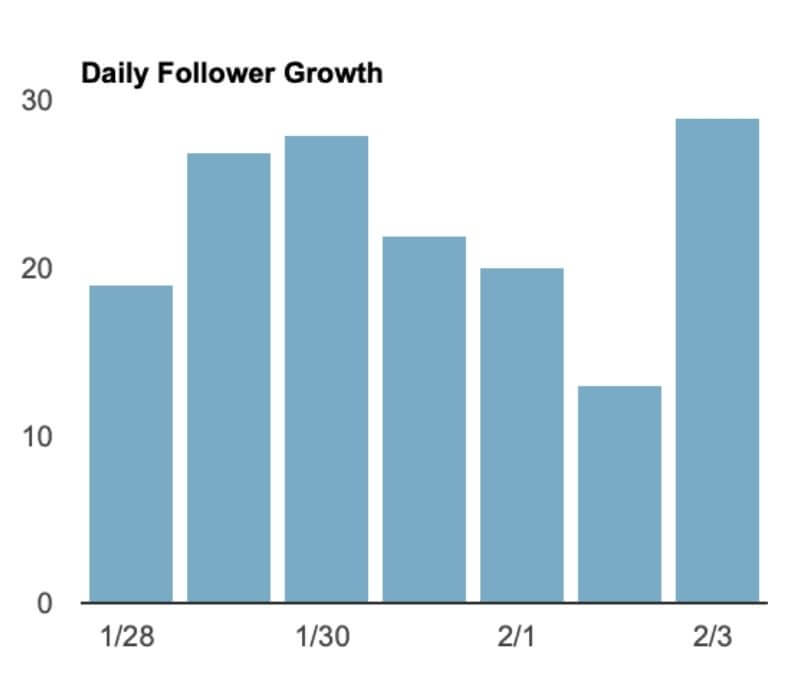
Follower growth is an important metric that indicates the health of your social channels and the awareness you’re building. It’s crucial to adjust your strategy if your follower growth has halted or declined.

2. Customer satisfaction and feedback

Social media provides valuable insights into what is and isn’t working with your content, customer care, brand, and products. Monitoring metrics like reply time, total response volume, customer satisfaction score (CSAT), and comments can help improve the customer experience.

3. Awareness metrics

Awareness metrics help connect your social media strategy to brand awareness. Tracking metrics like impressions, reach, and video views can provide insights into the visibility and popularity of your content.

4. Customer retention and loyalty through

Metrics like net promoter score (NPS), social commerce metrics, and reviews help measure customer loyalty and retention. Responding to reviews and tracking returning visitors and buyers can contribute to customer satisfaction and loyalty.

5. Social media referral traffic and website visits

Source: Tada

Tracking social media referral traffic and website visits helps demonstrate the impact of social on your business and ROI. Using UTM tracking and monitoring website traffic can provide valuable insights into the effectiveness of your social media efforts.

6. Brand health metrics

Metrics like audience sentiment, brand mentions, and share of voice shed light on the health of your brand and organization. They provide valuable insights into how people feel about your brand, customer feedback, and market shifts.

7. Conversion rates

Conversion rate measures how well your social ad or campaign convinces people to take a desired action. Tracking conversion rate and conversions can help optimize your ads and campaigns for better engagement and ROI.

8. Social media engagement metrics

Engagement metrics indicate how actively involved your audience is with your content. Tracking metrics like post engagement rate, likes, comments, shares, and video completion rate can help understand audience interaction and content appeal.

9. Click-through rates (CTR)

Click-through rate measures how effective your ads are in convincing people to click on your content. It’s important to monitor CTR to optimize your ad creative and spend.

10. Paid metrics

Paid metrics include Cost per click (CPC) or cost per impression (CPM) for social media advertising. Tracking metrics like cost per click and web conversions helps ensure you’re getting the most out of your paid social efforts. Calculating the return on ad spend (ROAS) helps determine the financial ROI of your ad campaigns.

Conclusion

In summary, analyzing social media metrics is vital to gauge how your social strategy influences your business objectives. By honing in on pertinent metrics and employing suitable tools, you can make informed choices, enhance social efforts, and showcase social value to your company.

5 Creative Instagram Post Ideas for Content Creators

0
instagram live producer

Managing an Instagram content creator profile is no small task. It involves posting at the right times, engaging with your followers, and consistently coming up with fresh ideas to captivate your audience.

If you’re a content creator seeking new inspiration to elevate your Instagram game, here are five creative post ideas to try. These ideas encompass various content types, including in-feed posts, Stories, and Reels. Incorporating some of these ideas can help keep your audience engaged and excited.

1. Craft Captions First, Then Curate Matching Photos

Challenge your creative process by crafting captivating captions before finding or creating photos to complement them. Much like Oatly, a brand known for its distinctive online voice, you can create meandering and pithy captions. Strong copywriting can inspire photos that perfectly align with your words.

2. Host Interactive Q&A Sessions on Stories

Utilize Stories to engage your audience by hosting Q&A sessions. Encourage your followers to ask questions, and answer them in a casual video format. This not only builds anticipation but also fosters a deeper connection with your audience.

3. Create Captivating Photo Essays with Bio Links

Utilize gallery posts to craft compelling photo essays. Provide a link in your bio for those interested in the full story. This tactic allows you to repurpose existing content while driving traffic to your website or blog.

More on Eklipse Blog >> 8 Best AI Generator for Making Instagram Reels

4. Offer Behind-the-Scenes Sneak Peeks

Give your audience a glimpse behind the curtain by sharing behind-the-scenes moments of your creative process. Whether it’s your workspace, your tools, or your creative brainstorming sessions, these candid peeks can humanize your content and strengthen your connection with your followers.

5. Collaborate with Fellow Creators

Collaboration can breathe new life into your content. Partner with fellow content creators or influencers to co-create content that appeals to both your audiences. This cross-promotion can introduce your profile to new followers and offer fresh perspectives on your niche.

Conclusion

With these five post ideas, you can inject creativity and engagement into your Instagram content creator profile. Don’t hesitate to experiment with different formats and content types while staying true to your unique brand and audience interests.


Maximize your Black Ops 6 rewardsโ€”Create highlights from your best gameplay with with Eklipse

Eklipse help streamer improve their social media presence with AI highlights that clip your Twitch / Kick streams automatically & converts them to TikTok / Reels / Shorts

How to Get Verified on TikTok: 6 Tips and Tricks

0
NPC meaning tiktok

Getting verified on TikTok is important for your brand to establish credibility. Verification is indicated by a blue checkmark next to your name, which is similar to other social media platforms. If you’re managing your brand’s TikTok account and want to know how to get verified, here are six tips to help you out.

What is TikTok verification?

TikTok verification is a process that confirms identities and lets users know that the accounts belong to who they claim to be. It shows that you or your brand are well-known and need to be authenticated to prevent copycats from scamming followers. Verification is sought after by celebrities, influencers, and brands alike.

Why is TikTok verification important?

TikTok verification is important for several reasons:

  1. Authority: Being verified demonstrates your brand’s authority and credibility. Consumers associate the blue checkmark with trustworthy brands, which can influence their decision to follow, engage with, and purchase from verified accounts.
  2. Authenticity and trustworthiness: The blue checkmark signifies authenticity, as it’s not easy to obtain verification. When users see the checkmark, they immediately trust the brand behind the account.
  3. Growth: Rumor has it that verified accounts have priority on TikTok’s “For You” page, exposing them to a larger audience. This can lead to rapid growth and increased reach for your account.
  4. Credibility: TikTok verification ensures that your brand is seen as legitimate and helps your audience differentiate your account from others.

How to get verified on TikTok:

Now that you understand the importance of verification, here are steps you can take to get verified on TikTok:

  1. Focus on content creation: Consistently create high-quality content to prove your worthiness. TikTok values consistent content creation and follower growth. Aim to generate 500-2,000 new followers per day to increase your chances of verification.
  2. Create a viral video: Going viral on TikTok can boost your chances of verification. Create content that resonates with users and participate in popular trends or challenges. While going viral is partly based on luck, consistently creating great content will increase your chances.
  3. Get verified on other social media platforms: TikTok often looks at users’ verification status on other platforms like Facebook, Instagram, and Twitter. If you’re already verified on these platforms, it improves your chances of getting verified on TikTok.
  4. Get media coverage: Being featured in media coverage can signal to TikTok that your account deserves verification. Focus on creating great content and staying active on the platform to attract media attention.
  5. Work with influencers: Collaborating with TikTok influencers can help you reach a wider audience and gain more followers. Find influencers who align with your brand and target demographic, and explore partnership opportunities with them.
  6. Follow TikTok’s community guidelines: Adhere to TikTok’s rules and guidelines to maintain a positive reputation. Consistently violating community guidelines can hinder your chances of verification.

More on Eklipse Blog >> How to Create TikTok with AI Generator: Streamer Must-Know

TikTok verification FAQ:

  • How many followers do you need to get verified on TikTok? TikTok doesn’t have an exact number but looks for consistent growth of 500-2,000 new followers per day.
  • How do you get verified on TikTok without followers? It’s challenging but possible. Focus on getting media coverage for your brand or getting verified on other platforms first.
  • How many views do you need to get verified on TikTok? There’s no specific view count required for verification.
  • Can a brand request verification from TikTok? There is no formal verification request process on TikTok, unlike other platforms.
  • Can a brand buy a verification badge from TikTok? No, TikTok does not allow brands to purchase verification badges.

Conclusion

Achieving TikTok verification is pivotal for boosting your brand’s credibility and influence. Follow these six proven strategies to enhance your TikTok presence, gain the coveted blue checkmark, and propel your brand to new heights of success on this dynamic platform.


Maximize your Black Ops 6 rewardsโ€”Create highlights from your best gameplay with with Eklipse

Eklipse help streamer improve their social media presence with AI highlights that clip your Twitch / Kick streams automatically & converts them to TikTok / Reels / Shorts