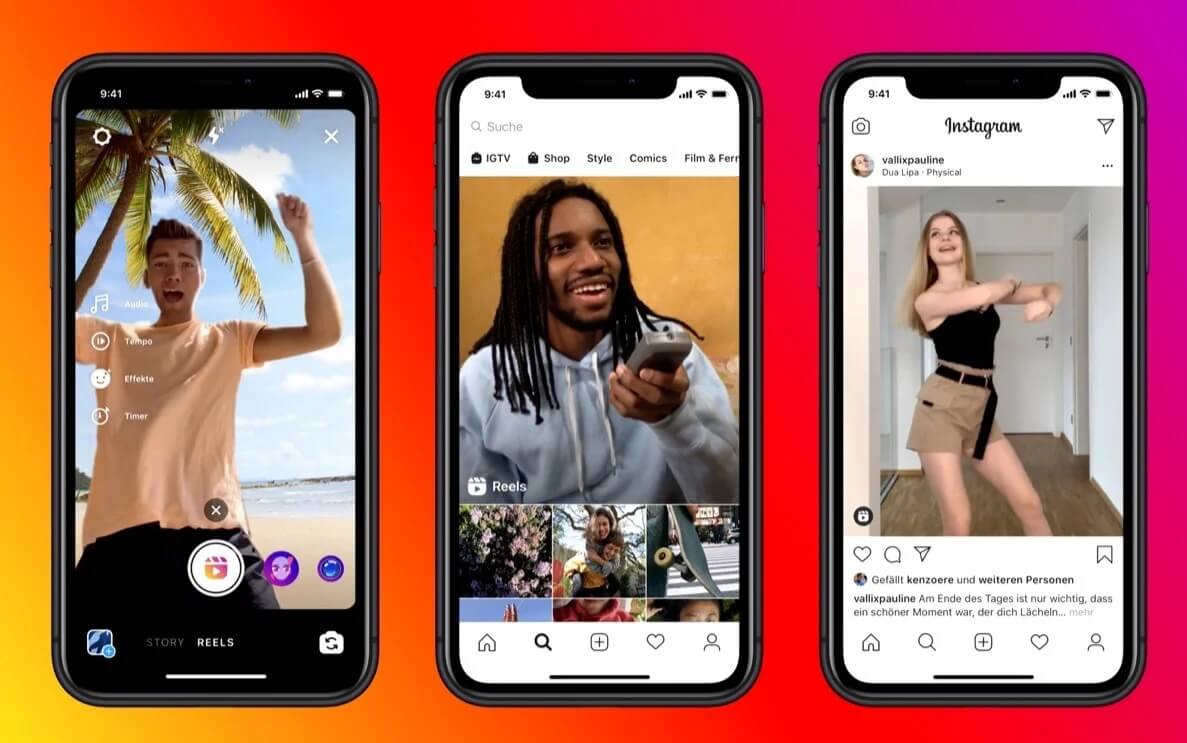
Are you looking for the best Instagram reel generator AI? Congrats, you’re in the right place! Here we have listed the top Instagram reel generator AI in 2023 just for you.
Creating Instagram Reels can be a time-consuming task, especially if you’re not a professional video editor. But that’s where Instagram Reel generator AI tools come in.
These tools can help you create engaging and informative Reels in minutes, without any prior video editing experience. Let’s check out the recommendations here!
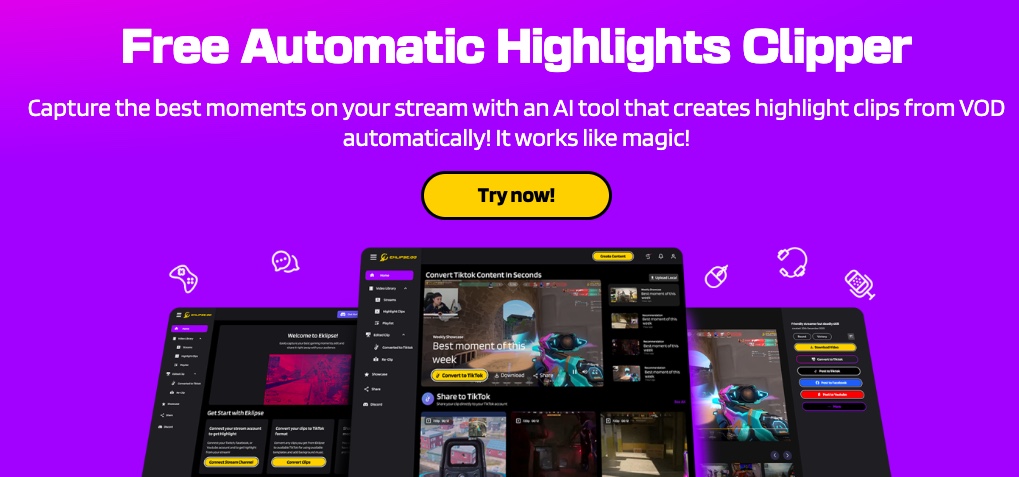
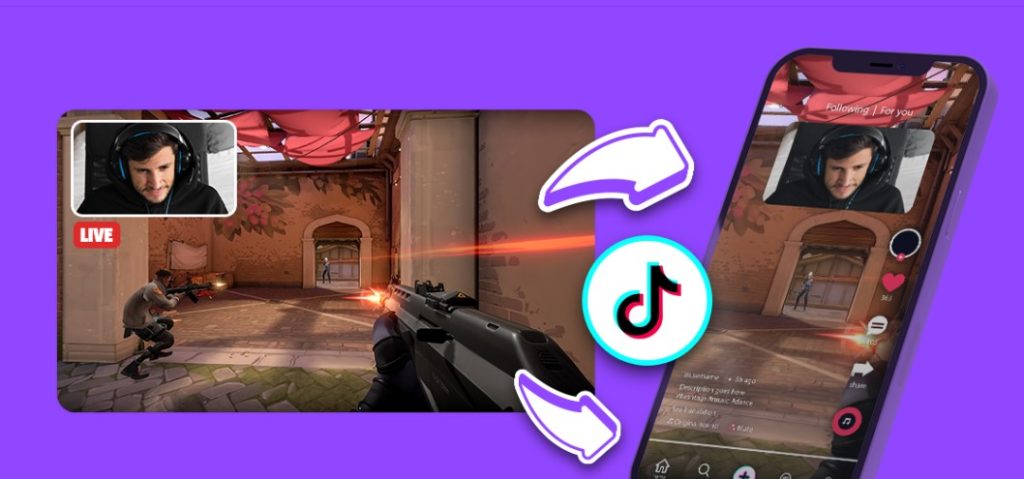
Eklipse is a free AI Reels editor that can automatically convert YouTube, Twitch, and Facebook videos to Reels in seconds. It’s beginner-friendly, produces high-resolution videos, and allows direct sharing on social media.
Eklipse is the only AI Reels editor that is totally free to use and has no watermark or ads. Additionally, Eklipse has a mobile app version, so you can edit on the go.
Overall, Eklipse is a great option for beginner and intermediate users who want to create eye-catching Instagram Reels without spending a lot of time or money. Sign up at Eklipse.gg now by clicking here and watch your Reels thriving!
Lumen5 is an Instagram Reel generator that is easy to use and has a wide range of features. It offers a large library of templates and stock footage, an easy-to-use drag-and-drop interface, text-to-speech AI, and a music library. Lumen5 also has a free plan available, but it has limited features. Paid plans start at $19/month.
3. InVideo
InVideo is an affordable Instagram Reel generator with a large library of templates and stock footage. It also offers an easy-to-use editor, text-to-speech AI, and a music library. InVideo has a free plan available, but it has limited features.
4. Predis.ai
Predis.ai is an AI-powered Instagram Reel generator. It offers a large library of templates and stock footage, text-to-speech AI, and a music library. Predis.ai also has a free plan available, but it has limited features.
5. Vidio.ai
Vidio.ai is an AI-powered Instagram Reel generator. It offers a large library of templates and stock footage, text-to-speech AI, and a music library. Vidio.ai also has a free plan available, but it has limited features.
Instagram Reel generator AI tools are a great way to create engaging and informative Reels without any prior video editing experience. However, it’s important to choose a tool that offers the features you need and that produces high-quality output.
I hope this article has helped you learn more about the top 5 Instagram Reel generator AI tools in 2023. Happy Instagram-ing!
Maximize your Black Ops 6 rewards—Create highlights from your best gameplay with with Eklipse
Eklipse help streamer improve their social media presence with AI highlights that clip your Twitch / Kick streams automatically & converts them to TikTok / Reels / Shorts
Ever had those moments during your livestream when the perfect highlight slipped through your fingers, leaving you fumbling and frustrated? Now you can be the boss of your stream highlights with the new Eklipse feature, Voice Command Beta!
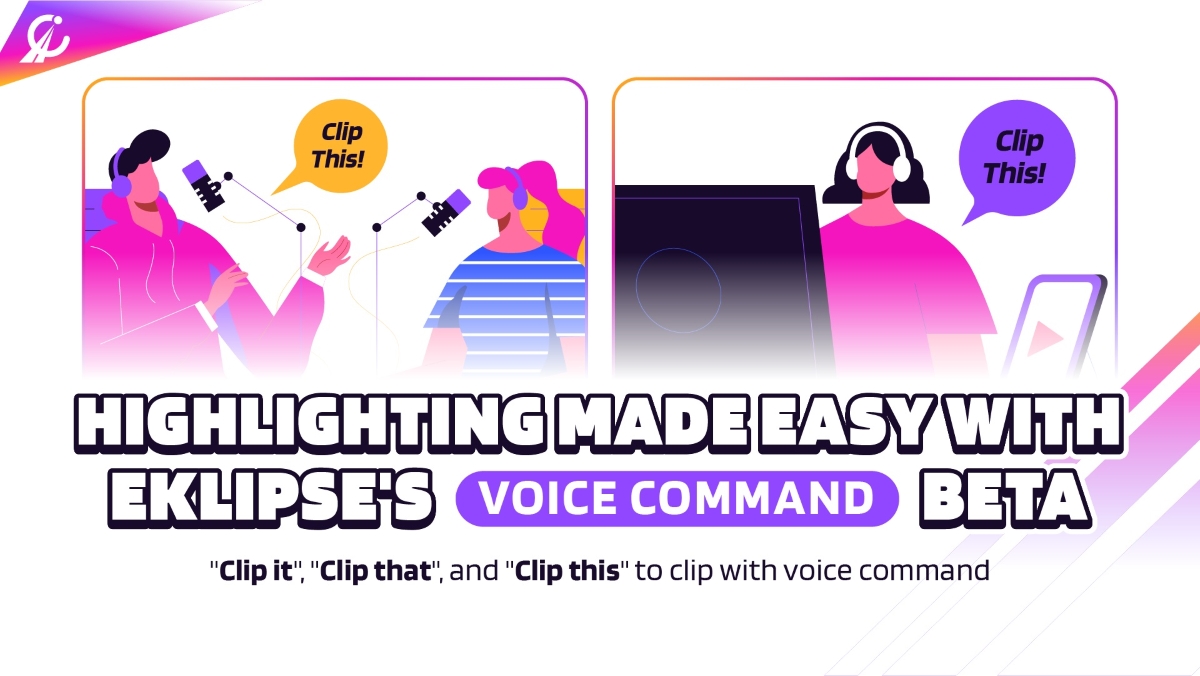
So, what’s the deal with this Voice Command Beta feature? It’s your secret weapon for cherry-picking those unforgettable livestream moments without lifting a finger. All you have to do is say “Clip This” or “Clip That” to get your highlight done!
Keep reading to figure out what the Voice Command feature is, and how to use it properly.
Voice Command Beta is the newest addition to the Eklipse toolbox, and it’s a game-changer. Just like the name suggests, all you have to do is talk, and AI Eklipse will do its magic, turning your words into highlight gold.
Just say the magic words: “Clip it”, “Clip that”, or “Clip this” for every moment you want to clip during your live session. It’s more seamless than clipping your hilarious fail or best epic victory manually.
The beta version supports only six games: just chatting (podcast), Texas Chainsaw, GTA 5, Minecraft, Roblox, and Phasmophobia. However, this feature is now available for all Eklipse users and can be used for all games and non-gaming content.
How to Use the Voice Command Feature?
The Eklipse voice command feature is now available for all users (no longer in beta version) and is easy to use. Here are the simple steps to try it:
Step 1: Sign up for Eklipse
Make sure you’ve got an Eklipse account. If you’re not part of the club yet, sign up at eklipse.gg first and connect your streaming account. Here’s how:
Connect your Twitch, Kick, or YouTube account to Eklipse. Click the “Connection Status” or cable icon next to your profile.
Source: Eklipse.gg
Click the icon here. Choose your preferred streaming platform.
Source: Eklipse.gg
Log in with your Twitch, Kick, or YouTube account.
Step 2: Let the Live Streaming Begin and Just say ‘Clip It’, ‘Clip That’, and ‘Clip This’!
Since it is no longer in the beta version, Eklipse Voice Command can be accessed by everyone at https://eklipse.gg/features/voice-command/. To use it, follow these instructions:
Do your livestream as usual.
Remember to say “Clip it”, “Clip this”, or “Clip that” whenever you want to mark a moment for your clip.
Pro-tip: Eklipse’s AI captures up to 1 minute 30 seconds before and after you say “Clip it,” “Clip this,” or “Clip that” for the highlight. Make sure to pronounce the commands clearly so our AI can recognize them. Only these three phrases will be detected by the Voice Command feature.
Step 3: Edit Your Clip
Once your livestream is finished, it’s time to work some magic with Eklipse. Here’s how to make those highlights pop:
[Additional notes] If you don’t find any of your streams click “Refresh.”
Source: Eklipse.gg
Find your last stream clipped and ready for editing.
Click the stream you want to edit.
Source: Eklipse.gg
Locate your golden moments in the “Stream log” on the right. You’ll see the moments that you clipped by voice command here.
Source: Eklipse.gg
Ready to save? Click “Download.”
Source: Eklipse.gg
Want to share it on social media? Click “Share.”
Source: Eklipse.gg
Eklipse even lets you schedule posts by clicking the “Schedule post” option. Remember to set the date and time for posting.
Source: Eklipse.gg
If you prefer to share the content directly with Eklipse, just hit “Share Now”.
Source: Eklipse.gg
Final Thoughts
And there you have it, the foolproof way to clip your livestream gameplay with pinpoint precision, thanks to Voice Command Beta, the latest from Eklipse. No more fretting over missed moments – just drop the “Clip it,” “Clip that,” or “Clip this” lines, and let the magic happen.
Who is Moistcr1tikal? This streamer is known for various name online, including Cr1tikal, penguinz0 and Charlie. If you’re wondering about moist critical net worth and profile, then you must check this article out.
With his unique dry humor and distinctive monotonous voice, Moistcr1tikal has won the hearts of millions on Twitch and YouTube. Over the span of 15 years, he has built a massive fanbase and earned the respect of fellow creators and personalities.
Let’s dive into Moistcr1tikal’s inspiring story, discover his remarkable achievements, and gain insights into his net worth, age, and the extraordinary career he has forged here.
MoistCr1TiKaL Age, Real Name, and His Personal Life
Source: Eklipse Blog – MoistCr1TiKaL Profile, Age, Net Worth
Born on August 2, 1994, in Tampa, Florida, Charles White Jr. grew up with dreams of becoming a professional basketball player. Standing at 5’6”, he played for his high school’s varsity team but soon realized his height would limit his chances of making it to the NBA.
Alongside these early dreams, Charlie also faced personal challenges, including low self-esteem, which he openly discussed with fans during his streams. For nearly eight years, he avoided showing his face online, driven by deep insecurities.
In addition to his mental struggles, Charlie dealt with health issues, including obsessive-compulsive disorder (OCD) and recurring pneumothorax, a condition that caused his lung to collapse multiple times. After undergoing surgery in 2011 to fix the issue, he slowly began to overcome his personal battles. With the help of close friends and supportive relationships, including his girlfriend Tiana Tracy, whom he’s been with since 2016, Charlie gained confidence and learned to embrace his true self.
Moistcr1tikal’s Impressive Net Worth: How They Earn Money
Source: YouTube
MoistCr1TiKaL’s Net Worth
As of 2024, MoistCr1TiKaL, also known as Charles White Jr., has an estimated net worth of around $37 million. This places him among the top tier of online content creators in terms of wealth.
His diverse income streams contribute to this impressive figure, including his highly successful YouTube and Twitch channels.
He has also ventured into other lucrative areas such as eSports and business, which have played a significant role in boosting his financial standing.
Compared to other top creators in the gaming and streaming space, MoistCr1TiKaL’s net worth is competitive.
His estimated $37 million places him in a similar league with popular creators like Sykkuno, Valkyrae, Pokimane, Disguised Toast, and Ludwig Ahgren, all of whom have built massive followings and diversified their income streams.
MoistCr1TiKaL has carved out an impressive income through a mix of content creation and business ventures.
While his YouTube and Twitch channels are the biggest sources of his earnings, he’s also found success with sponsorships, eSports, and more.
Let’s take a closer look at how MoistCr1TiKaL brings in the cash.
Revenue From His YouTube and Twitch Channels
MoistCr1TiKaL’s financial success is deeply tied to his prominent YouTube and Twitch channels. His YouTube channel has accumulated over 10 billion views, generating between $471,000 and $7.5 million annually.
This wide range is dependent on various monetization methods, such as ads, sponsorships, and donations like YouTube’s Super Chat during live streams.
His Twitch channel, with over 5 million followers, adds another steady revenue stream, earning him approximately $50,000 per month from subscriptions, ads, and donations.
By maintaining an engaged audience and consistently streaming high-profile content, MoistCr1TiKaL maximizes his earnings through these platforms.
Peak viewership of 61,000 during special events boosts ad revenue and donations, significantly contributing to his overall income.
Sponsorships and Brand Collaborations
In addition to his streaming success, MoistCr1TiKaL collaborates with various brands, further diversifying his income.
Sponsorships are an essential revenue source for many top content creators, and MoistCr1TiKaL is no exception.
His influence and massive audience attract sponsorship deals from gaming companies, tech brands, and other industries eager to tap into his reach.
These sponsorship deals provide a significant financial boost while also allowing him to expand his brand presence across platforms.
As his fanbase grows, so does his ability to attract lucrative partnerships, helping him supplement his primary income streams from content creation.
MoistCr1TiKaL Career on Twitch, YouTube, and As Influencer
Source: Eklipse Blog – Source: Eklipse Blog – MoistCr1TiKaL’s early journey
Charlie started his YouTube journey at just 13, posting content back when video game streaming was still a niche. His early videos, including a Gears of War glitch, didn’t gain much traction until he struck gold with “The Most Difficult Game Ever Created Gameplay and Commentary,” which went viral and kickstarted his online career.
A major turning point came when Ray William Johnson featured one of Charlie’s videos, dramatically boosting his subscribers and viewership. From there, Charlie diversified his content, creating popular series like The Real Series and Moistmeter, and hit his first million subscribers in 2014.
Charlie later expanded to Twitch in 2018, where his streams, especially the famous chess match against xQc, made a huge impact. His involvement in chess and Among Us tournaments with big names like Pokimane and Sykkuno only added to his growing influence.
MoistCr1TiKaL has built an impressive career over the last 15 years, evolving from a young YouTuber posting gaming glitches to one of the most influential figures in online content creation.
With his distinctive humor, versatile content, and dedication to streaming, Charlie has amassed millions of followers across YouTube and Twitch, leading to an estimated net worth of $37 million.
For aspiring content creators looking to follow in MoistCr1TiKaL’s footsteps, opportunities to monetize your platform are vast.
One great option is the Eklipse Affiliate Program, where you can earn money online as a creator. If you’re interested in joining, you can register here or learn more about the program here.
Visit Eklipse.ggto learn more and sign upnow to start growing your channel.
Maximize your Black Ops 6 rewards—Create highlights from your best gameplay with with Eklipse
Eklipse help streamer improve their social media presence with AI highlights that clip your Twitch / Kick streams automatically & converts them to TikTok / Reels / Shorts
Source: Eklipse Blog - best ai tools for video editing free
Are you looking for the best AI tools for video editing free? You’re in the right place! Here we have some recommendations for AI video editors to save up your time.
Artificial intelligence (AI) is rapidly changing the landscape of video editing, making it more accessible and affordable than ever before. There are now a number of free AI-powered video editing tools available, each with its own unique set of features and benefits.
If you’re looking for a way to take your video editing to the next level without breaking the bank, then be sure to check out our list of the best free AI video editing tools of 2023. With these tools, you can create professional-looking videos with ease, even if you’re a beginner.
1. Eklipse: The Best AI Tools for Video Editing Free
Source: Eklipse Blog – best ai tools for video editing free
Eklipse is your go-to solution when you’re searching for an exceptional AI video editor to craft captivating TikTok/Shorts/Reels. Whether you’re a seasoned professional or a newcomer, Eklipse is designed to become your time-saving ally.
Our AI seamlessly imports videos from YouTube, Twitch, Kick and Facebook, effortlessly transforming them into short content videos within seconds. No additional time or intricate skills required – just the convenience of having them ready at your disposal.
What’s more, Eklipse comes with the added benefit of being entirely free to use! Plus, you won’t have to contend with any pesky watermarks on your videos.
As an extra perk, Eklipse offers an array of TikTok templates, ready to elevate the performance of your clips. Simply pick your favorite, and voilà! You’ll steal the spotlight.
To experience firsthand how Eklipse’s conversion feature works, give it a try yourself here.
2. Vrew
The next tool is Vrew, a powerful AI-powered video editing tool that offers a wide range of features, including automatic transcription, video editing, and audio editing. Vrew is also very easy to use, making it a great option for beginners and experienced video editors alike.
Key features:
AI-powered text generation from videos, video editing by deleting auto-generated script text
Similar to others, Repurpose.io is an AI-powered video creation tool that allows you to create videos from text or images. Repurpose.iois a great option for businesses and individuals who need to create engaging videos quickly and easily.
Key features
Long-form video to short-form repurposing, AI-powered content repurposing
Limitless possibilities for repurposing video content, easy to use
Free plan with limited features, paid plans start at $19/month
4. Deepbrain
The last one we have Deepbrain. This best AI tool for video editing free offers a wide range of features, including text-to-video creation, image-to-video creation, and video editing. It’s also very easy to use, making it a great option for beginners and experienced video editors alike.
Key features
AI-powered video creation with AI avatars and voice-overs, PowerPoint to video conversion
No need to hire actors, use cameras, or record in a studio, supports over 80 languages
These are just a few of the best AI tools for video editing available in 2023. With these tools, you can create and edit videos more easily and efficiently, even if you’re a beginner.
Now, if you want to clip, edit, and share your videos directly from one app, Eklipse is the right tool to rely on. While most AI editor tools are still not practical for all-in-one tasks, Eklipse is the best alternative that can do everything in a few taps.
So what are you waiting for? Try Eklipse today and see how easy it is to create and share amazing videos with the world!
Maximize your Black Ops 6 rewards—Create highlights from your best gameplay with with Eklipse
Eklipse help streamer improve their social media presence with AI highlights that clip your Twitch / Kick streams automatically & converts them to TikTok / Reels / Shorts
Source: Eklipse Blog - how to change your birthday on tiktok
Do you accidentally put the wrong birthday date on TikTok? Don’t worry because you can change it easily with this guide! Keep reading to figure out how to change your birthday on TikTok in 2023.
TikTok is a popular social media platform that allows users to create and share short videos. To create an account, users must provide their date of birth. However, there are times when users may need to change their birthday on TikTok. For example, if you entered your birthday incorrectly when you first created your account or if you have recently had a birthday and need to update your profile.
Please note that there is no way to manually change your birthday on TikTok. You must contact TikTok support to request a change. Let’s get started
Source: Eklipse Blog – how to change your birthday on tiktok
Did you know that you can change your birthday on TikTok? If you entered your birthday incorrectly when you first created your account, or if you have recently had a birthday and need to update your profile, here’s how to do it:
Open the TikTok app and tap on your profile picture in the bottom right corner.
Tap on the three lines in the top right corner and select “Settings and privacy.”
Scroll down and tap on “Report a problem.”
Under “Topics,” tap on “Account and profile.”
Tap on “Editing profile.”
Tap on “Other.”
Tap on “Need more help.”
In the “Describe your problem” box, type a message explaining that you need to change your birthday.
Tap on “Submit.”
TikTok support will review your request and contact you if they need any additional information. Once your request is approved, your birthday will be updated.
Changing your birthday on TikTok is a simple process. Just follow the instructions above and contact TikTok support. Once your request is approved, your birthday will be updated. It’s very easy, right?
Here’s another pro-tip: Now you can rely on Eklipse to gain quick popularity on TikTok!
The virality on TikTok is now in your hands with Eklipse’s AI-powered clipping tool. Its exclusive feature will help you create the best TikTok content and get into FYP effortlessly.
Maximize your Black Ops 6 rewards—Create highlights from your best gameplay with with Eklipse
Eklipse help streamer improve their social media presence with AI highlights that clip your Twitch / Kick streams automatically & converts them to TikTok / Reels / Shorts
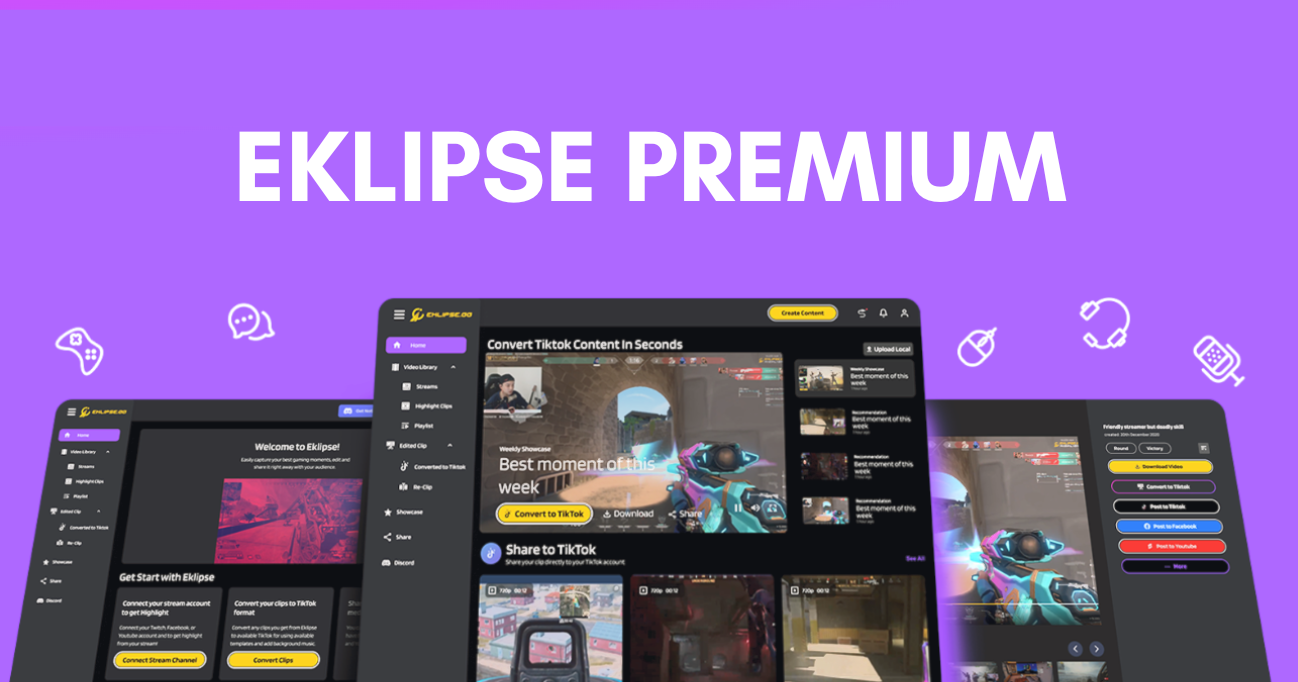
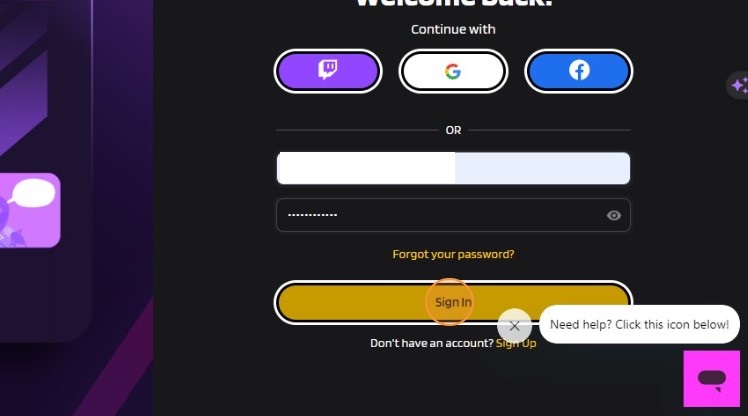
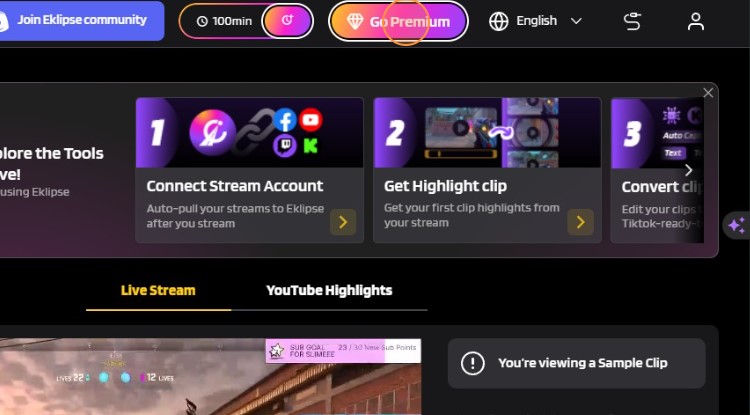
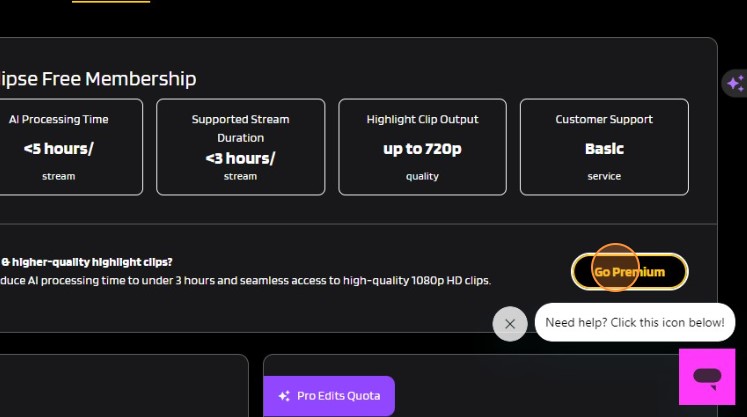
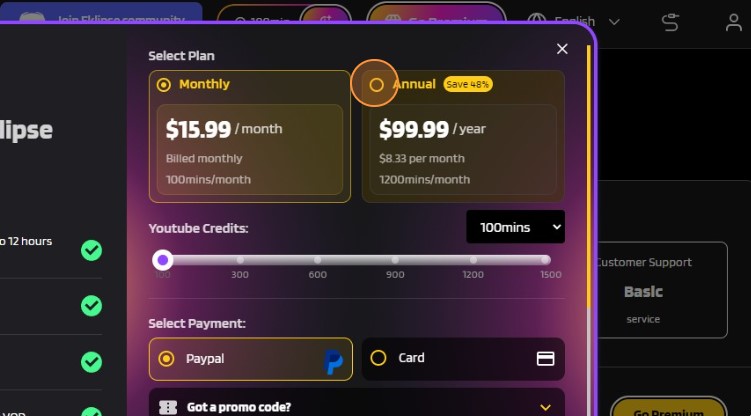
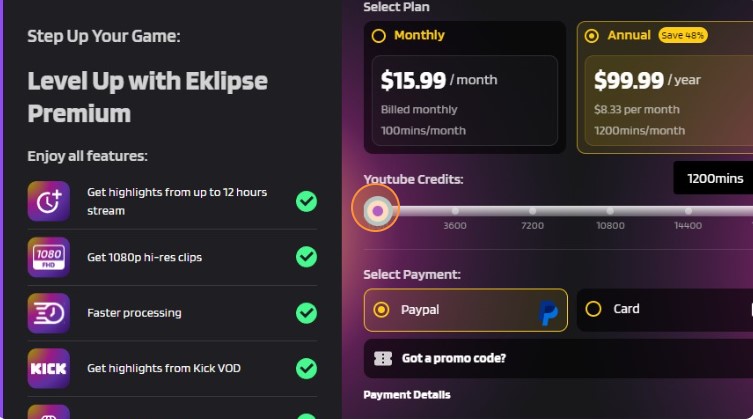
Tired of being limited by the basic features of your free Eklipse account? We understand your frustration. In this article, we will provide you with a step-by-step guide on How to Subscribe to Eklipse Premium.
Unlock the exclusive benefits that Eklipse Premium has to offer, and say goodbye to limitations and hello to a world of endless possibilities.
You will be directed to a page where you can select your preferred payment method. Eklipse offers various options, such as PayPal, debit card, and credit card. Choose the method that suits you best and proceed with the payment.
7. If you’re sure with the plan, select your payment whether using PayPal or Card.
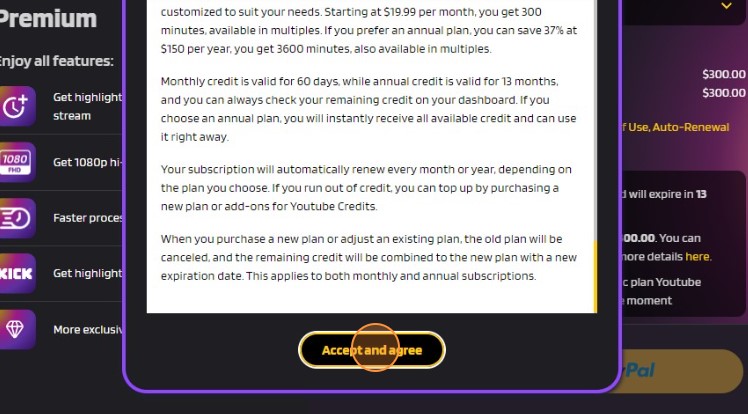
8. Check the Terms and Condition > click Accept and Agree.
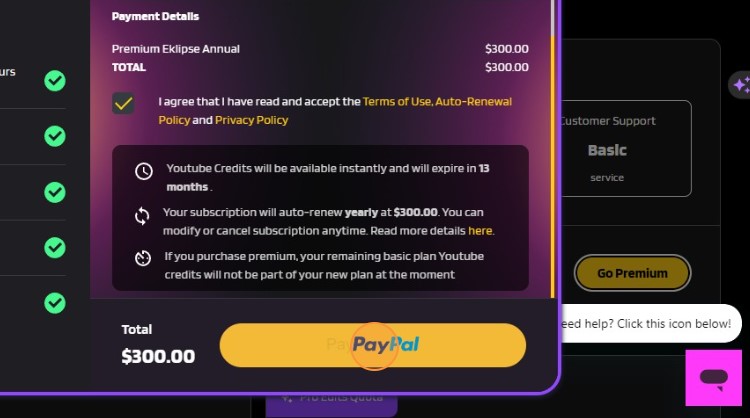
9. Click the PayPal or Card logo, according to your choice.
After completing the payment, congratulations! Your Eklipse account will automatically transition from free to premium status. It’s time to take your gaming to a whole new level, and Eklipse Premium is your ticket to an extraordinary streaming adventure.
Maximize your Black Ops 6 rewards—Create highlights from your best gameplay with with Eklipse
Eklipse help streamer improve their social media presence with AI highlights that clip your Twitch / Kick streams automatically & converts them to TikTok / Reels / Shorts
What is ToS Twitch? If you’re looking for the meaning of this popular Twitch term, look no further. We will explain everything about Twitch ToS here!
The term ToS Twitch, or “Terms of Service,” often appears on the platform. Basically, every popular streaming platform, including Twitch, has its own ToS. And before you can dip your toe in the water, they usually require you to agree to their ToS.
Therefore, it’s better for you—whether you are a viewer or a new streamer—to understand what ToS Twitch actually is. Keep reading to learn more.
ToS or Terms of Service is basically a guide on how users act and behave while using Twitch so that you don’t cross any rules and end up getting banned.
These conditions also govern what users can and cannot do or say on Twitch. That includes every statement, topic, and even word. Certain words, statements, or topics may harm others, and that’s not good. This is why Twitch needs to create sort of limitations to avoid those things to come up.
Using slang words on Twitch or other communities is actually common. However, some particular words may hurt other users. You might unintentionally show discrimination against other users or streamers with your words, sending hate or violent speech, and so on.
Twitch is trying to avoid those sorts of things by applying zero tolerance towards any threats like that.
If you don’t want to get banned and more importantly not hurt anybody on Twitch, you must not be saying the followings words:
Gender/gender identity
religious beliefs
ethnicity or race
sexual orientation
physical discrimination
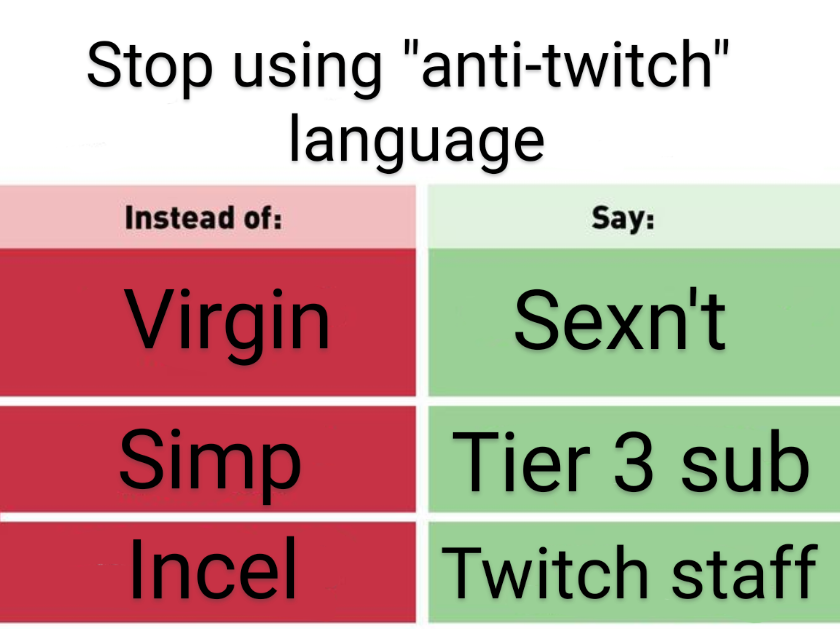
Additionally, Twitch also outlawed some specific words, like “virgin”, “incel”, and “simp” on their platform. You can also no longer be able to use the command or term !blind while playing a game.
As previously stated, Twitch gives zero tolerance for hate or discriminatory speech. So, whether you intentionally or unintentionally said those banned words, you’ll be banned from Twitch.
The bans can last between 1-30 days. However, it can be indefinite if the infringement is terrible.
So, if you want to keep your existence on Twitch or other platforms, it’s best to respect other users and always watch out for your words. The suspense towards your account will terrifically hamper your progress on Twitch.
If the ban lasts for quite a long time, you may lose your viewers, and subscribers and the engagement will be terribly down. That isn’t what you want, right? That’s why you should always strive to be a good streamer on Twitch. It’s not limited to content creation only, but also your behaviour.
You’ll never know what people are going through, their trauma, and so on. So be careful when you kid someone.
Aside from the banned words, Twitch also has other things you should avoid. Please note that you must not spam anybody by repeatedly sending large amounts of unwanted chats or messages or it’ll be counted as harassment.
Don’t ever scam other users on Twitch by giving them incorrect information about your channel or content, or you might get suspended. More importantly, avoid sharing others’ personal information without permission. Believe us, you’re going to say goodbye to your account if you keep doing this.
Now that you know what ToS Twitch is, you should be more careful while kid around on Twitch. It’s okay to horse around with anybody but watch your words. Being a successful streamer means managing your behaviour and your words.
It’s no secret that every gamer wants to succeed on Twitch, but it can be tough to stand out from the crowd. That’s where Eklipse comes in.
Eklipse‘s powerful AI tool can help you create engaging and exciting content that captures the attention of viewers and keeps them coming back for more.
Click below to claim your free Eklipse account today and start creating gaming video clips like never before!
Maximize your Black Ops 6 rewards—Create highlights from your best gameplay with with Eklipse
Eklipse help streamer improve their social media presence with AI highlights that clip your Twitch / Kick streams automatically & converts them to TikTok / Reels / Shorts
Looking for how to network on Kick easily and build your own large community? You’re in the right place! Here, we will unveil some secret tips to quickly gain popularity as a Kick streamer.
Collaborating with other streamers is a fantastic method to expand your audience and boost engagement on your Kick channel. The easiest way to do it is by finding other streamers with similar content and then hosting each other’s streams.
However, there are actually more strategies to raise your profile awareness on Kick. Keep reading to find out!
If you’re looking to network with other streamers on Kick, here are some tips to get you started:
1. Be Genuine and Authentic
When you’re reaching out to other streamers, it’s important to be genuine and authentic.
Don’t just contact them because you want something from them. Take the time to learn about their content and their community, and find common ground that you can build on.
2. Be Respectful of Other Streamers’ Time
Remember that other streamers are busy too, so be respectful of their time. Don’t spam them with messages or expect an immediate response. If they’re interested in collaborating with you, they’ll get back to you when they can.
Collaborating with other streamers is one of the best ways to grow your audience on Kick.
You can collaborate on a stream together, host each other’s streams, or even create content together. This can help you reach a new audience and build relationships with other creators in your community.
4. Attend Events and Meetups
Attending events and meetups can be a great way to meet other streamers in person and build relationships with them. Look for events that are related to your content or your community, and try to attend as many as you can.
5. Use Social Media to Connect with Other Streamers
Social media is a powerful tool for connecting with other streamers on Kick.
You can use platforms like Twitter, Instagram, Facebook, or even TikTok to reach out to other streamers, share your genuine expression toward them, and build relationships with them.
In addition to collaborating with other streamers, joining online communities related to your content can help you connect with new viewers and increase engagement with your existing audience.
There are many online communities you can join, but here are some of the best ones for streamers:
Discord
Source: Epic games store
Discord is a chat platform that allows you to create or join communities, also known as servers, and communicate with other people who share your interests.
There are many Discord servers for streamers and gaming communities where you can connect with other streamers, find collaboration opportunities, and network with other creators.
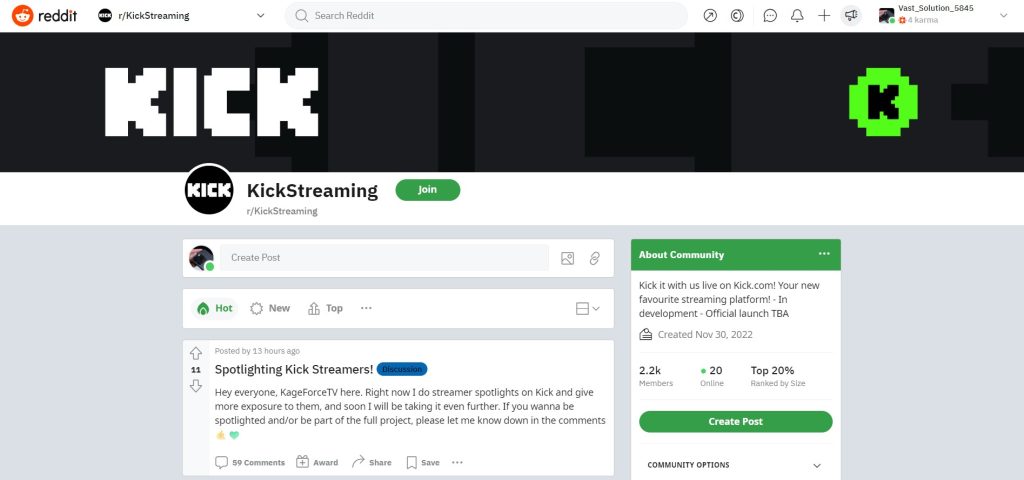
Reddit
Reddit is a social news aggregation site where users can submit content and vote on it.
There are thousands of subreddits dedicated to different topics, including gaming and streaming, so you can find a community that matches your interests.
Joining relevant subreddits can help you connect with other streamers and promote your streams.
Twitter
Twitter is a social media platform where users can share short messages with each other.
There are many communities on Twitter dedicated to different topics, including gaming and streaming, so you can find a community that matches your interests.
Participating in relevant Twitter chats and using relevant hashtags can help you connect with other streamers and promote your streams to a wider audience.
Networking on Kick can be a powerful tool for growing your audience and reaching new viewers.
By being genuine, respectful, and persistent, you can build relationships with other streamers and connect with online communities that share your interests.
Collaborating with other streamers and participating in events and tournaments can also help you expand your reach and build lasting relationships with other creators in your community.
In addition, you can also try Eklipse to instantly gain extra subs on Kick.
Attracting more viewers and loyal subs on Kick is now easier than ever with Eklipse. Our magnificent AI-clipping tool will convert your most exciting Kick moments into various captivating TikTok/Shorts/Reels in just one tap.
Sign up now at Eklipse.gg for free and enjoy its exclusive feature to grow your streaming channel like never before! Click below for more info.
Maximize your Black Ops 6 rewards—Create highlights from your best gameplay with with Eklipse
Eklipse help streamer improve their social media presence with AI highlights that clip your Twitch / Kick streams automatically & converts them to TikTok / Reels / Shorts
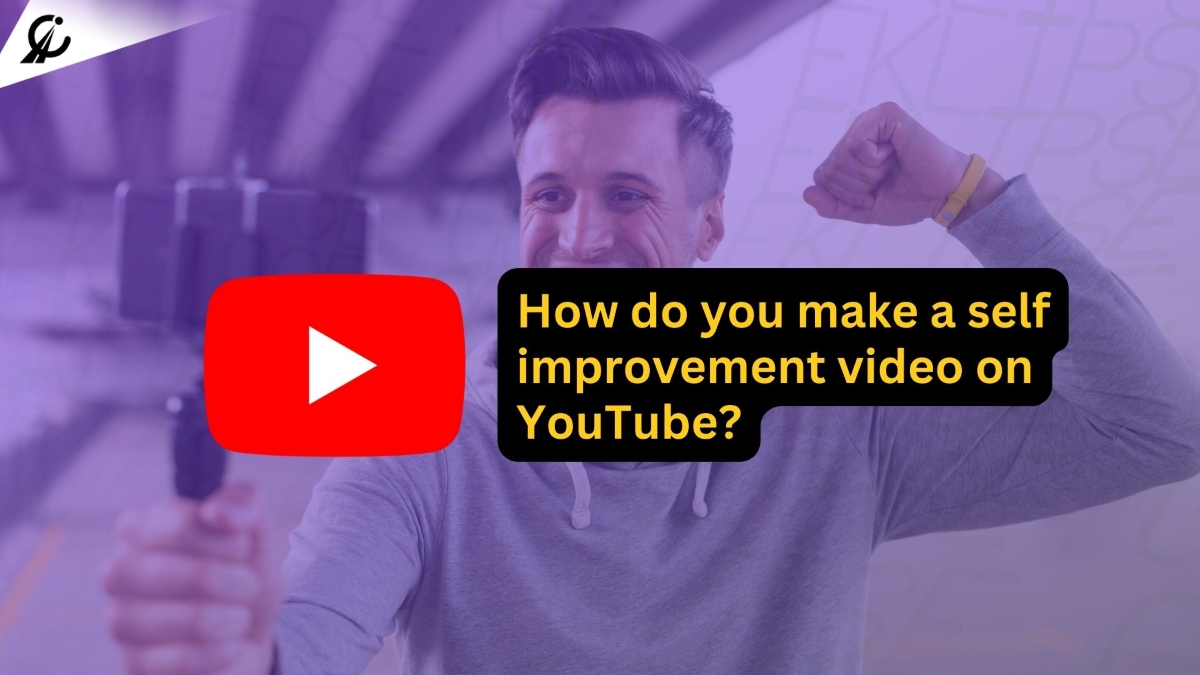
Motivation is a powerful force that can inspire and uplift people. If you’re passionate about motivating others and want to share your inspiration with a broader audience, starting a motivational YouTube channel is an excellent way to make a positive impact. If you’ve ever wondered how do you make a self-improvement video on YouTube to inspire and help others, you’re in the right place.
This article will provide you with a comprehensive guide on how to start a self-improvement YouTube channel, helping you inspire and connect with audiences around the world. Whether you’re an aspiring life coach or simply want to share your personal growth journey, these steps will help you get started.
When you decide to start a motivational YouTube channel, the first step is to define your niche. Here are some key considerations:
1. Choose Your Focus: Decide on the specific aspect of motivation that you want to explore. This could include personal development, fitness, mental health, success stories, or a combination of these.
2. Unique Angle: Find your unique angle or approach. What makes your channel different from the rest? Perhaps it’s your personal journey, expertise, or a creative storytelling style.
3. Know Your Audience: Identify your target audience. Understanding their needs, problems, and aspirations will help you tailor your content to resonate with them. Knowing them also can help you choose self-improvement YouTube channel name ideas that will work.
Creating High-Quality Content
The quality of your content is paramount in building a successful channel. Consider the following:
1. Content Plan:Develop a content calendar outlining the topics and themes you’ll cover in your videos. Consistency is key.
2. Video Production: Invest in good-quality recording equipment, including a camera, microphone, and lighting. High-quality visuals and audio make a significant difference.
3. Engaging Presentation: Work on your on-camera presence, storytelling, and how you convey your motivational message. Engage with your audience emotionally.
4. Video Editing: Learn the basics of video editing or hire a professional to enhance the visual appeal of your videos.
Publishing and Promoting
Once your self-help videos for an awesome life are ready, it’s time to publish it on YouTube. Write a compelling video description that summarizes the content and includes relevant keywords.
Add tags and choose a fitting category. Share your video on social media platforms, forums, and relevant online communities to gain more exposure. Engage with your viewers by responding to comments and asking for feedback.
Convert Your YouTube Self-Improvement Video Using Eklipse
For the ultimate tips on how do you make a self-improvement video on YouTube, have you heard of Eklipse?
Transform your longer videos into viral vertical short clips that are tailor-made for platforms like YouTube Shorts and TikTok. These bite-sized, attention-grabbing snippets are the perfect way to promote your channel and attract a wider audience.
Building a Loyal Audience
Building a loyal audience is a gradual process, but it’s essential for your channel’s growth. Here’s how to go about it:
1. Consistency: Stick to a regular posting schedule. This keeps your audience engaged and coming back for more.
2. Audience Interaction: Respond to comments and engage with your viewers. Creating a sense of community around your channel is crucial.
3. Promotion: Share your videos on social media platforms. Collaborate with other content creators in your niche to tap into their audience.
4. Feedback: Pay attention to your audience’s feedback. It can provide valuable insights into what your viewers appreciate and what needs improvement.
While the primary goal of a motivational channel is often to inspire and help others, you can also consider monetizing it:
1. YouTube Partner Program: To qualify, you’ll need at least 1,000 subscribers and 4,000 watch hours in the past 12 months. Once eligible, you can earn money through ad revenue.
2. Ad Revenue: As your channel grows, you can earn money through ad revenue generated by the ads displayed on your videos.
3. Sponsorships: Collaborate with brands and companies for sponsored content. Ensure that the products or services align with your channel’s message.
4. Merchandise and Products: Create and sell merchandise or digital products related to your motivational content.
Legal and Ethical Considerations
It’s crucial to navigate your motivational YouTube channel within legal and ethical boundaries:
1. Copyright: Always respect copyright laws. Avoid using copyrighted material without proper permissions or licensing.
2. Community Guidelines: Adhere to YouTube’s community guidelines to ensure your content remains suitable for all audiences. Avoid hate speech, violence, and other prohibited content.
3. Privacy: Respect the privacy of individuals featured in your videos. If you’re sharing personal stories, obtain consent when necessary.
4. Transparency: Clearly disclose any sponsored content or affiliate marketing relationships. Maintaining transparency with your audience builds trust.
In conclusion, starting a motivational YouTube channel in 2023 is a noble endeavor. It provides a platform to share your positive message with a worldwide audience. While the journey may have its challenges, your dedication and passion can lead to a fulfilling and impactful venture.
Ready to supercharge your content strategy?
Sign up with Eklipse today and subscribe to unlock the full potential of your YouTube channel. Start creating content that stands out and gets noticed – join Eklipse now and embark on your journey to YouTube success!
Maximize your Black Ops 6 rewards—Create highlights from your best gameplay with with Eklipse
Eklipse help streamer improve their social media presence with AI highlights that clip your Twitch / Kick streams automatically & converts them to TikTok / Reels / Shorts
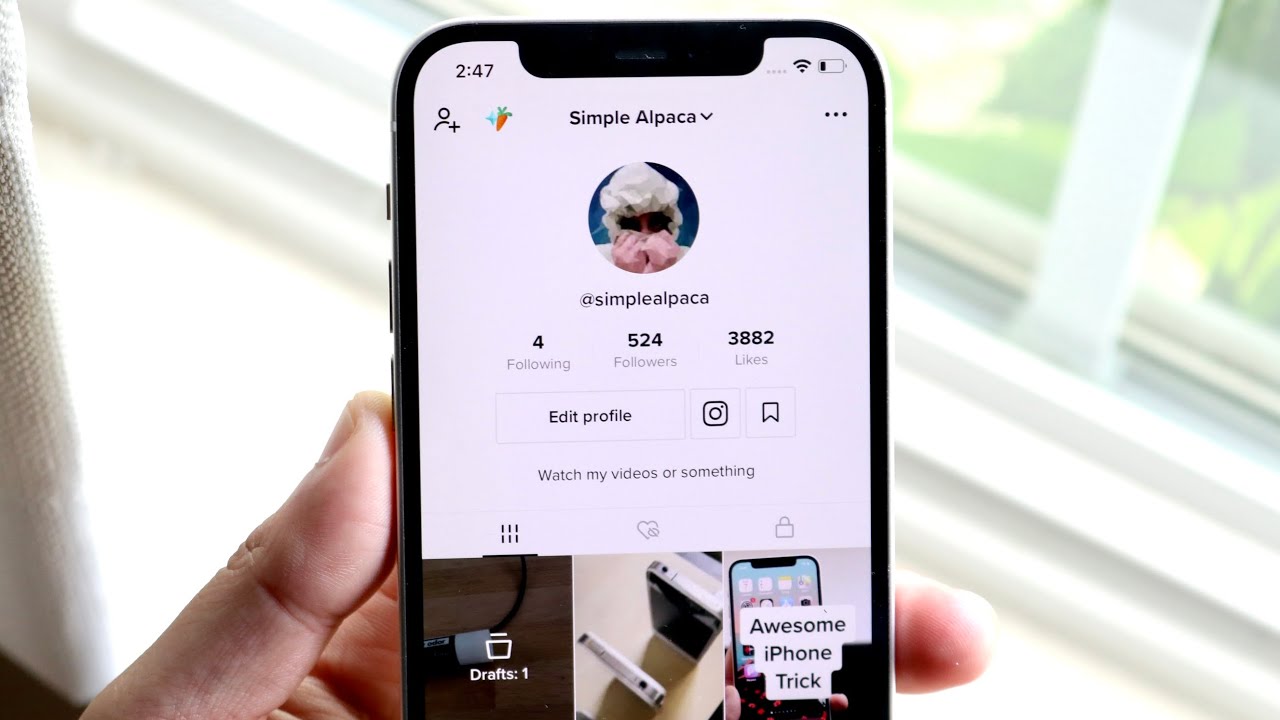
Are you tired of facing the TikTok post is being processed? Don’t worry, here we have 7 quick tips for ensuring a smooth TikTok uploading experience.
TikTok, the popular video-sharing app with over 1 billion daily active users, offers a versatile platform for content creators and gaming streamers. When attempting to upload a video, some users may encounter the frustrating error message, “video is being processed.
In this article, we will address this common issue and provide you with seven effective methods to fix it. Whether you’re an aspiring content creator or a gaming streamer, these solutions will help you overcome the obstacle and ensure a smooth uploading experience.
Source: Eklipse Blog – Tiktok Post is Being Processed
The first solution is restarting the TikTok app. This simple step can resolve any small background issues that may be causing the upload to fail. By closing and reopening the app, you give it a fresh start and increase your chances of successful video uploads.
2. Check TikTok Server Status
Another important step is to check the TikTok server status. Sometimes, server overloads can lead to technical difficulties and prevent videos from being processed properly. By visiting TikTok’s official website or social media channels, you can stay updated on any ongoing server issues or maintenance activities that may affect your uploading experience.
3. Ensure a Stable Internet Connection
A stable internet connection is crucial for seamless video uploads on TikTok. A poor or unreliable connection can slow down or interrupt the processing of your videos. To avoid this issue, connect to a reliable Wi-Fi network or use cellular data with strong signal strength before attempting to upload your videos.
Built-up cache in the TikTok app can impact its performance and cause issues during video processing. To resolve this, clear the app’s cache and data. Clearing any unnecessary files and resetting the app to its default settings can potentially resolve the “video is being processed” error.
5. Check for Copyright Violations
Unauthorized content or copyright violations can also lead to upload failures on TikTok. Before uploading a video, ensure that it does not contain any copyrighted material or infringe upon someone else’s intellectual property rights. Remember to follow TikTok’s guideline to prevent this issue.
6. Verify Account Status
Sometimes, videos may not be processed on TikTok due to a blocked or blacklisted account. To check for any impact on your account, review your account settings and ensure there are no restrictions or limitations in place. Reach out to TikTok support if you suspect that your account is blocked or blacklisted.
7. Report the Issue to TikTok Support
If none of the previous methods resolve the “video is being processed” error, it’s time to report the issue to TikTok support. Provide them with a detailed explanation of the problem, including any error messages you’ve encountered and information about your device. The support team will investigate the issue further and provide you with personalized assistance to resolve the problem.
By following these seven methods, you can overcome this obstacle and enjoy a smooth uploading experience on TikTok. Don’t let technical difficulties hold you back from sharing your creativity with the world!
Want to grow your TikTok audience? Look no further than Eklipse!
Experience the magic of our AI-powered tool, seamlessly transforming your livestreaming moments into captivating TikTok/Short/Reels content with just a single click.
Maximize your Black Ops 6 rewards—Create highlights from your best gameplay with with Eklipse
Eklipse help streamer improve their social media presence with AI highlights that clip your Twitch / Kick streams automatically & converts them to TikTok / Reels / Shorts