Home Blog Page 167

6 TikTok Trends to Boost Your Social Video Content in 2023

0
tiktok guide 2023
Source: Eklipse Blog - tiktok guide 2023

TikTok trends change quickly, from dances to memes, recipes, and hacks. Many brands wonder what kind of content they should create on TikTok. To stay relevant and timely, it’s important to incorporate popular TikTok trends along with evergreen content.

Here are the top eight TikTok trends we expect to see this year and beyond, along with how you can use them to increase views and engagement.

Source: Social Media Marketing
  1. Dance challenges: Dance challenges are still popular on TikTok, and brands with mascots can join in on the fun. Consider participating in existing dance challenges or creating your own.
  2. ASMR/Satisfying videos: ASMR videos focus on sound and can be satisfying to watch. Consider creating videos that highlight the sounds of your products or services.
  3. Green screen: TikTok has a feature that allows creators to use a green screen. Get creative with this feature and record videos with different backgrounds.
  4. Skits: Skits are short videos that entertain or inform the audience. Use skits to explain complex topics, share audience/followers interactions, or showcase new products/service/content ideas.
  5. Day in the life: Take your audience behind the scenes with a “day in the life” video. Show what a typical day looks like for someone on your team.
  6. You own “Tok”: TikTok has subcultures for various interests. Find a subculture that aligns with your brand and create content that resonates with that community.

Conclusion

Incorporating these TikTok trends into your marketing strategy can help you stay relevant and engage your audience. Use social listening tools to discover the latest trends and combine them with our guide on going viral on TikTok to maximize your presence in 2023.

6 Instagram Marketing Strategy to Boost Your Brand’s Visibility

0

Instagram marketing is a strategy that businesses use to build a community and promote their brand on the platform. It’s a popular choice because Instagram has over 2 billion monthly active users and offers various features for businesses to engage with their target audience. Here are six ways to update your Instagram marketing strategy.

1. Define your Instagram marketing goals

Source: Ersen Media

Determine why you want an Instagram presence and what you hope to achieve. Your goals could include generating leads, building a community, or increasing brand awareness.

2. Optimize your Instagram profile

Switch to a business profile to access analytics and additional information like your industry and contact details. Use branded hashtags and craft a compelling bio that describes your business and includes a call-to-action and a link.

3. Pinpoint your target audience

Understand who your target audience is and align it with Instagram’s demographics. This ensures that your content strategy is tailored to people who are interested in your products or services.

4. Create your Instagram content strategy

Consider different types of content that perform well on Instagram, such as eye-catching imagery, people-centric photos, videos, and memes. Use Instagram Stories to promote time-sensitive content.

5. Publish content consistently

Craft compelling captions for your posts and pay attention to timing and frequency. Schedule your posts in advance to hit peak engagement times. Cross-post your Instagram content on other social networks to save time and reach a wider audience.

6. Grow your Instagram followers

Promote your Instagram account on other marketing channels and engage with your followers. Respond to comments and be an active participant on the platform. Monitor your analytics to track your performance and gain insights for future posts.

Conclusion

By following these strategies, you can enhance your Instagram marketing and effectively reach your target audience.


Maximize your Black Ops 6 rewardsโ€”Create highlights from your best gameplay with with Eklipse

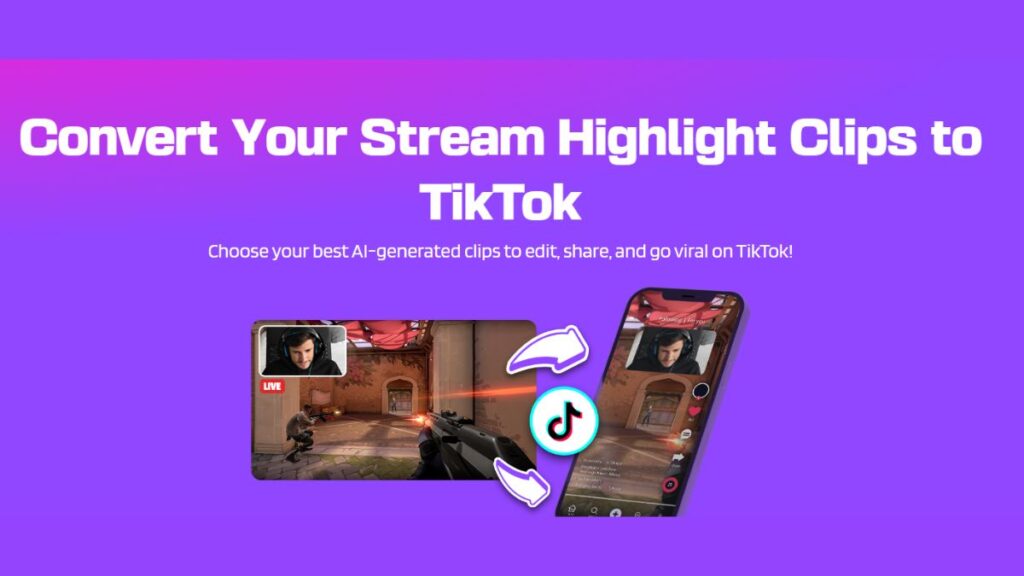
Eklipse help streamer improve their social media presence with AI highlights that clip your Twitch / Kick streams automatically & converts them to TikTok / Reels / Shorts
16 ‘SMART’ Tips for Building Strong Social Media Presence: A Must Try!

0
Building a Strong Social Media Presence

Building strong social media presence is crucial for every content creator. If you’re not reaching customers through social media, you’re missing out on their awareness. Social media allows you to establish a presence in your audienceโ€™s minds, whether they’re actively consuming content or casually browsing.

There are many social media platforms to consider, such as Facebook, Instagram, TikTok, YouTube, and Twitch. Each platform has its own audience, culture, and approach, so it’s important to tailor your strategy accordingly.

So, let’s dive into some tips and strategies for creating a competitive and compelling social media presence.

What is social media presence?

Building a Strong Social Media Presence

Social media presence is how you express your personality through visuals and messages on social media. It’s the face that reaches both loyal audiences and potential new visitors. Building a social media presence increases awareness and helps differentiate your content.

Why does social media presence matter?

In 2023, there are estimated to be 4.89 billion social media users worldwide. This presents a tremendous opportunity to get your account noticed.

Social media feeds reflect users’ interests and values. Content creators can create content that resonates with their audience by aligning with their values.

People now prefer content creators that align with their values, with a 74% increase in preference between 2021 and 2022. This means that targeting the right audience is crucial for success. Consistency is key to maintaining a strong presence.

More on Eklipse Blog >> Common Social Media Questions + Answers: Guide for Creators

16 Tips for building strong social media presence

Here are 16 tips for building a better social media presence:

  1. Set SMART goals: Be specific, measurable, achievable, relevant, and time-bound.
  2. Identify your audience: Understand who your typical users are and target them on the appropriate platforms.
  3. Be human: Engage with your audience in an approachable and authentic manner.
  4. Seek relationships, not just followers: Actively engage with your audience, listen to their feedback, and provide excellent customer service.
  5. Create an editorial calendar: Plan and schedule your social media content to ensure consistency.
  6. Automate the right way: Use automation tools to schedule posts, save time, and improve customer care.
  7. Focus on helping over selling: Provide valuable content, assist customers, and respond to queries and complaints promptly.
  8. When in doubt, get visual: Use visuals like images, videos, and GIFs to capture attention and engage your audience.
  9. Make your presence known: Promote your social media presence across channels and create unique content that aligns with your theme or style.
  10. Stay active: Maintain a regular posting schedule, reply to comments and messages, and use social listening tools.
  11. Piggyback on what’s trending: Participate in relevant trends and conversations to increase visibility and engagement.
  12. Don’t be afraid to pay: Use paid advertising and influencer partnerships to enhance your reach and build awareness.
  13. Monitor your engagement and strategy: Regularly analyze metrics to evaluate the effectiveness of your content and adjust your strategy accordingly.
  14. Create content people want to see: Research and understand what resonates with your audience, and align your messaging with their preferences.
  15. Don’t be afraid to experiment: Try new content formats and platforms while staying true to your values.
  16. Learn from successful creators: Take inspiration from other content creators that have achieved great social media presence.

More on Eklipse Blog >> Essential Social Media Metrics to Track For Content Creators

Conclusion

Building a social media presence allows you to connect with your audience on a deeper level. It’s not just about keeping up with the competitionโ€”it’s a way to foster relationships, tap into niche audiences, and gain valuable insights. With a systematic approach and a well-defined plan, you can create a compelling social media presence. Good luck!


Maximize your Black Ops 6 rewardsโ€”Create highlights from your best gameplay with with Eklipse

Eklipse help streamer improve their social media presence with AI highlights that clip your Twitch / Kick streams automatically & converts them to TikTok / Reels / Shorts

How to Download Warzone 2 on PS5: A Comprehensive Guide

0

Are you ready to dive into the intense world of Call of Dutyยฎ: Warzoneโ„ข on your new PlayStation 5? In this article, we will provide you with a step-by-step guide on how to download Warzone 2 on your PS5, ensuring that you can jump into the action-packed combat arena in no time. Whether you’re a seasoned gamer or new to the franchise, this guide will help you navigate through the process and get you ready for an immersive gaming experience. So, let’s get started!

Introduction to Warzone 2

Source: True Achievements

Before we delve into the downloading process, let’s take a moment to understand what Warzone 2 has to offer. Warzone 2 is a free-to-play combat arena that features a brand-new map called Al Mazrah. With its sprawling battleground set in the metropolitan area and rural outskirts of the Republic of Adal, Warzone 2 offers an exhilarating gaming experience.

Step-by-Step Guide to Downloading Warzone 2 on PS5

Now that you’re familiar with Warzone 2, let’s proceed with the step-by-step instructions on how to download it on your PS5:

  1. Power up your PS5 and sign in to your PlayStation Network account.
  2. Navigate to the PlayStation Store from the main menu.
  3. In the search bar, type “Warzone 2” and press enter.
  4. Select “Call of Dutyยฎ: Warzoneโ„ข” from the search results.
  5. Click on “Download” or “Add to Cart” if prompted.
  6. Follow any additional prompts or instructions provided by the system.
  7. Wait for the download and installation process to complete.
  8. Once the game is installed, you can launch Warzone 2 from your PS5’s main menu.

Frequently Asked Questions (FAQs)

To address some common queries, here are answers to a few frequently asked questions about downloading Warzone 2 on PS5:

Q1: Is Warzone 2 available for free?

A1: Yes, Warzone 2 is a free-to-play game, allowing players to jump into the action without any upfront cost.

Q2: Can I play Warzone 2 with friends?

A2: Absolutely! You can team up with your friends in squads or engage in solo battles within the massive combat arena.

Q3: Are there any additional purchases required?

A3: While the base game is free, there may be optional in-game purchases available for cosmetic items or battle passes.

Conclusion

Congratulations! You now have all the information you need to download Warzone 2 on your PS5. Follow our step-by-step guide, explore the strengths and weaknesses of the game, and get ready for an immersive gaming experience like no other. Remember to stay connected with friends, keep an eye out for updates, and most importantly, have fun in Call of Dutyยฎ: Warzoneโ„ข!

What is MonkaHmm: A Guide to the Twitch Emote

0

MonkaHmm is a popular emote on Twitch that is widely used by streamers and viewers alike. In this article, we will explore the meaning and origin of MonkaHmm, how to use it in Twitch chat, and its key differences from the MonkaS emote. Whether you’re a streamer looking to engage with your audience or a viewer interested in understanding the Twitch culture better, this guide will provide you with all the information you need.

What is MonkaHmm?

Source: Optistream

MonkaHmm is an emote based on the Pepe the Frog character and is part of the “Pepe emote” family on Twitch. It represents contemplation or deep thought when someone is considering something or appears confused or thoughtful during a stream. Released in 2018, MonkaHmm has gained significant popularity among Twitch users.

How to Use MonkaHmm in Twitch Chat?

To use the MonkaHmm emote in Twitch chat, you’ll need to install either the FrankerFaceZ Twitch extension or the BTTV plugin. With FrankerFaceZ, simply connect to the platform and install the plugin. You can then configure your account settings to enable MonkaHmm as one of your available emojis on Twitch.

Alternatively, you can set up the BTTV extension by downloading and installing it on your preferred browser. Once installed, log in with your personal Twitch account and search for MonkaHmm. You’ll find various versions of this popular emote that you can use across different chats on Twitch.

The Difference Between MonkaS and MonkaHmm

While both emotes feature frog characters and are commonly used on Twitch, there are distinct differences between them. MonkaS represents anxiety or fear, while MonkaHmm signifies contemplation or deep thought. Understanding these nuances can help you better express yourself and engage with the Twitch community.

Conclusion

MonkaHmm is a beloved emote on Twitch that allows streamers and viewers to convey contemplation or deep thought during streams. By understanding its meaning, origin, and usage, you can enhance your engagement within the Twitch community. Whether you’re a seasoned streamer or new to the platform, incorporating MonkaHmm into your chats can add depth and expression to your interactions.


Maximize your Black Ops 6 rewardsโ€”Create highlights from your best gameplay with with Eklipse

Eklipse help streamer improve their social media presence with AI highlights that clip your Twitch / Kick streams automatically & converts them to TikTok / Reels / Shorts


What Does Malding Means in Twitch Chat? [Update 2023]

0

In this article, we will delve into the intriguing world of “malding” and explore its meaning, origins, and significance. Aspiring content creators and gaming streamers often come across this term in online communities, but its true essence may remain elusive. We aim to address your curiosity and provide a comprehensive understanding of malding. So, let’s embark on this journey together!

What is Malding?

Source: Malding

Malding is an internet slang term that combines the words “mad” and “bald.” It refers to a state of extreme frustration or anger that can lead to hair loss metaphorically. The term originated from online gaming communities where players would express their intense emotions during gameplay. Over time, it has transcended gaming culture and found its way into various online platforms.

The Origins of Malding

The first recorded usage of “mald” dates back to November 2011 when a user named Yozaru submitted an entry on Urban Dictionary defining the term. Since then, it has gained traction among gamers and internet enthusiasts alike. The blend of “mad” and “bald” creates a unique word that captures the essence of intense frustration.

Malding holds significant meaning within online communities, particularly among content creators and gaming streamers. It serves as a way to express strong emotions when faced with challenges or setbacks during live streaming sessions or video editing/conversion endeavors. By acknowledging malding as a shared experience, individuals can find solace in knowing they are not alone in their frustrations.

Common Questions about Malding

As you delve deeper into the concept of malding, you may have some burning questions. Here are a few common queries and their answers:

Q: Is malding limited to gaming communities? A: While malding originated in gaming culture, it has expanded beyond that realm and is now used in various online communities.

Q: Can malding cause actual hair loss? A: No, malding is a metaphorical term used to describe extreme frustration or anger. It does not have any physical effects on hair growth.

Q: How can I cope with malding? A: Coping with malding involves finding healthy outlets for your frustrations, such as taking breaks, seeking support from peers, or engaging in stress-relief activities.

Conclusion

Understanding the meaning of malding provides insights into the emotional landscape of content creators and gaming streamers. By recognizing this shared experience, individuals can find solace and support within their respective communities. Remember to approach malding with a balanced perspective and prioritize your mental well-being above all else.


Maximize your Black Ops 6 rewardsโ€”Create highlights from your best gameplay with with Eklipse

Eklipse help streamer improve their social media presence with AI highlights that clip your Twitch / Kick streams automatically & converts them to TikTok / Reels / Shorts

Mastering TikTok Stories: A Step-by-Step Tutorial

0
tiktok stories

Did you hear the news? TikTok now has a cool feature called Stories! It’s just like Instagram and Facebook Stories, where you can share short videos. These TikTok Stories videos stick around for 15 seconds and stay visible for 24 hours.

Curious to learn more about this new feature? This guide has all the details on TikTok Stories. Let’s check it out!

What are TikTok Stories?

tiktok stories

TikTok Stories are short video segments that last for up to 15 seconds. They stay visible for 24 hours after posting, similar to story features on other platforms. Your story will appear as an in-feed post with a story tag in the top left corner. Each story you publish within 24 hours will show up as a segment in that Story post.

How do TikTok Stories work?

TikTok Stories can be found on your profile within your standard feed. They have a blue “Story” icon in the top left corner to differentiate them. If a viewer visits your page and you have a Story up, your profile picture will be encircled in a blue clickable ring that leads directly to your story.

Your followers will see your TikTok Story on their For You page, just like your regular videos. Viewers can like, comment, and share your Story in the same way they interact with a standard feed post.

More on Eklipse Blog >> 8 Easy Ways to Get on TikTok FYP: Essential Tips for Streamers

How to post a TikTok Story

To create a TikTok Story, follow these steps:

  1. Navigate to the TikTok Story creator screen by clicking the plus icon in the TikTok app.
  2. Swipe along the bottom bar to Stories. If it’s not there, the feature may not be available in your region yet.
  3. Choose your time limit by clicking the Timer icon on the left sidebar. You can set the time limit between one and 15 seconds.
  4. Create your content using effects, filters, transitions, and other features available for TikTok in-feed posts.
  5. Click the “Next” button to tag people, add captions, hashtags, locations, mentions, or video credits. You can also edit privacy settings and choose a cover for your post.
  6. Click the “Post” button to publish your TikTok Story.

More on Eklipse Blog >> 5 Best AI TikTok Video Generators: Create More Content Instantly

How to delete TikTok Stories

If you want to delete your TikTok Story before the 24-hour mark, follow these steps:

  1. Go to your profile and click on the Story you want to delete.
  2. Press the three-dot button at the bottom of the sidebar.
  3. Swipe to the very end of the list of options until you see the delete option.
  4. Click it to delete your TikTok Story.

Building community with TikTok Stories

TikTok Stories offer a new way to engage with your audience and build a community. Since the Story panel only displays stories from accounts users are following, it helps enhance connections with users already interested in your content. Here are some ideas to encourage interaction with TikTok Stories:

  • Publish exclusive content they can’t find anywhere else
  • Offer promo codes
  • Conduct a Q&A
  • Give followers a behind-the-scenes look at your daily activities
  • Make announcements
  • Offer tricks, hacks, and tips

Conclusion

As social media platforms evolve, new features will continue to emerge. Being familiar with these features early on is crucial for your social content strategy. Platforms often prioritize content from accounts that use their full range of features. Implementing TikTok Stories into your content strategy is a win-win situation. Letโ€™s try it now!


Maximize your Black Ops 6 rewardsโ€”Create highlights from your best gameplay with with Eklipse

Eklipse help streamer improve their social media presence with AI highlights that clip your Twitch / Kick streams automatically & converts them to TikTok / Reels / Shorts

Twitch Star Karl Jacobs Net Worth Exposed!

0
karl jacobs net worth

Wondering how much is Karl Jacobsโ€™ net worth today? Youโ€™re in the right place!

Karl Jacobs, also known as Karl Thomas Jacobs, is an American Twitch streamer and content creator who has gained significant popularity through his collaborations with renowned YouTubers and streamers.

In this article, we will delve into Karl Jacobs’ net worth, discussing his journey to success, various sources of income, and his ventures beyond streaming. Letโ€™s dive in!

Karl Jacobsโ€™ Net Worth in 2023

karl jacobs net worth

As of May 2023, Karl Jacobs’ estimated net worth falls within the range of $1 million to $5 million according to various sources. His association with the MrBeast crew and subsequent endeavors have not only garnered him a substantial social media following but also brought him significant financial prosperity.

More on Eklipse Blog >> MrBeast Announces His Biggest Video Yet, Surpassing Squid Game Recreation

Karl Jacobsโ€™ Sources of Income

1. YouTube

Karl Jacobs launched his YouTube channel (Karl) on September 12, 2020. He primarily uploads gameplay videos, vlogs, and Twitch footage to his channel. As of May 2023, he has accumulated over 4 million subscribers and receives millions of views monthly. According to Social Blade, his YouTube channel earns between $7.2k and $114.8k per year.

2. Twitch

Karl Jacobs leverages the Twitch platform to engage with his audience through vlogs and streams across his two channels. With over 4 million followers as of May 2023, he has built a dedicated fan base on this platform. Although the exact earnings from streaming remain uncertain due to his irregular schedule, he has the potential to generate income through advertising revenue, bits, and subscribers.

3. Instagram

With over 5 million followers on Instagram, Karl Jacobs enjoys a high engagement rate on this platform. According to various sources, he earns an estimated amount of $10,214 – $17,023 for each post. His Instagram posts consist of selfies, travel pictures, and promotional content.

4. TikTok

Karl Jacobs has a significant presence on TikTok, with over 12 million fans and more than 133 million likes. He earns between $7,393 and $12,337 per video on this platform, with an engagement rate of around 4.9%.

More on Eklipse Blog >> BruceDropEmOff Net Worth, Bio, Career and More [2023]

Other Endeavors

Apart from his collaborations with MrBeast and Dream, Karl Jacobs has ventured into various exciting projects. He co-hosts a successful podcast called “Banter” with fellow Minecraft YouTuber Sapnap. The podcast quickly became the top podcast on Spotify and continues to thrive. Additionally, Jacobs serves as the creative ambassador for Journeys, a renowned shoe retailer.

His talents extend beyond YouTube and gaming. He has lent his voice to multiple characters in the game “Once Upon a Jester” and released an animated short film titled “Beside Myself.” Moreover, his popular anthology series “Tales from the SMP” in the Dream SMP Minecraft server is set to be adapted into a comic book series in collaboration with Dark Horse Comics.

FAQs

1. Did Karl Jacobs get married?

No, Karl Jacobs has never been married nor does he have kids.

2. Did Karl Jacobs leave the MrBeast team?

As of May 2023, Karl Jacobs hasn’t left the MrBeast team and is still part of Jimmy Donaldson’s crew.

3. Is MrBeast Karl Jacobs’ brother?

No, MrBeast and Karl Jacobs are not related publicly. However, Jacobs has worked for MrBeast’s brother, MrBro, as a video editor before joining MrBeast’s crew.

More on Eklipse Blog >> Most Popular 24 Female Twitch Streamer

Conclusion

Karl Jacobs’ net worth has seen substantial growth due to his engaging personality, collaborations with popular creators like MrBeast, and his own ventures on platforms such as YouTube, Twitch, Instagram, and TikTok.

Through showcasing his talents, interacting with his audience, and leveraging his online influence, he has secured lucrative opportunities and partnerships. As he continues to expand his presence in the digital realm and explore new projects, Karl Jacobs’ net worth is expected to rise even further in the coming years.


Maximize your Black Ops 6 rewardsโ€”Create highlights from your best gameplay with with Eklipse

Eklipse help streamer improve their social media presence with AI highlights that clip your Twitch / Kick streams automatically & converts them to TikTok / Reels / Shorts

A Gaming Streamer’s Guide to Joining Dating Discord Server

0
dating discord server

Why does a gaming streamer need to join a dating Discord server? Well, despite its main function as a place for people to find a life partner, joining a dating Discord server can benefit a game streamer in several ways.

What is it and how do you join the best dating Discord server in 2023? Now, in this article, we will explore everything you need to know about this platform. Letโ€™s go!

What is a Dating Discord Server?

dating discord server

Dating Discord Server is a unique online community that combines the features of a dating platform with the chat and voice capabilities of Discord. It offers a space for young adults (18+) to connect with like-minded individuals who share their interests in gaming, anime, socializing, and more. With active 24/7 calls, video chats, and text channels, it provides an immersive experience for users looking to meet new people.

More on Eklipse Blog >> 7 Top Discord Dating Servers

Main Feature of Dating Server

  • Active 24/7 Calls/Video Chats/VC & Chat: Ensures constant availability for chatting or engaging in voice/video calls.
  • Diverse Interests: Whether gaming, anime, selfies, or casual socializing, this server caters to everyone.
  • Egirls/Eboys Community: Connect with individuals who identify as egirls or eboys and build meaningful relationships within this sub-community.
  • Safe for Work (SFW) & Not Safe for Work (NSFW): Choose between SFW and NSFW channels based on your preferences.
  • Partnerships and Advertisements: Opportunities to promote your server or collaborate with others on exciting projects.

More on Eklipse Blog >> Ultimate Discord Commands List: Boost Your Server Functionality

Benefits of Joining Dating Server for Game Streamer

  • Active Community: Emphasis on 24/7 activity ensures constant engagement and connection opportunities.
  • Young Adult Focus: Specifically caters to young adults, creating a space for meaningful connections within the same age range.
  • Gaming Community: Offers an active gaming community for finding gaming buddies, discussing favorite games, and participating in gaming events.

Things to Consider when Joining a Dating Server

  • Limited Age Range: Designed for young adults aged 18+, may not be suitable for those outside this age range seeking dating opportunities.
  • Niche Interests: While catering to various interests, individuals with different hobbies or preferences may find limited options.

How to Join Dating Discord Server

Joining Dating Discord Server is quick and easy! Follow these steps:

  1. Click on the invite link provided. You can find the link on search engines, social media or get a referral from a friend.
  2. Create a Discord account if you don’t have one.
  3. Accept the server rules for a safe and enjoyable experience.
  4. Explore channels and engage with members through calls, video chats, or text conversations.

Frequently Asked Questions

1. Is Dating Discord Server only for dating purposes?

Not really. While dating is one aspect, it also offers opportunities for friendships, discussions, and various activities like finding new audiences for your gaming platform.

2. Can I join if I’m over 18 but not a young adult?

Primarily targets young adults aged 18+. Slightly older individuals may join if they respect the community’s guidelines.

3. Are there age verification processes?

No explicit mention. Adhere to rules, guidelines, and ensure you are of legal age.

Conclusion

Dating Discord Server provides a unique and engaging platform for game streamers to connect, make friends, and potentially find love. With its active community, this server offers a refreshing alternative to traditional dating apps.

Whether you are seeking companionship or expanding your audience, Dating Discord Server is worth exploring. Good luck!


Maximize your Black Ops 6 rewardsโ€”Create highlights from your best gameplay with with Eklipse

Eklipse help streamer improve their social media presence with AI highlights that clip your Twitch / Kick streams automatically & converts them to TikTok / Reels / Shorts

Troubleshooting Valorant Not Updating: Easy and Quick Fix!

0
valorant not updating

Are you facing issues with updating Valorant? Don’t worry, we’ve got you covered! In this article, we will provide you with a step-by-step guide to troubleshoot and resolve the problem of Valorant not updating.

Whether you’re a gaming streamer or an aspiring content creator, these instructions will help you get back into the game in no time. Read on to find out how to fix the Valorant update problem and start playing again in no time!

1. Exit Vanguard from System Tray

valorant not updating

To begin troubleshooting the Valorant update issue, exit Vanguard from the system tray. Right-click on the Vanguard icon and select “Exit” or “Close.” This will ensure that there are no conflicts during the update process.

2. Use Command Prompt as an Administrator

Next, open the Command Prompt as an administrator. To do this, search for “Command Prompt” using the Windows search bar. Right-click on “Command Prompt” and select “Run as administrator.”

3. Delete Vanguard Services

In the Command Prompt window, type sc delete vgc and press enter. This command will delete the Vanguard service related to Valorant. Afterward, type sc delete vgk and press enter to delete another Vanguard service.

4. Restart Your PC

After deleting both Vanguard services, it’s important to restart your PC to ensure that all changes take effect properly.

5. Delete Riot Vanguard Files

Once your PC has restarted, open File Explorer and navigate to This PC > C: Drive > Program Files > Riot Vanguard folder. Delete this folder to remove any remaining files associated with Vanguard.

6. Launch Valorant and Update Again

Now it’s time to launch Valorant again and try updating the game once more. The update should prompt you to install Vanguard again if it wasn’t properly installed earlier due to the update issue. Follow the on-screen instructions and restart your PC one last time.

7. Enjoy Valorant!

After restarting your PC, open Valorant again, and this time it should update successfully. You can now enjoy playing Valorant without any update problems.

More on Eklipse Blog >> 7 Best Clipping Software for Valorant to Try in 2023

Another Way to Fix Valorant Not Updating Issue

If the methods above do not work, you can fix this issue as easily as turning off the antivirus running on your gaming device. This method can be beneficial because in some cases, the failure of Valorant updates is due to the active antivirus.

Hereโ€™s how:

  1. Enable Passive Mode on your antivirus.
  2. Update Valorant
  3. Disable the Passive Mode (by clearing the Passive Mode setting)

More on Eklipse Blog >> How to Clip Valorant on PC Using Eklipse and Post It To TikTok

Conclusion

Valorant not updating can be frustrating, but by following these steps, you can resolve the issue and get back to playing the game smoothly.

If you still encounter issues or have any other questions related to Valorant updates, feel free to seek assistance from the VALORANT subreddit or consult with technical support experts. Happy gaming!


Maximize your Black Ops 6 rewardsโ€”Create highlights from your best gameplay with with Eklipse

Eklipse help streamer improve their social media presence with AI highlights that clip your Twitch / Kick streams automatically & converts them to TikTok / Reels / Shorts