Source: Eklipse Blog - how to change your birthday on tiktok
Looking for how to change your birthday on TikTok? Look no further! Here we will walk you through the quickest way to update your birthday date on TikTok.
TikTok is a popular social networking and video-sharing platform that curates videos for its users based on various factors, including their ages. While the app targets users aged 13 and up, it has raised privacy concerns regarding minors accessing explicit content or engaging with adult users.
If you’ve mistakenly entered your age incorrectly on TikTok and want to correct it, this article will guide you through the process of changing your birthday.
TikTok tightened its privacy settings in 2021 by making all accounts under the age of 16 private and removing the ability to change your birth date within the app once it has been set. However, if your age was entered incorrectly and you wish to correct it without creating a new account, there is still a way to change it.
Steps to Change Your Age on TikTok
Follow these steps to request a change in your date of birth on TikTok:
Open the TikTok app on your iPhone or Android device.
Tap on your profile icon located at the bottom right of the home screen.
In the top-right corner, tap on the three lines icon.
This will take you to the Settings and Privacy page. Scroll down until you see the Support section and tap “Report a Problem.”
Select “Account and Profile” from the options presented.
Tap “Editing Profile.”
Choose “Other.”
Next, tap on “Need more help?”
You will be directed to a feedback form where you can enter a text request explaining that you need to change an inaccurate date of birth on your account.
A customer support representative from TikTok will then contact you via email at the address associated with your account. They may request some form of government-issued identification to confirm your identity and date of birth before making the change.
It’s important to note that changing your age on TikTok requires verification and approval from the customer support team. Be prepared to provide the necessary documentation to complete the process.
Additional Information
Here are some additional details you should know about age restrictions and privacy settings on TikTok:
TikTok made all accounts under the age of 16 private, prioritizing user privacy.
The platform aims to prevent underage users from accessing explicit content or engaging with adult users.
If you encounter any issues or need further assistance, you can reach out to TikTok’s customer support team through the app’s Support section.
Conclusion
Remember to always use social media platforms responsibly and adhere to their terms of service and community guidelines. Happy TikTok-ing!
Maximize your Black Ops 6 rewards—Create highlights from your best gameplay with with Eklipse
Eklipse help streamer improve their social media presence with AI highlights that clip your Twitch / Kick streams automatically & converts them to TikTok / Reels / Shorts
How to get Mirabel Disney 100 for free and easy? Look no further. Here we will unveil the most effective method to get Mirabel Disney 100.
Mirabel is a highly sought-after collectible toy from the popular Disney franchise. In this article, we will guide you on How to get Mirabel Disney 100 toy and provide you with all the information you need to know about it. Let’s go!
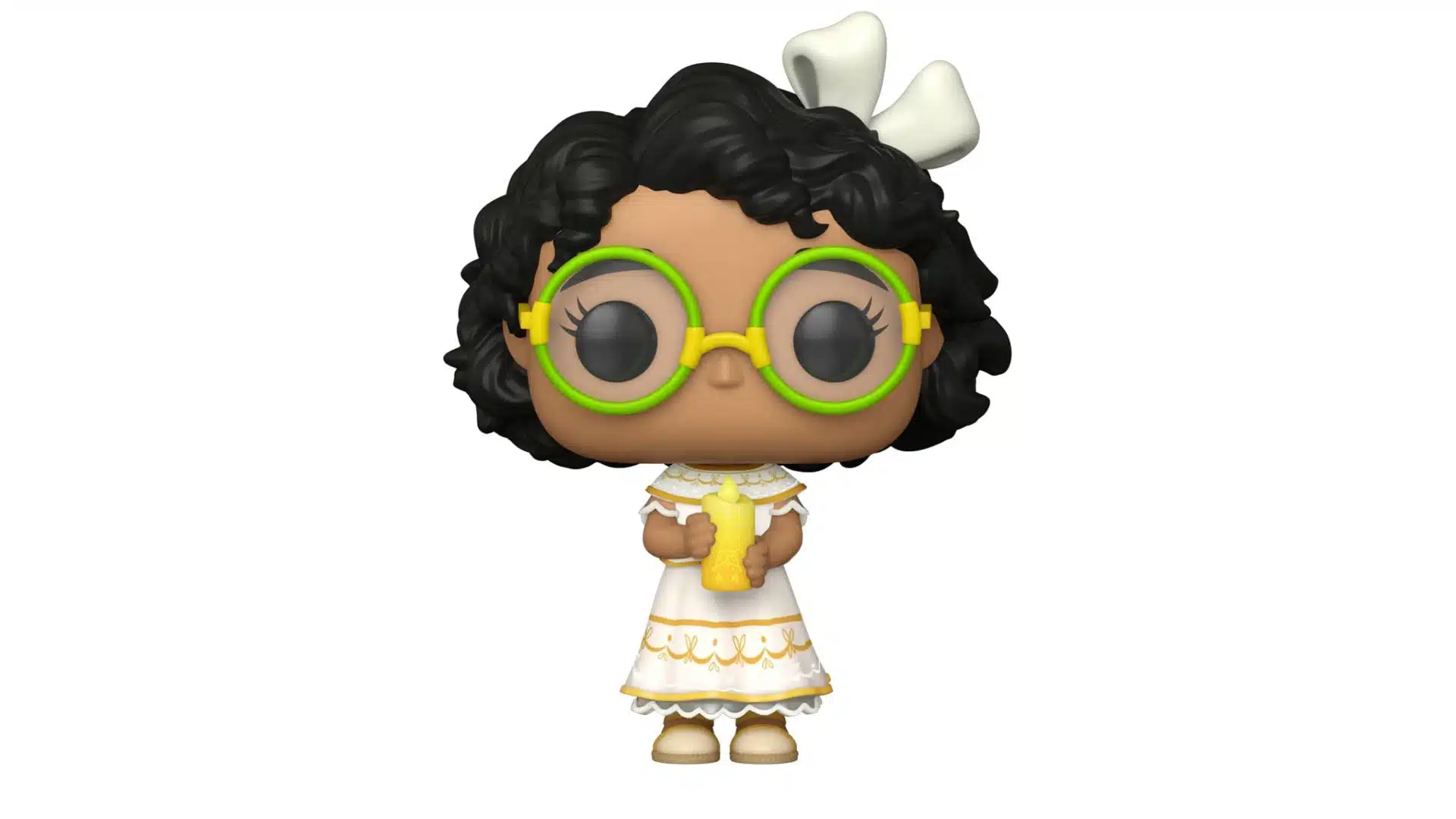
Mirabel Disney 100 is a Funko Pop! figure that celebrates Disney’s 100th anniversary. It features Mirabel, a character from the movie “Encanto,” holding a glowing candle. The figure stands approximately 4.2 inches tall and is made of high-quality vinyl.
Visit an Online Retailer: You can purchase it from various online retailers such as Amazon, eBay, or the official Funko website. Simply search for “Funko Pop! Disney: Disney 100 – Mirabel Glow in The Dark” and choose a reputable seller.
Check Local Retail Stores: Some brick-and-mortar stores may carry the Mirabel figure. Visit toy stores, collectible shops, or large retailers like Walmart or Target to see if they have it in stock.
Attend Comic Conventions or Toy Fairs: Comic conventions and toy fairs often have vendors selling exclusive Funko Pop! figures, including Mirabel. Check the event schedule for any upcoming conventions in your area.
Join Online Collectible Communities: Join online communities dedicated to collecting Funko Pop! figures or Disney merchandise. Members often share information about where to find rare and limited-edition items like Mirabel.
Pre-order or Reserve: Keep an eye out for pre-order announcements or reservation opportunities for new Funko Pop! releases, including Mirabel. This ensures that you secure your figure before it sells out.
Consider Second-Hand Marketplaces: If Mirabel Funko is no longer available through official retailers, you can try searching for it on second-hand marketplaces like Mercari or Facebook Marketplace. Be cautious of counterfeit or overpriced listings and buy from trusted sellers.
Set Price Alerts: Use price tracking tools or set up price alerts on websites to be notified when Mirabel becomes available at a desired price point.
Key Features of Mirabel Disney 100
Glowing Candle: This feature is a glowing candle held by the character Mirabel, adding a unique and eye-catching element to the figure.
Collectible Design: The Funko Pop! design captures the essence of Mirabel’s character from the “Encanto” movie, making it a must-have for fans and collectors.
High-Quality Vinyl: The figure is made of durable vinyl material, ensuring its longevity and resistance to wear and tear.
Officially Licensed: Mirabel toy is an officially licensed product, guaranteeing its authenticity and adherence to Disney’s quality standards.
Strengths of Mirabel Toy Disney
Limited Edition: As part of the Disney 100th anniversary celebration, Mirabel toy is a limited edition collectible, making it rare and valuable among collectors.
Unique Design: The glowing candle feature sets this figure apart from other Funko Pop! releases, making it an attractive addition to any collection.
Nostalgic Value: Being part of the Disney franchise’s centennial celebration adds sentimental value for fans who have grown up with Disney movies.
Weaknesses of Mirabel Disney 100
Availability: Due to its limited edition status, finding Mirabel Disney 100 may be challenging as supplies are limited. It may require some effort and luck to acquire this collectible figure.
Pricing Information
The price of Mirabel Disney 100 can vary depending on factors such as demand, availability, and the seller. Therefore, it’s essential to compare prices from different sellers and consider additional costs like shipping fees.
Conclusion
Mirabel Disney 100 is a highly sought-after collectible Funko Pop! figure that celebrates Disney’s 100th anniversary. If you’re a fan or collector looking to add this unique piece to your collection, follow our guide on how to obtain Mirabel Disney 100.
Remember to check reputable online retailers, local stores, and attend conventions or join online communities for the best chance of securing this limited edition figure. Happy collecting!
Maximize your Black Ops 6 rewards—Create highlights from your best gameplay with with Eklipse
Eklipse help streamer improve their social media presence with AI highlights that clip your Twitch / Kick streams automatically & converts them to TikTok / Reels / Shorts
Are you a fan of Zendaya and fascinated by celebrity lookalikes? If so, you’re in for a treat! In this article, we’ll explore various contents of “Zendaya Lookalike TikTok,” where users showcase their uncanny resemblance to the talented actress and singer.
From viral videos to hilarious pranks, we’ll dive into the best content featuring “Zendaya doppelgängers” on TikTok. So sit back, relax, and get ready to be amazed with these Zendaya lookalike TikTok contents!
Jamie Fuller is one of the most popular creators on TikTok who bears an astonishing resemblance to Zendaya. With over 24.2 million views, Jamie’s videos have captivated audiences worldwide. Fans can’t help but do a double-take when they see Jamie’s uncanny similarity to the beloved celebrity.
2. Jazlyn Hope: True Tho!
Jazlyn Hope is another TikToker who leaves viewers in awe with her striking resemblance to Zendaya. Her videos showcasing her lookalike features have garnered over 1.5 million likes and counting. It’s truly remarkable how Jazlyn captures Zendaya’s essence through her expressions and style.
3. MoreDailyClips: The Ultimate Zendaya Twin
MoreDailyClips takes looking like Zendaya to a whole new level! Their TikTok content featuring both original clips and side-by-side comparisons will make you question if it’s actually Zendaya herself. With over 24.1k likes and growing, MoreDailyClips has become a must-follow account for any Zendaya fan.
4. Zeinabou Coulibaly: Fooling No One
Zeinabou Coulibaly may resemble Zendaya, but she’s quick to clarify that she is not the real deal. With her engaging content and witty commentary, Zeinabou captures the attention of TikTok users who appreciate her humor and resemblance to the renowned actress.
5. Jusablako: Double Trouble
Jusablako brings together two beloved celebrities – Zendaya and Kehlani – in their videos. With over 2.1 million followers, Jusablako’s content showcases both their striking resemblance to Zendaya and their love for Kehlani. It’s a delightful combination that keeps fans coming back for more.
6. ClipCityCentralCCC: Fanum’s Dream Come True
ClipCityCentralCCC creates clips dedicated to fanum’s dream of meeting a Zendaya lookalike during a Kaicenat stream. While it may be wishful thinking, this TikToker knows how to entertain with creative content centered around the idea of encountering a Zendaya doppelgänger.
7. David Simms: Pranks and Laughter
David Simms takes pranks to another level by involving a Zendaya lookalike in his hilarious videos. With witty banter and comical situations, David keeps his audience entertained while showcasing the incredible resemblance between himself and Zendaya.
Strengths and Weaknesses
While TikTok provides an excellent platform for showcasing celebrity lookalikes like those resembling Zendaya, there are both strengths and weaknesses associated with this trend.
Strengths:
Entertainment Value: The presence of Zendaya lookalikes on TikTok adds an extra layer of fun and excitement for fans.
Creative Content: Creators leverage their resemblance to Zendaya to create unique and engaging videos that captivate viewers.
Virality Potential: Videos featuring Zendaya lookalikes have the potential to go viral due to their novelty factor.
Weaknesses:
Potential Misrepresentation: Some viewers may mistake Zendaya lookalikes for the real Zendaya, leading to confusion and misinformation.
Oversaturation: As more creators join the trend, there is a risk of oversaturation, making it harder for individual lookalikes to stand out.
Conclusion
In conclusion, the allure of celebrity lookalikes continues to captivate us all. So why not dive into the world of “Celebrity Doppelgängers” and see if you can spot your favorite celebrity twin?
Remember to always enjoy these videos responsibly and appreciate the talent and creativity of both the original celebrities and their lookalikes.
Maximize your Black Ops 6 rewards—Create highlights from your best gameplay with with Eklipse
Eklipse help streamer improve their social media presence with AI highlights that clip your Twitch / Kick streams automatically & converts them to TikTok / Reels / Shorts
If you are an avid TikTok user, then you may already be familiar with Janice TikTok. Who is Janice TikTok? If you want to know more about her, especially with her secrets to become a viral TikTok star, then you’re in the right place.
In today’s digital age, social media platforms have become powerful tools for self-expression, creativity, and entertainment. Among these platforms, TikTok stands out as a global sensation that has revolutionized the way people create and consume short-form videos. With its vast user base and innovative features, TikTok has given rise to countless content creators who have found success and fame through their viral videos.
In this comprehensive guide, we will delve into the world of TikTok and explore the captivating journey of one of its rising stars, Janice. We will uncover the secrets behind Janice’s success on TikTok, analyze her unique style, and provide valuable insights on how you can create engaging and viral content just like her. So buckle up and get ready to dive deep into the world of Janice TikTok!
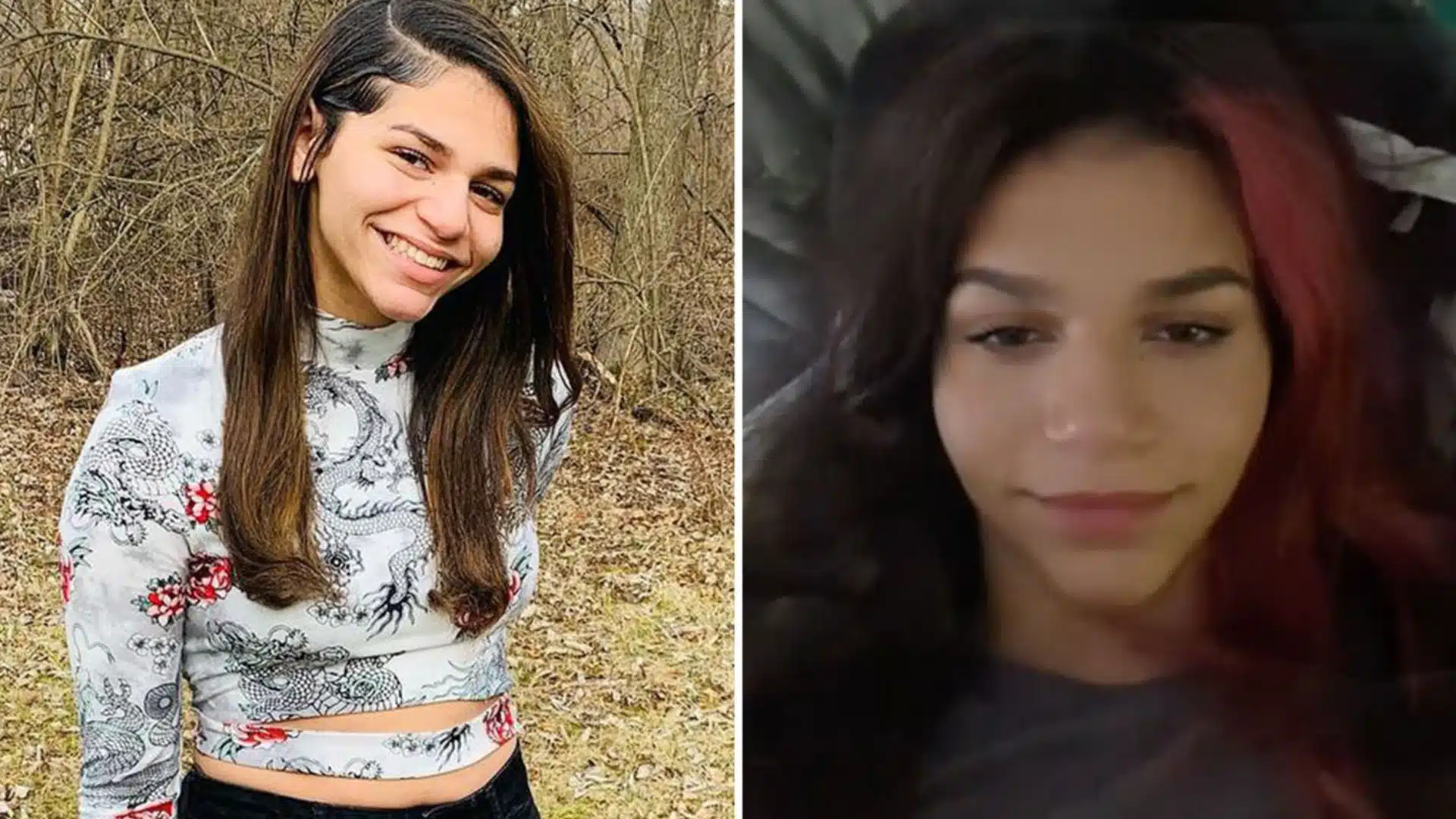
Janice is an incredibly talented content creator on TikTok with a massive following of 2.7 million users. Her videos showcase her exceptional dancing skills, infectious energy, and creative choreography. Hailing from Puerto Rico but now based in the United States, Janice has captured the hearts of millions worldwide with her Ferb Dance series.
The Secrets Behind Janice’s Success
Janice’s meteoric rise to fame on TikTok can be attributed to several key factors that set her apart from other creators. Let’s take a closer look at these factors and gain valuable insights into what makes her content so irresistible.
1. Authenticity:
One of the primary reasons behind Janice’s success is her authenticity. She stays true to herself in every video she creates, showcasing her genuine passion for dance and entertainment. Janice’s authenticity resonates with her audience, creating a deep connection that keeps them coming back for more.
2. Engaging Choreography:
Janice’s choreography is not only skillful but also incredibly engaging. She combines popular dance moves with her unique style, resulting in captivating routines that viewers can’t resist dancing along to. Her ability to create choreography that is both accessible and exciting contributes to the virality of her videos.
3. Consistent Upload Schedule:
Consistency is key on TikTok, and Janice understands this well. She maintains a regular upload schedule, ensuring that her followers always have fresh content to enjoy. By consistently showing up and delivering high-quality videos, Janice has built a loyal fan base that eagerly awaits her next creation.
4. Interactive Challenges:
Janice frequently participates in interactive challenges within the TikTok community. Whether it’s a trending dance challenge or a duet collaboration, she actively engages with other creators and invites her audience to join in the fun. This fosters a sense of community and encourages user participation, further amplifying the reach of her content.
How to Create Engaging and Viral Content on TikTok: A Step-by-Step Guide
Creating engaging and viral content on TikTok requires careful planning, creativity, and an understanding of your target audience. Follow these steps to maximize your chances of success on the platform:
Identify Your Niche: Determine your area of expertise or interest and find a niche within it. This will help you establish yourself as an expert in a specific field and attract like-minded viewers who are genuinely interested in your content.
Research Trending Topics: Stay up-to-date with the latest trends and challenges on TikTok by exploring the “Discover” section of the app regularly. Incorporate these trends into your videos while adding your unique twist to stand out from the crowd.
Create Eye-Catching Thumbnails: Pay attention to your video thumbnails as they play a crucial role in attracting viewers. Use captivating images or intriguing titles to entice users to click on your videos and discover your content.
Tell a Story: Craft your videos in a way that tells a compelling story or conveys a message. Whether it’s through dance, comedy, or informative content, storytelling adds depth and emotional resonance to your videos, making them more engaging for viewers.
Master the Art of Editing: TikTok offers various editing tools and effects that can enhance the visual appeal of your videos. Experiment with transitions, filters, text overlays, and music to create a polished and professional-looking final product.
Leverage Popular Sounds: Utilize popular sounds and songs that are trending on TikTok to increase the chances of your video being discovered by a wider audience. Incorporate these sounds into your content creatively and make them an integral part of your storytelling.
Engage with Your Audience: Respond to comments, engage in duets, and participate in challenges initiated by other creators. Building genuine connections with your audience fosters loyalty and encourages them to share your content with their own followers.
By following these steps and staying true to yourself, you can increase the likelihood of creating engaging and viral content on TikTok, just like Janice!
Conclusion
TikTok has revolutionized the way we create and consume short-form videos, offering endless opportunities for creativity, self-expression, and entertainment. Janice’s journey on TikTok serves as an inspiration for aspiring creators looking to make their mark in this dynamic platform.
By embracing authenticity, creating engaging choreography, maintaining consistency, participating in interactive challenges, and following our step-by-step guide, you too can captivate audiences on TikTok with your unique talent and creative flair.
So go ahead, unleash your creativity, and let the world witness your TikTok journey unfold. Remember, with dedication, passion, and a sprinkle of Janice’s magic, you can create engaging and viral content that leaves a lasting impression on TikTok in 2023 and beyond!
Maximize your Black Ops 6 rewards—Create highlights from your best gameplay with with Eklipse
Eklipse help streamer improve their social media presence with AI highlights that clip your Twitch / Kick streams automatically & converts them to TikTok / Reels / Shorts
Are you wondering who is King Henry TikTok? If yes, then you’re in the right place. Here we have the complete profile of King Henry TikTok in 2023. Be sure to check his full interesting story here.
TikTok has become a global phenomenon, with millions of users creating and sharing short videos on the platform. One popular content creator on TikTok is King Henry, who has gained a significant following for his entertaining and engaging videos.
In this article, we will dive into the world of King Henry TikTok, exploring his background, unique features, and how he has captivated audiences worldwide. Let’s go!
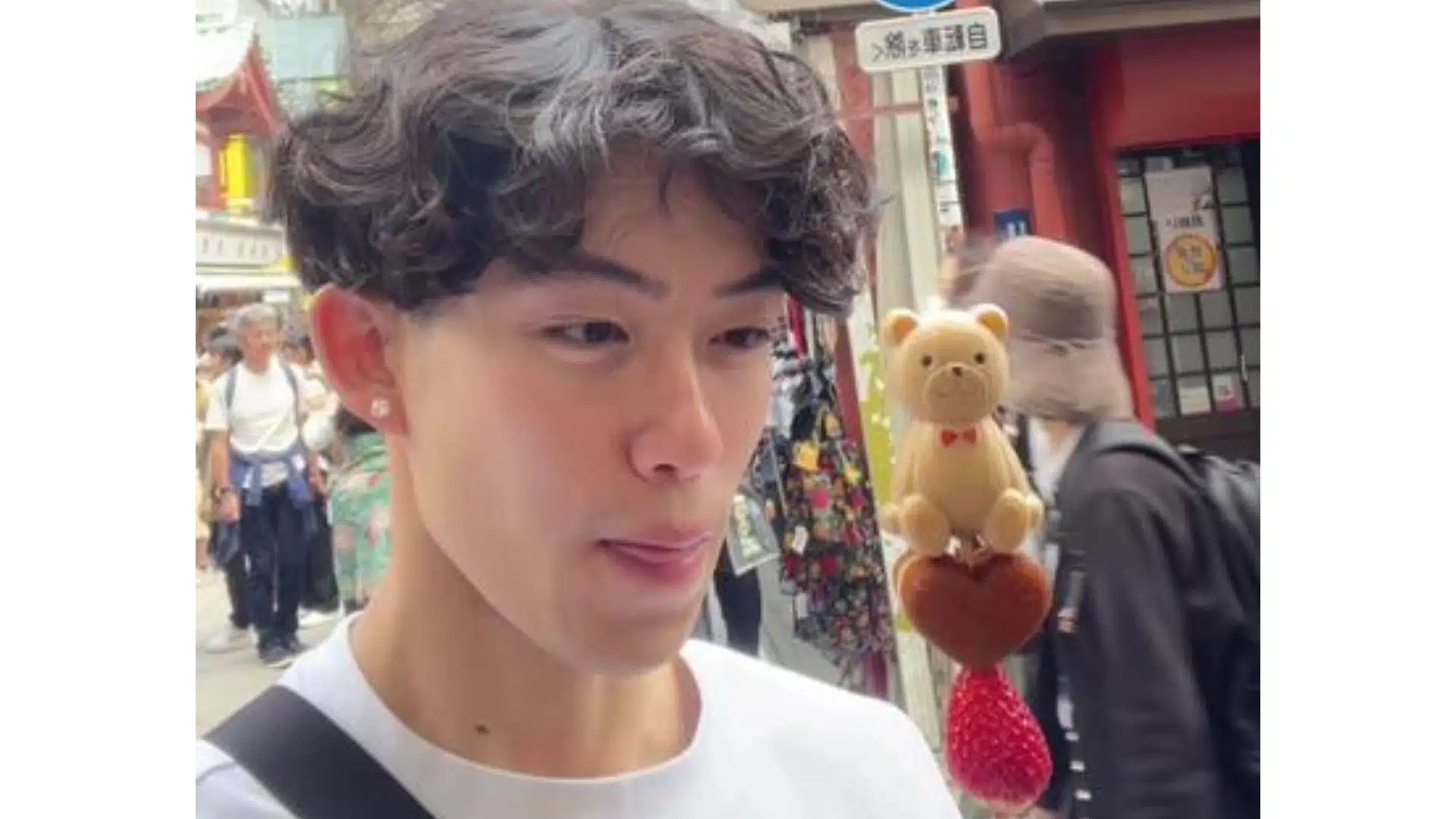
King Henry is a TikTok content creator known for his captivating videos that cover various topics such as skincare routines, fitness tips, personal experiences, and more. With over 253.7 million views on his TikTok account, Henry has established himself as a prominent figure in the community.
Key Features of King Henry TikTok
Engaging Content: King Henry’s videos are highly engaging and captivate viewers with their unique style and storytelling.
Diverse Topics: From skincare routines to fitness tips to personal anecdotes, King Henry covers a wide range of topics that appeal to different interests.
Cultural Representation: As an individual of Vietnamese descent, King Henry brings cultural diversity to his content and represents marginalized communities.
Relatable Personality: King Henry’s authenticity and relatability make him stand out from other creators on TikTok.
Collaborations: He frequently collaborates with other popular creators on TikTok to create innovative and entertaining content.
Interactive Challenges: King Henry actively engages with his audience by participating in trending challenges on the platform.
Strengths of King Henry TikTok
Engaging storytelling style that captivates viewers
Unique perspective as a person of Vietnamese descent
Ability to tackle various topics that resonate with diverse audiences
Collaborative nature to foster connections within the TikTok community
Active participation in viral challenges for increased engagement
Weaknesses of King Henry TikTok
Limited availability of content in languages other than English
Relatively smaller audience compared to some of the top TikTok creators
Lack of consistent posting schedule, leading to irregular content updates
How to Enjoy King Henry’s Funny Content
Follow his TikTok Account: To stay updated with King Henry’s latest videos, make sure to follow his official TikTok account.
Like and Share Videos: Show your support by liking and sharing his videos with your friends and followers.
Engage in the Comments Section: Join the conversation by leaving comments on his videos and interacting with other viewers.
Participate in Challenges: Keep an eye out for any challenges or trends that King Henry initiates or takes part in, and join in on the fun.
Collaborate with King Henry: If you are a fellow creator on TikTok, consider reaching out to King Henry for potential collaboration opportunities.
Conclusion
King Henry has undoubtedly made a name for himself on TikTok through his engaging storytelling style, diverse content, and relatable personality. As a viewer, following King Henry’s journey on TikTok promises entertainment, inspiration, and a unique perspective. So don’t miss out – hit that follow button and join the millions who have already fallen in love with his content.
Remember to always support your favorite creators by liking, sharing, and engaging with their videos. Happy watching!
Maximize your Black Ops 6 rewards—Create highlights from your best gameplay with with Eklipse
Eklipse help streamer improve their social media presence with AI highlights that clip your Twitch / Kick streams automatically & converts them to TikTok / Reels / Shorts
With its immense popularity, TikTok has become a hub for creative content creators around the world. Among the many creators on the platform, Moon and Tiko TikTok have gained significant attention for their entertaining videos.
Curious to know more about Moon and Tiko TikTok? In this article, we will explore the best videos and content from Moon and Tiko TikTok, highlighting their unique features and strengths. Let’s go!
Moon is a talented content creator on TikTok who captivates audiences with her creativity and humor. She brings a fresh perspective to her videos, making them engaging and enjoyable to watch. Some of Moon’s key features include:
Unique Video Concepts: Moon consistently comes up with innovative video ideas that stand out from the crowd. From comedic skits to heartwarming moments, she knows how to keep her audience entertained.
Authenticity: One of Moon’s greatest strengths is her ability to showcase her true self in her videos. She connects with her viewers by being genuine and relatable, which adds an extra layer of authenticity to her content.
Collaboration: Moon frequently collaborates with other TikTokers, bringing together different creative minds to produce captivating videos. These collaborations not only showcase her versatility but also introduce viewers to new talents within the TikTok community.
Despite these strengths, one weakness of Moon’s content is occasional inconsistency in video quality. Some videos may lack the same level of creativity or engagement as others. However, this is a minor drawback compared to the overall quality of her content.
2. Tiko TikTok: The Master Storyteller
Tiko TikTok is another prominent content creator on the platform known for his storytelling abilities and captivating narratives. He has garnered a large following due to his talent for creating compelling stories within short video clips. Let’s take a closer look at Tiko TikTok’s key features:
Narrative Skills: Tiko TikTok excels in storytelling, using visual cues, music, and clever editing techniques to convey captivating narratives. His videos often leave viewers craving for more, making them eager to follow his content.
Emotional Connection: Tiko TikTok’s stories often evoke strong emotions among viewers. Whether it’s laughter, tears, or a sense of nostalgia, he has a knack for creating videos that resonate with people on a deep level.
Visual Aesthetics: One of Tiko TikTok’s strengths is his attention to detail when it comes to visual aesthetics. He carefully selects backgrounds, props, and costumes that enhance the overall cinematic experience of his videos.
While Tiko TikTok’s storytelling abilities are exceptional, one potential weakness is the occasional lack of variety in content themes. Although his stories are captivating, diversifying the topics covered could help maintain sustained interest from viewers.
3. Best Collaboration Moments
One of the highlights of Moon and Tiko TikTok’s content is their collaborations with other creators. These collaborations allow for unique combinations of talent and creativity. Here are some notable collaboration moments:
Collaborators
Video Concept
Moon and Tiko TikTok
Comedy skit featuring both creators
Moon and Other Creator
Dance challenge collaboration
Tiko TikTok and Other Creator
Emotional storytelling duet
These collaboration moments bring together different styles and personalities, resulting in engaging content that appeals to a wide range of viewers.
Conclusion
Moon and Tiko TikTok have proven themselves as exceptional content creators on TikTok through their unique approaches and entertaining videos. Moon’s creativity shines through her innovative concepts, while Tiko TikTok captivates audiences with his storytelling abilities. Their collaborations add an extra layer of excitement to their content.
As you explore the world of Moon and Tiko TikTok on TikTok, be prepared to be entertained, inspired, and engaged. Whether it’s through Moon’s creative skits or Tiko TikTok’s compelling narratives, you’re guaranteed to find something that resonates with you. So sit back, relax, and enjoy the best videos and content from Moon and Tiko TikTok on TikTok.
Maximize your Black Ops 6 rewards—Create highlights from your best gameplay with with Eklipse
Eklipse help streamer improve their social media presence with AI highlights that clip your Twitch / Kick streams automatically & converts them to TikTok / Reels / Shorts
In the dynamic world of online gaming, generating revenue has become an integral part of the gaming experience. One of the innovative ways to enhance your earnings on platforms like Facebook Gaming is by incorporating gifted subscriptions. By offering this unique feature, both content creators and subscribers can enjoy a win-win situation.
But how exactly to add gifted subscriptions on Facebook gaming? Keep reading to find out!
Don’t miss out on the opportunity to enhance your gaming journey and maximize your earnings in 2023. Activate gifted subscriptions today and embark on a path of financial growth and engagement.
Want to grow your Facebook gaming audience? Look no further than Eklipse!
With Eklipse, you can quickly and easily clip your favorite FB live moments and share them on your other social media platforms in just a few taps. Eklipse is also incredibly easy to use, even if you’re a beginner.
So what are you waiting for? Click below to try Eklipse today and see how easy it is to create amazing videos.
Maximize your Black Ops 6 rewards—Create highlights from your best gameplay with with Eklipse
Eklipse help streamer improve their social media presence with AI highlights that clip your Twitch / Kick streams automatically & converts them to TikTok / Reels / Shorts
Should you stream on Kick? If you are a new streamer looking to kickstart your career, streaming on Kick might be the best choice.
Kick stands out as a streaming platform with a lower competition rate. Unlike YouTube or Twitch, both with high competition, Kick streaming platform is undoubtedly the ideal place for newcomers to spread their wings.
If you’re still unsure whether to stream on Kick, let’s explore some advantages provided by this platform.
Source: Eklipse Blog – Should you stream on kick reddit
In the fiercely competitive streaming landscape, success is not guaranteed.
Streaming analytics company Streams Charts revealed that between April and June, 8.13 million channels went live, with only 0.3% accounting for 80% of watched hours. This highlights the challenge for many streamers to build a substantial following and generate revenue.
Becoming a Twitch Affiliate requires specific criteria, while Kick streaming offers a more attractive revenue split for smaller streamers. Is kick streaming free? Yes, it is free to use and you can get almost 95% of revenue from it.
So, is Kick good for new streamers? Well, Kick is still in beta and doesn’t offer an ad revenue split, but its revenue split presents a workable option for smaller and mid-tier streamers.
How to get paid on kick streaming? The easiest way to get paid on Kick is from the audiences.
Kick’s audience is more attuned to online spaces and embraces more adult-oriented themes, unlike Twitch’s family-friendly approach.
Kick enforces strict rules against pornography and hate speech, making it a platform with certain guidelines.
Streamers should consider their target audience and content preferences when choosing between Twitch and Kick. Twitch attracts a broader audience but also faces more competition. On the other hand, Kick’s niche appeal could benefit those seeking an engaged community.
In conclusion, Kick’s emergence as a competitor to Twitch offers new opportunities and challenges for content creators. Its attractive revenue split and niche appeal make it appealing for smaller streamers.
However, streamers should carefully consider their goals and target audience before deciding between Kick and Twitch. Both platforms have their merits, and staying informed about their developments will help streamers make the best choice for their careers. In addition, remember to watch out at some problems with Kick streaming to ensure smooth experience.
Want to grow your Kick audience easily? Look no further than Eklipse!
Experience the magic of our AI-powered tool, seamlessly transforming your Kick LIVE moments into captivating TikTok/Short/Reels content with just a single click.
Click below to see how easy it is to create and share gaming video clips like never before.
Maximize your Black Ops 6 rewards—Create highlights from your best gameplay with with Eklipse
Eklipse help streamer improve their social media presence with AI highlights that clip your Twitch / Kick streams automatically & converts them to TikTok / Reels / Shorts
Are you looking for engaging and informative video podcasts to watch? Look no further! We’ve curated a list of the 7 best video podcasts that cover a wide range of topics, from music and culture to comedy and food reviews.
Each podcast offers unique content and features that are sure to keep you entertained. So grab your favorite snack, sit back, and get ready to dive into the world of video podcasts!
If you enjoy music and culture podcasts, Zane Lowe Interviews is a must-watch. Hosted by Zane Lowe, this podcast features in-depth interviews with popular artists from various genres. From musicians to producers, Zane Lowe delves into their creative process, personal stories, and insights into the music industry.
Key Features:
– Host: Zane Lowe – Genre: Music/Culture – In-depth interviews with popular artists – Insights into the music industry
2. Smartless
Smartless is a fun and friendly video podcast where three comedians — Jason Bateman, Sean Hayes, and Will Arnett — interview other actors.
This podcast is filled with interesting stories about their work projects and behind-the-scenes anecdotes. If you’re looking for a lighthearted podcast that will make you laugh while keeping you engaged, Smartless is the perfect choice.
Key Features:
– Hosts: Jason Bateman, Sean Hayes, Will Arnett – Genre: Comedy/Entertainment – Interviews with actors – Lighthearted and fun-filled conversations
For fans of Tim Heidecker’s unique brand of humor, Office Hours Live is a must-watch video podcast. Tim Heidecker engages in hilarious conversations with guests from various fields while also taking live calls from viewers. This podcast guarantees laughter and entertainment from start to finish.
Key Features:
– Host: Tim Heidecker – Genre: Comedy/Entertainment – Hilarious conversations with guests – Live calls from viewers
4. Brain Leak
Brain Leak is a video podcast that combines visual gags with thought-provoking discussions. This podcast is perfect for those who prefer watching podcasts over just listening, as it makes use of visual elements to enhance the comedic experience. Join the hosts as they explore various topics and engage in witty banter.
Key Features:
– Hosts: Jacksepticeye (Seán McLoughlin) and Ethan Nestor – Genre: Comedy/Entertainment – Visual gags and witty banter – Thought-provoking discussions
More on Eklipse Blog>>>
5. Doughboys
If you’re a foodie looking for a unique podcast experience, Doughboys is the perfect choice. This video podcast combines food reviews with comedy, making it an entertaining watch for anyone interested in culinary adventures. Join the hosts as they review different restaurants and share their hilarious experiences.
Key Features:
– Hosts: Mitchell and Nick Wiger – Genre: Food/Comedy – Restaurant reviews with a comedic twist – Entertaining culinary adventures
6. Diary of a CEO
Diary of a CEO is a video podcast hosted by Steven Bartlett, where successful CEOs share their insights, struggles, and tips for achieving success in today’s business world. If you’re interested in entrepreneurship or simply looking for inspiration, this podcast offers valuable lessons from industry leaders.
Key Features:
– Host: Steven Bartlett – Genre: Business/Entrepreneurship – Insights from successful CEOs – Tips for achieving success
7. 2 Cents gets Distracted
2 Cents Gets Distracted is a video podcast based in New Zealand that combines rugby discussions with random tangents and off-topic conversations.
The hosts, who are YouTubers known as 2 Cents Rugby and Distracted Sports, provide a unique and fun perspective on the world of rugby. If you’re a sports fan or simply enjoy engaging conversations, this podcast is worth checking out.
Key Features:
– Hosts: 2 Cents Rugby and Distracted Sports – Genre: Sports/Entertainment – Rugby discussions with random tangents – Engaging and entertaining conversations
BONUS: How to Make Video Podcast Highlights Automatically with Eklipse
If you’re a fan of video podcasts, you know that they can be a great way to learn new things and be entertained.
Video podcasts are a great way to reach a wider audience and engage your listeners in a new way. But creating video podcast highlights for TikTok can be time-consuming and challenging. That’s where Eklipse comes in.
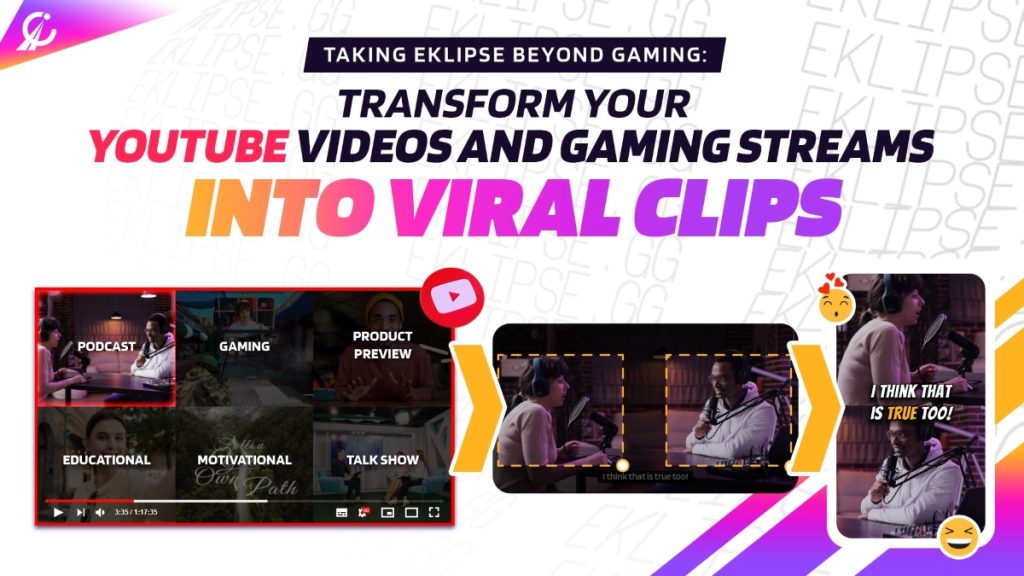
Eklipse is an AI-powered tool that can automatically generate TikTok-ready vertical highlights from video podcasts. Simply upload your favorite video podcast episode to Eklipse, and it will take care of the rest. Eklipse will automatically identify the most engaging moments in the episode and create short, shareable clips that are perfect for TikTok.
Here are just a few of the benefits of using Eklipse:
Save time and effort: Eklipse can automatically generate TikTok highlights from your video podcasts in minutes, so you can spend less time editing and more time promoting your channel.
Create engaging content: Eklipse uses AI to identify the most engaging moments in your videos, so you can be sure that your highlights are sure to grab your viewers’ attention.
Increase your chances of going viral: By creating engaging highlights, you can increase your chances of going viral on TikTok, which can help you reach a wider audience and grow your channel.
If you’re serious about growing your video podcast audience, Eklipse is the perfect tool for you. It’s easy to use, affordable, and it can help you save time and effort while creating engaging content that your viewers will love.
These are just a few of the best video podcasts to watch in 2023. Each podcast offers its own unique content and style, ensuring there’s something for everyone. Whether you’re interested in music, comedy, food reviews, or business insights, these podcasts will keep you entertained and informed. So grab your headphones and start exploring the world of video podcasts today!
Remember to always support the creators by subscribing to their channels or following their social media accounts to stay updated with their latest episodes. Happy watching!
Maximize your Black Ops 6 rewards—Create highlights from your best gameplay with with Eklipse
Eklipse help streamer improve their social media presence with AI highlights that clip your Twitch / Kick streams automatically & converts them to TikTok / Reels / Shorts
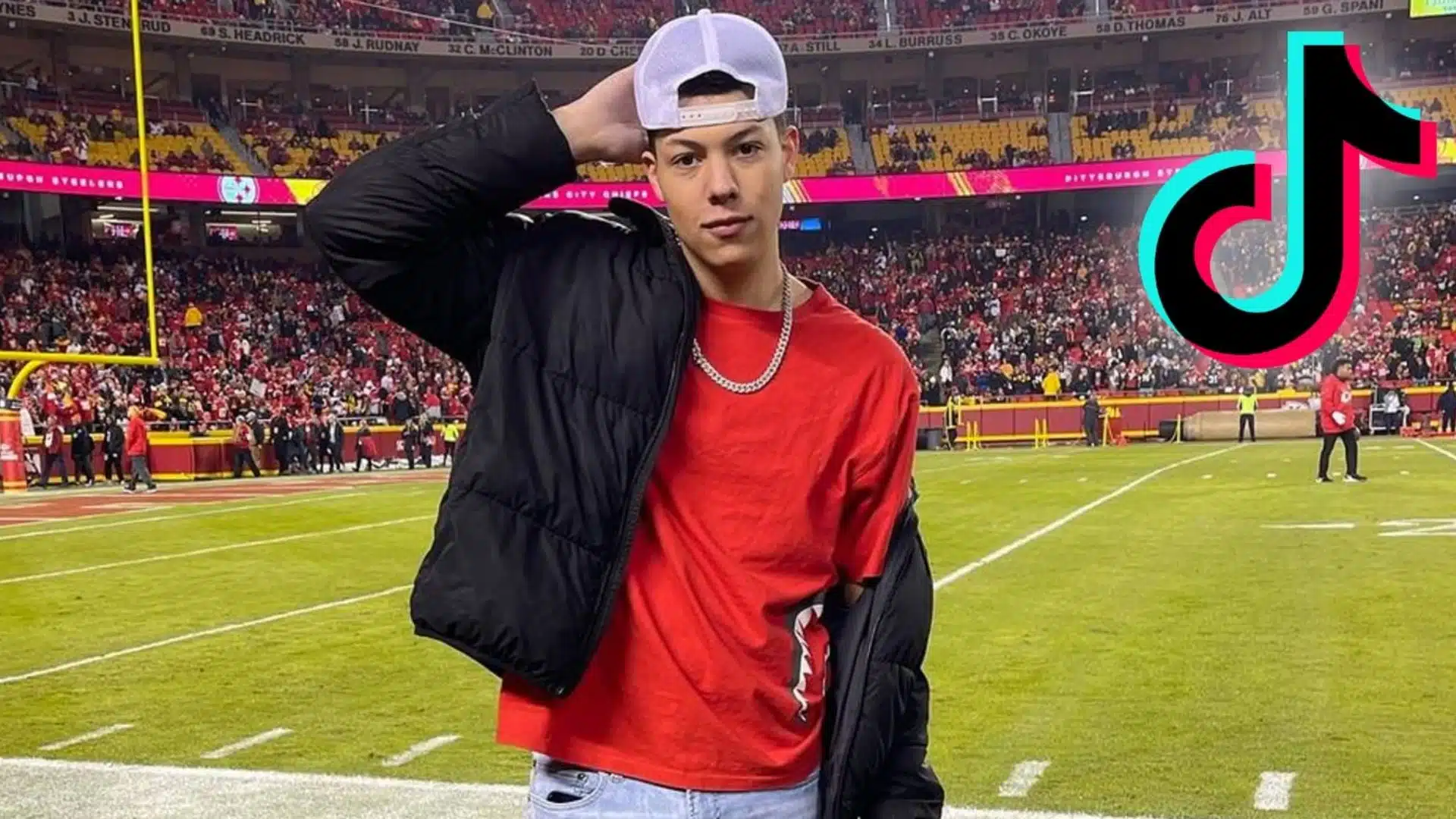
TikTok has become one of the most popular social media platforms, attracting millions of users worldwide. One prominent figure on TikTok is Jackson Mahomes, who has gained a significant following for his entertaining and engaging content. Do you want to know more about Jackson Mahomes TikTok? Look no further!
In this article, we will provide you with a comprehensive review of Jackson Mahomes TikTok account, including information about him. Whether you are a fan or just curious about this social media sensation, keep reading to learn all about Jackson Mahomes TikTok. Let’s go!
Jackson Mahomes TikTok account is developed and owned by TikTok itself. As one of the leading social media platforms globally, TikTok provides users with a creative outlet to share short-form videos. With its user-friendly interface and wide range of editing tools and effects, TikTok has become a go-to platform for content creators like Jackson Mahomes.
Jackson Mahomes TikTok Success Tips
Short-Form Videos: Like other TikTok users, Jackson utilizes the platform’s main feature of creating and sharing short-form videos. These videos typically range from 15 seconds to 60 seconds in length.
Trending Challenges: Jackson frequently participates in trending challenges on TikTok. These challenges often involve specific dances or actions that users can replicate and put their unique spin on.
Creative Editing Tools: To enhance his videos’ visual appeal, Jackson Mahomes takes advantage of the various editing tools offered by TikTok. These tools allow him to add filters, effects, text overlays, and music to his videos.
Engaging Content: One of the reasons behind Jackson’s popularity on TikTok is his ability to create engaging content. He showcases his personality through humor, storytelling, and relatable experiences that resonate with his audience.
Collaborations: Occasionally, Jackson Mahomes collaborates with other creators, further expanding his reach and providing fresh and dynamic content for his followers.
Quality of Jackson’s Contents
As a popular figure on TikTok, Jackson consistently delivers high-quality content to his followers. The videos he creates are well-edited, visually appealing, and engaging. He pays attention to details such as video resolution, audio quality, and overall production value to ensure his audience has an enjoyable viewing experience.
Strengths
Entertainment Value: Jackson Mahomes excels at entertaining his audience through his creative videos. His unique style and charismatic personality make him stand out among other TikTok creators.
Trend Awareness: Being an active user of the platform, Jackson stays up-to-date with the latest trends on TikTok. He regularly participates in challenges and incorporates popular hashtags into his content to stay relevant and engage with his audience.
Collaborative Spirit: By collaborating with other creators, Jackson Mahomes expands his reach and provides diverse content for his followers. These collaborations introduce new perspectives and ideas into his videos.
Weaknesses
Limited Content Focus: While Jackson Mahomes’ content is entertaining, it primarily revolves around personal experiences rather than covering a broad range of topics. This limited focus may not appeal to users seeking more diverse content on TikTok.
Potential Oversaturation: As a popular creator with a large following, there is a possibility that Jackson’s content could become oversaturated within certain circles of TikTok users. This could lead to decreased engagement or repetitive themes in his videos.
Conclusion
In conclusion, Jackson Mahomes TikTok account offers a unique blend of entertainment value, trend awareness, and collaborative spirit. As one of the leading content creators on TikTok, he continues to captivate his audience with engaging videos. Whether you’re a fan or simply curious about the platform, Jackson Mahomes TikTok is definitely worth checking out. Keep up with his latest videos and enjoy the entertaining content he brings to the TikTok community.
Maximize your Black Ops 6 rewards—Create highlights from your best gameplay with with Eklipse
Eklipse help streamer improve their social media presence with AI highlights that clip your Twitch / Kick streams automatically & converts them to TikTok / Reels / Shorts